
Don’t Get Breached: Certified Media and Server Destruction in Oklahoma
Why Compliant Data Destruction in OKC Is a Business-Critical Decision
Compliant data destruction in OKC is required for any business handling sensitive data on decommissioned computers, servers, or storage media. Here’s what you need to know at a glance:
- Federal laws that apply — HIPAA, FACTA, GLBA, SOX, and FERPA all require proper destruction of data-bearing media before disposal.
- State-level requirements — Oklahoma businesses must also follow state data security standards governing how confidential information is handled and destroyed.
- Accepted destruction methods — Physical shredding, degaussing, and NIST 800-88-compliant data wiping are the recognized standards for enterprise hardware.
- Key certifications to look for — A qualified vendor should hold NAID AAA certification and, ideally, R2v3 certification for IT asset disposition.
- What you get at the end — A Certificate of Destruction and a detailed destruction log that proves compliance during an audit.
When an enterprise retires a server rack or swaps out a batch of hard drives, the data on that hardware doesn’t disappear on its own. A single improperly disposed drive can expose thousands of records — and regulators don’t accept “we didn’t know” as a defense. The cost of a data breach, both in fines and reputation damage, far outweighs the cost of doing destruction right the first time.
That’s the core problem this guide solves.
I’m Mike Haden, Founder and Director of Business Development at Innovative IT Solutions — an R2v3-certified ITAD company with over 14 years of experience helping Oklahoma City enterprises manage compliant data destruction in OKC through secure, auditable, and responsible processes. In that time, we’ve processed over a million pieces of enterprise IT equipment with a strict focus on chain of custody and data security.
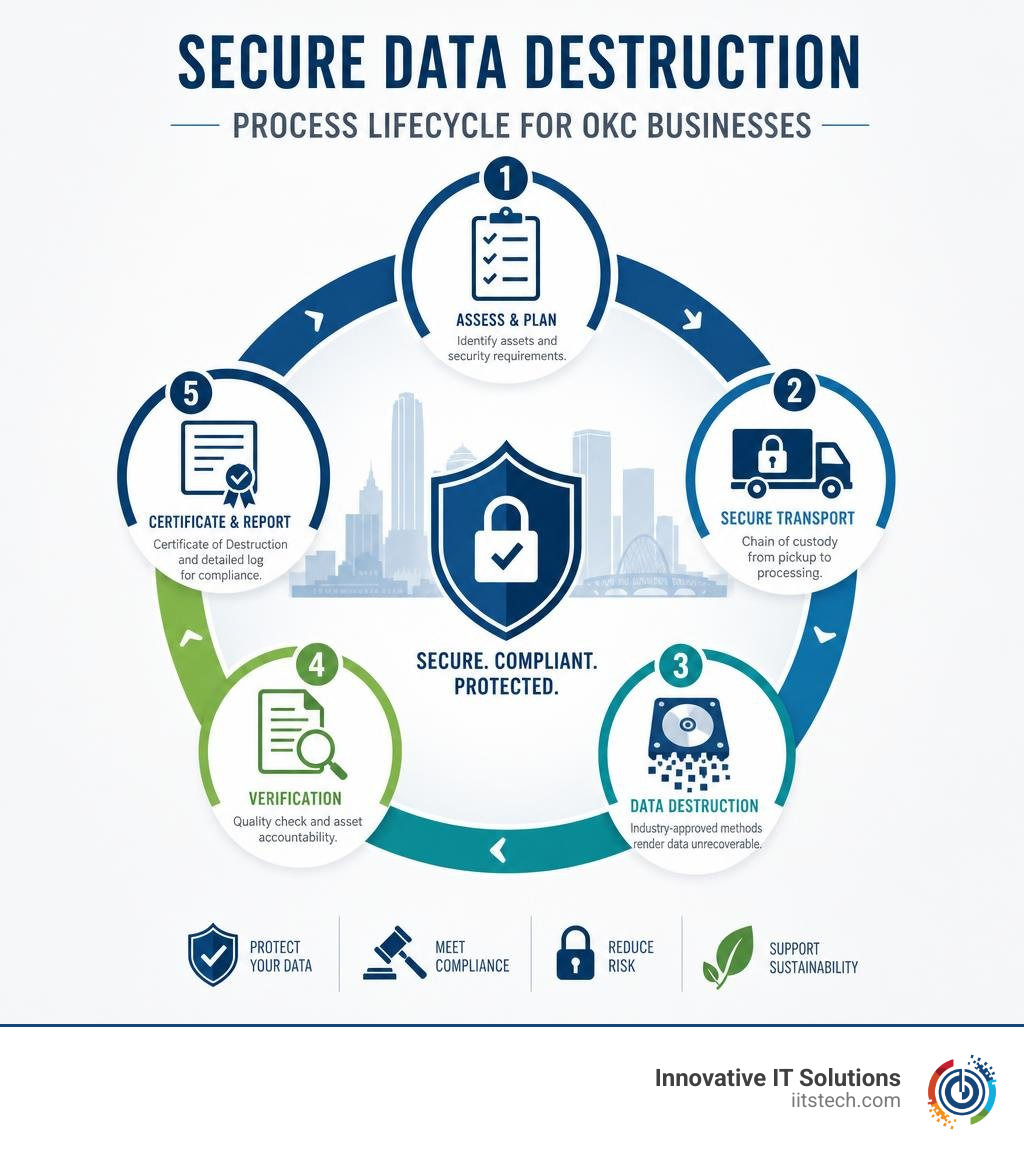
Learn more about compliant data destruction okc:
Understanding Regulatory Compliance and Compliant Data Destruction OKC
When your organization decommissions legacy enterprise servers, desktop PCs, or array drives in the Oklahoma City metro area, you aren’t just clearing out rack space or storage closets. You are making a critical decision regarding regulatory exposure.
Federal and state laws impose strict obligations on how organizations store, handle, and permanently destroy sensitive digital records. Failing to execute compliant data destruction in OKC exposes your business to catastrophic civil penalties, federal regulatory enforcement actions, and devastating public relations fallout.
Several major regulatory frameworks govern enterprise data disposal:
- HIPAA (Health Insurance Portability and Accountability Act): Applies to healthcare providers, hospital networks, insurance carriers, and business associates throughout Oklahoma. HIPAA requires that Protected Health Information (PHI) stored on hard drives, tapes, or server arrays be rendered completely unrecoverable prior to hardware recycling or resale.
- FACTA (Fair and Accurate Credit Transactions Act) Disposal Rule: Mandates that any business using consumer reports or credit information must take reasonable, secure measures to destroy consumer data.
- GLBA (Gramm-Leach-Bliley Act): Requires financial institutions, credit unions, and accounting firms to safeguard customer financial records and ensure complete physical or digital destruction of retired equipment.
- SOX (Sarbanes-Oxley Act): Affects publicly traded companies and accounting partners, establishing rigorous internal controls for financial record retention and verified asset disposition logs.
- FERPA (Family Educational Rights and Privacy Act): Safeguards student records across Oklahoma higher education institutions, school districts, and educational technology partners.
In addition to federal frameworks, public and private sector entities operating across Oklahoma must align with state-specific guidance such as the official Data Security Standard | Oklahoma.gov. This standard establishes mandatory operational controls for protecting data confidentiality across its full operational lifecycle.
Understanding these requirements is why proactive organizations partner with certified experts rather than leaving decommissioned drives sitting vulnerable in a back storage room. For a deeper breakdown of the local risk landscape, explore our guide on Shredding the Evidence: Why Oklahoma Businesses Need Certified Data Destruction.
Why Compliant Data Destruction OKC Matters for Local Enterprise Risk
It can be tempting to treat retired server arrays or old employee laptops as harmless leftover scrap metal. However, tossing drives in standard municipal waste or letting unencrypted hardware gather dust in an unlocked storage room creates immense legal vulnerability.
Modern forensic software can extract active customer files, stored credentials, proprietary trade secrets, and operational databases from drives that were merely formatted or thrown away.
When uncertified operators or informal recyclers handle your hardware, you lose sight of your serial numbers, leaving your business exposed to severe regulatory fines and third-party liabilities. Learn more about the hidden financial hazards in our analysis on The Hidden Costs of Skipping Data Destruction Services.
Information Governance and Records Retention Alignment
A robust information governance framework dictates not only how long your business retains physical and digital files, but also precisely when and how those assets must be permanently destroyed.
Keeping storage drives long past their statutory retention schedule actually increases enterprise risk. In the event of litigation or a network intrusion, legacy unmonitored hard drives become prime targets for data exfiltration or discovery requests.
Proper information governance aligns your records retention schedule with secure physical or logical destruction. State government agencies and university systems in Oklahoma maintain strict compliance by following General Records Disposition Schedules overseen by the Archives and Records Commission. Private enterprises should implement equivalent internal schedules.
By systematically decommissioning end-of-life hardware, logging serial numbers, and obtaining certified proof of destruction, your corporate compliance team can easily demonstrate audit readiness. Read more on maintaining audit readiness in our resource ITAD Compliance: How to Keep Your Business Audit-Ready and Secure.
Hard Drive and Server Storage Media Destruction Best Practices
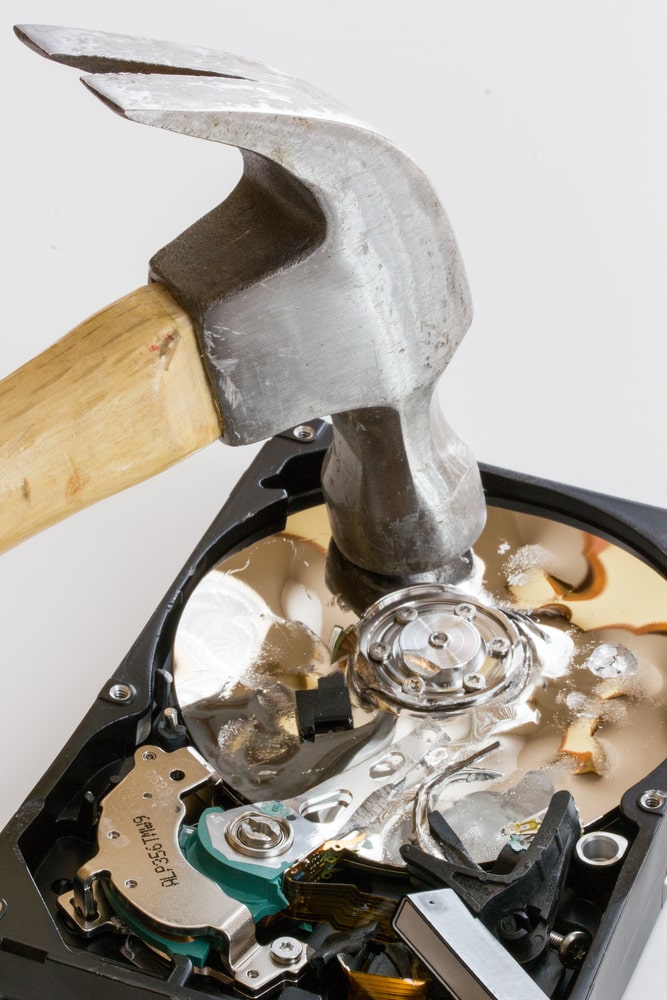
When destroying high-density storage drives, enterprise server blades, magnetic backup tapes, or solid-state storage arrays (SSDs), simply clicking “format” or using basic freeware is completely ineffective. Modern enterprise hard drives reallocate bad sectors and retain magnetic signatures that basic overwriting tools routinely miss.
To satisfy compliance auditors, enterprise hardware must undergo standardized sanitization protocols:
- NIST SP 800-88 Guidelines for Media Sanitization: The recognized gold standard across corporate IT. It categorizes sanitization into Clear (software overwriting), Purge (degaussing or firmware-level commands), and Destroy (physical destruction).
- DoD 5220.22-M Standard: A military multipass overwriting standard historically used for sanitizing magnetic storage media.
- Data Degaussing: Exposing magnetic media (such as traditional HDDs and backup tapes) to powerful magnetic fields, instantly neutralizing the drive’s magnetic orientation and rendering the media unusable. (Note: Degaussing does not destroy modern flash-based Solid State Drives (SSDs), which require physical shredding or crypto-erasure).
- Physical Industrial Shredding: Shearing drives, circuit boards, and server blades into tiny fragments, guaranteeing physical destruction.
To better understand when logical wiping vs. physical destruction is necessary, review Physical Destruction vs Data Wiping: When Each Method Is Required and our detailed overview of DoD Compliant Data Destruction Demystified.
On-Site Witnessed Shredding vs Off-Site Destruction
Oklahoma City enterprises often evaluate two primary physical destruction options: on-site witnessed shredding (using mobile shredding trucks at your facility) and off-site certified destruction (in a secure processing facility).
| Feature | On-Site Witnessed Destruction | Off-Site Secure Facility Destruction |
|---|---|---|
| Primary Advantage | Immediate visual verification before media leaves your facility | Lower cost; high throughput for large server farms and enterprise batches |
| Security Controls | On-site employee witnessing, real-time logging | Multi-layer facility security, continuous CCTV monitoring, PRISM/NAID standards |
| Best Used For | Highly classified government, legal, or financial media | Large-scale server rollouts, routine IT refreshes, high-volume ITAD |
| Chain of Custody | Handed directly to mobile technician at building loading dock | Locked security totes, GPS-tracked vehicles, direct barcode scanning |
| Turnaround Time | Immediate on-site completion | Media destroyed within 3 business days of facility receipt |
Choosing between these workflows depends on your risk tolerance, facility access constraints, and budget. For a breakdown of doing this internally versus hiring specialists, see In-House Data Wiping vs Professional Destruction.
Digital Scanning and Workflow Integration
As organizations transition legacy paper records and physical microfilms into digital repositories, physical scanning and secure media destruction become tightly linked workflows. Modern information management strategies often utilize backfile imaging (digitizing massive legacy file archives) alongside day-forward scanning (digitizing physical records upon arrival).
Once paper or micro-media records are scanned, indexed, and validated within enterprise document systems, the remaining physical documents must be securely shredded in accordance with records management retention schedules. Integrating secure digital scanning directly with automated destruction schedules ensures complete data governance from creation to end-of-life.
Vendor Certifications and Unbroken Chain of Custody
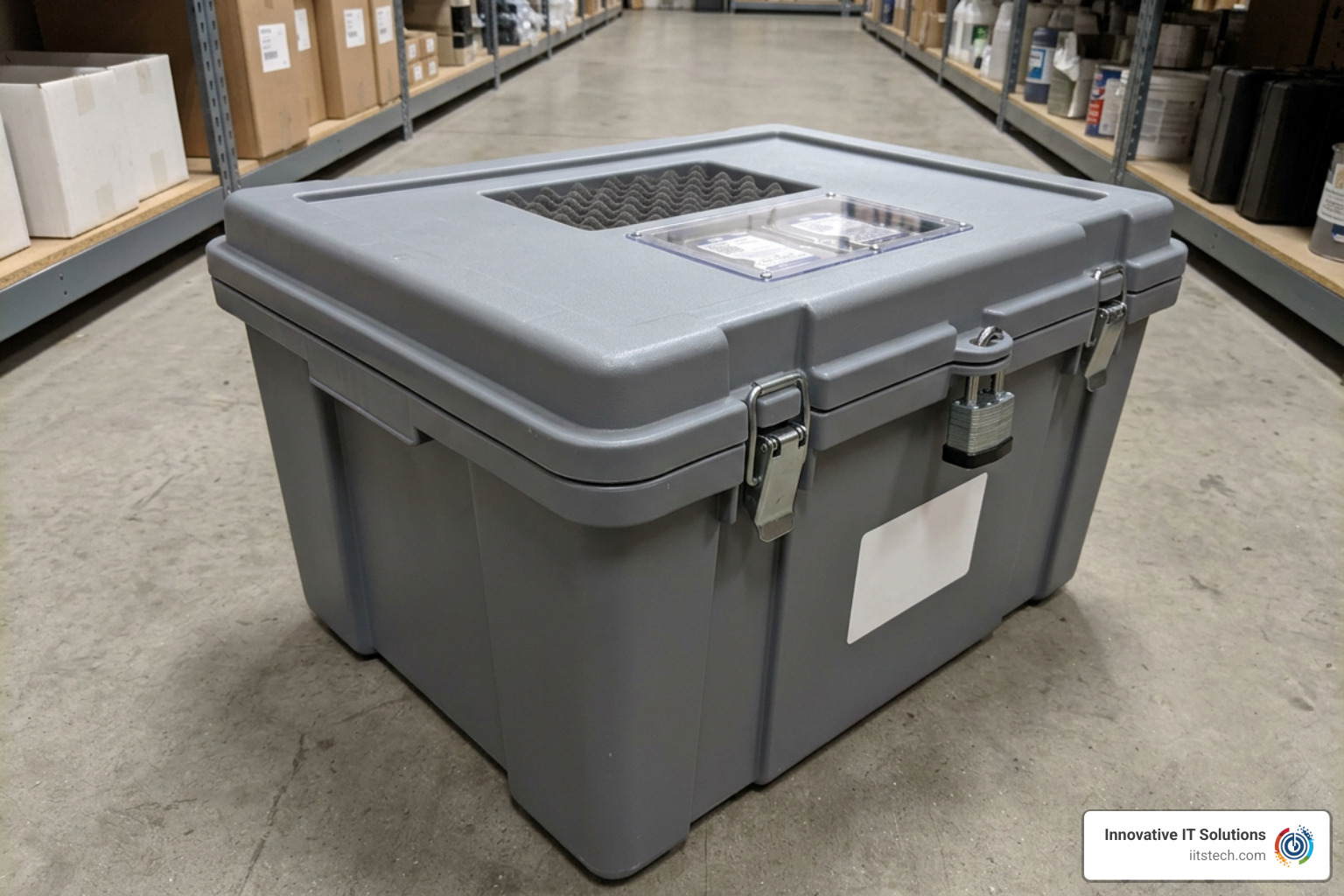
Outsourcing server and media destruction requires absolute trust. If a vendor dumps your equipment or loses a drive in transit, your business remains legally responsible for the data breach. That’s why verifying third-party industry certifications is vital.
When vetting an IT asset disposition (ITAD) partner in Oklahoma City, ensure they possess key industry accreditations:
- NAID AAA Certification: Managed by i-SIGMA, this certification evaluates physical site security, employee background checks, destruction particle size, and equipment maintenance.
- PRISM Privacy+ Certification: Ensures off-site storage centers, records facilities, and media vaults adhere to strict security protocols.
- R2v3 (Responsible Recycling) Certification: Validates that downstream recycling processes adhere to zero-landfill, environmentally compliant standards and strict data sanitization requirements.
To understand why third-party vendor audits protect your business against legal liability, review our guide on Why Should Your Business Use Certified Data Destruction Services for Compliance and explore our complete R2 Certified ITAD Provider Guide 2026.
Maintaining an Audit-Proof Chain of Custody
Chain of custody represents the continuous, documented tracking of your IT assets from the second they are removed from your server racks until their final physical destruction or certified wiping. A broken chain of custody is where breaches occur.
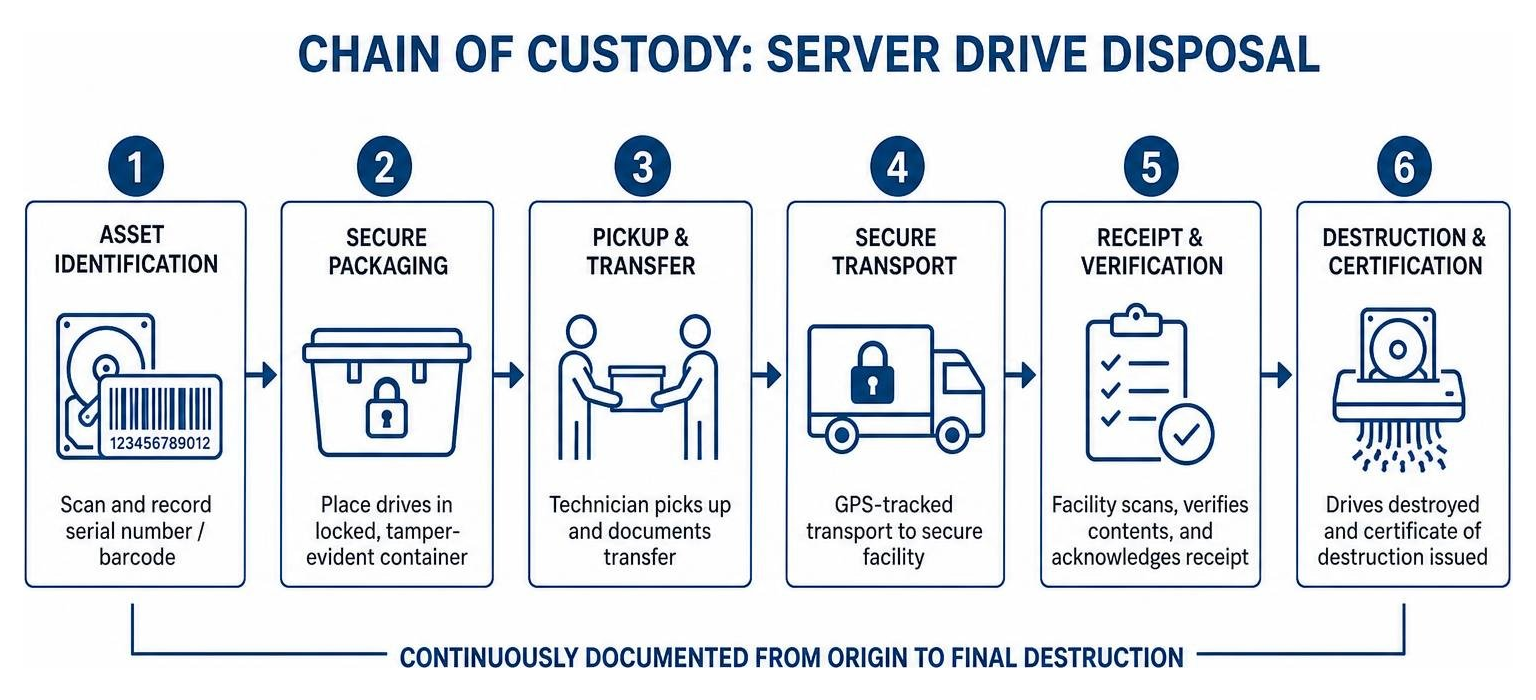
Key controls required for an audit-proof chain of custody include:
- Serial-Number Logging: Scanning each hard drive or asset barcode at your facility before transport.
- Locked Security Containers: Placing hardware inside tamper-evident, locked totes during staging and transport.
- GPS-Tracked Logistics: Utilizing secure transport vehicles monitored via continuous GPS tracking.
- Dual-Signoff Transfer Receipts: Requiring signed handoffs between your IT staff and secure transport drivers.
For step-by-step strategies on managing vendor risks during transit, consult What Is Chain of Custody in ITAD and Why It Matters and How to Avoid ITAD Nightmares with a Secure Chain of Custody.
Certificate of Destruction and Audit Readiness
Once your hard drives, server components, or tapes have been rendered unrecoverable, your vendor must provide a formal Certificate of Destruction. This legal document acts as your defense shield during regulatory audits or compliance inquiries.
A fully compliant Certificate of Destruction must detail:
- Date, exact time, and physical facility location of destruction.
- Method of destruction utilized (e.g., physical shredding to specific millimeter particle size, degaussing, or NIST 800-88 overwriting).
- Complete itemized list of device serial numbers, asset tags, and drive models.
- Signature of the certified technician who completed the destruction.
Store these certificates alongside your asset disposition logs. Learn more about reading and verifying these legal proofs in our guide Demystifying the Certificate of Destruction for Your Business.
Implementation Guide: Establishing a Secure Disposal Protocol
Setting up an operational protocol for computer and server hardware disposal across your enterprise doesn’t have to be complicated. By following a structured approach, you ensure zero unencrypted media leaves your control.
- Audit and Inventory: Maintain an accurate database of all active, idle, and decommissioned enterprise IT assets.
- Decouple Storage Media: Separate hard drives, SSDs, and non-volatile memory cards from retired server chassis or workstation towers.
- Stage in Locked Bins: Place data-bearing components directly into lockable security bins inside access-controlled server rooms.
- Schedule Certified Destruction: Partner with an accredited provider to perform on-site witnessed shredding or secure off-site transport.
- Reclaim and Recycle: Send wiped, non-data-bearing aluminum, steel, and printed circuit board materials for zero-landfill e-waste processing.
For detailed hardware preparation steps prior to vendor pickup, read How to Prepare IT Equipment for Secure Disposal: A Step-by-Step Guide and our overview of How to Properly Dispose of Electronics: Computer Recycling in Oklahoma City.
Establishing a Compliant Data Destruction OKC Schedule for Small Business
Small and mid-sized businesses across Oklahoma City often struggle with informal “accumulate and wait” storage habits. Server drives sit in locked desk drawers for years because managers lack a formal cadence for disposal.
To prevent hardware buildup and eliminate security gaps, adopt a recurring disposition schedule:
- Quarterly Hardware Sweeps: Identify all retired desktop PCs, replaced server drives, and swapped network devices.
- Standardized Asset Tracking: Log drive serial numbers in your asset management tool as soon as equipment is pulled from production.
- Scheduled Pickups: Partner with a certified provider for scheduled pickup cycles rather than letting hardware collect dust.
- Lifecycle Planning: Tie secure destruction directly into your standard IT hardware refresh cycles.
To learn how to structure an enterprise lifecycle policy, check out The Essential Guide to IT Asset Management Disposal.
Frequently Asked Questions About Compliant Data Destruction
How long does off-site hard drive destruction take for Oklahoma City businesses?
For standard off-site media destruction, hardware collected from Oklahoma City facilities is transported via secure GPS-tracked vehicles to an accredited destruction facility. All processing, logged serial number reconciliation, and physical destruction or sanitization are fully completed within 3 business days of receipt. Detailed logs and Certificates of Destruction are generated immediately following completion.
What certifications should an OKC IT data destruction partner possess?
A qualified data destruction partner serving the Oklahoma City area should hold NAID AAA Certification for secure data destruction, PRISM Privacy+ Certification for records security, and R2v3 Certification for environmentally responsible, zero-landfill e-waste management and downstream compliance.
What is the difference between data degaussing and physical hard drive shredding?
Data degaussing uses high-intensity magnetic pulses to instantly destroy the magnetic orientation of traditional mechanical Hard Disk Drives (HDDs) and backup tapes, rendering them completely unreadable and permanently unusable. Physical hard drive shredding, on the other hand, uses high-torque industrial machinery to physically tear drives into small metal fragments.
Note: Modern Solid-State Drives (SSDs) use flash memory chips without magnetic media, meaning degaussing does not erase SSDs. Solid-state storage media requires either NIST 800-88 physical shredding or certified software erasure.
Conclusion
Protecting your enterprise from data breaches requires vigilant oversight across the entire lifecycle of your IT equipment. Formulating an actionable strategy for compliant data destruction in OKC guarantees that when your computers, server racks, and storage media reach end-of-life, your corporate reputation and client privacy remain completely protected.
At Innovative IT Solutions, we bring over 14 years of hands-on expertise delivering NIST/DoD-compliant data sanitization, physical drive shredding, and zero-landfill electronics recycling for Oklahoma enterprises. Our processes provide unbroken chains of custody, detailed audit logging, and maximum legal protection.
Ready to secure your retired server media and streamline your IT asset disposition? Contact our team today or explore our complete Hardware Recycling and Disposal Services to keep your business safe, compliant, and audit-ready.


