
Secure NAS Device Data Destruction Starts With the Drives
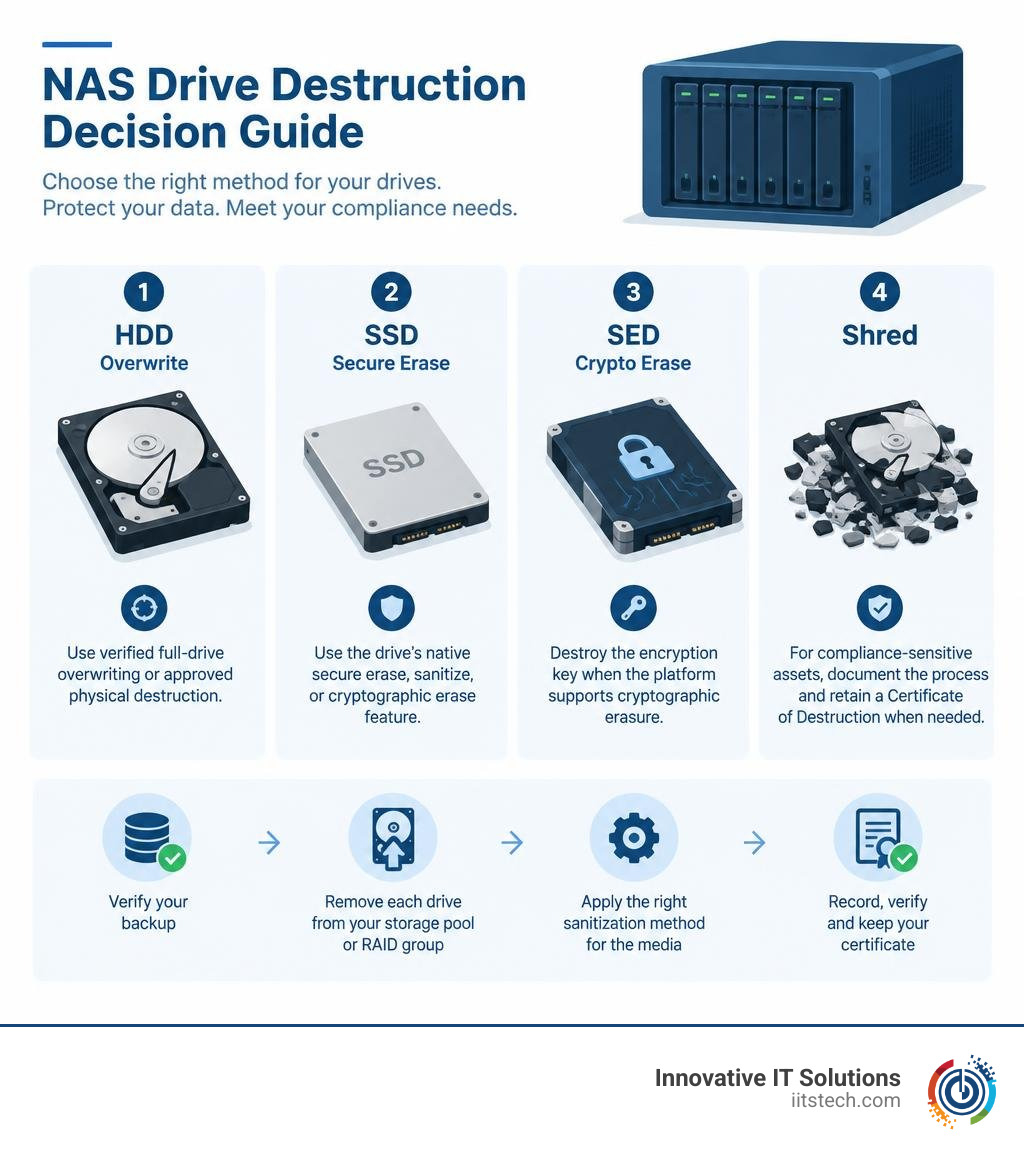
For secure NAS device data destruction, do not rely on deleted files, a quick format, or a factory reset. First, verify your backup, remove each drive from its storage pool or RAID group, then use the right sanitization method for the media:
- HDDs: Use verified full-drive overwriting or approved physical destruction.
- SSDs and NVMe drives: Use the drive’s native secure erase, sanitize, or cryptographic erase feature. Standard overwriting can miss data in wear-leveled areas.
- Self-encrypting drives: Destroy the encryption key when the platform supports cryptographic erasure.
- Compliance-sensitive assets: Record drive serial numbers, the method used, verification results, and chain of custody. Retain a Certificate of Destruction when needed.
Deletion and formatting usually remove file-system references, not the underlying data blocks. That can leave recoverable business records, customer data, credentials, snapshots, and backup remnants on NAS drives. A factory reset also focuses on restoring the appliance, not proving that every storage device and persistent component has been sanitized.
For enterprise storage, the best method depends on the drive type, reuse plans, warranty status, and compliance obligations under HIPAA, GDPR, or PCI-DSS. A successful process must protect data and create evidence that the destruction occurred.
I am Mike Haden, Founder and Director of Business Development at Innovative IT Solutions, with 14 years of experience in secure IT asset handling, documented sanitization, and responsible enterprise hardware disposition. That experience informs a practical approach to NAS device data destruction that protects sensitive data while supporting reuse, recycling, and audit-ready compliance.
Why Standard Deletion Fails and the Need for NAS Device Data Destruction
When administrators manage storage pools across enterprise network-attached storage appliances, day-to-day operations encourage quick file management. Deleting a shared folder, emptying a network trash bin, or initializing a storage volume feels immediate. However, these actions modify only the filesystem index or partition tables. The actual data payloads remain written to the underlying sectors and flash blocks until new information overwrites them.
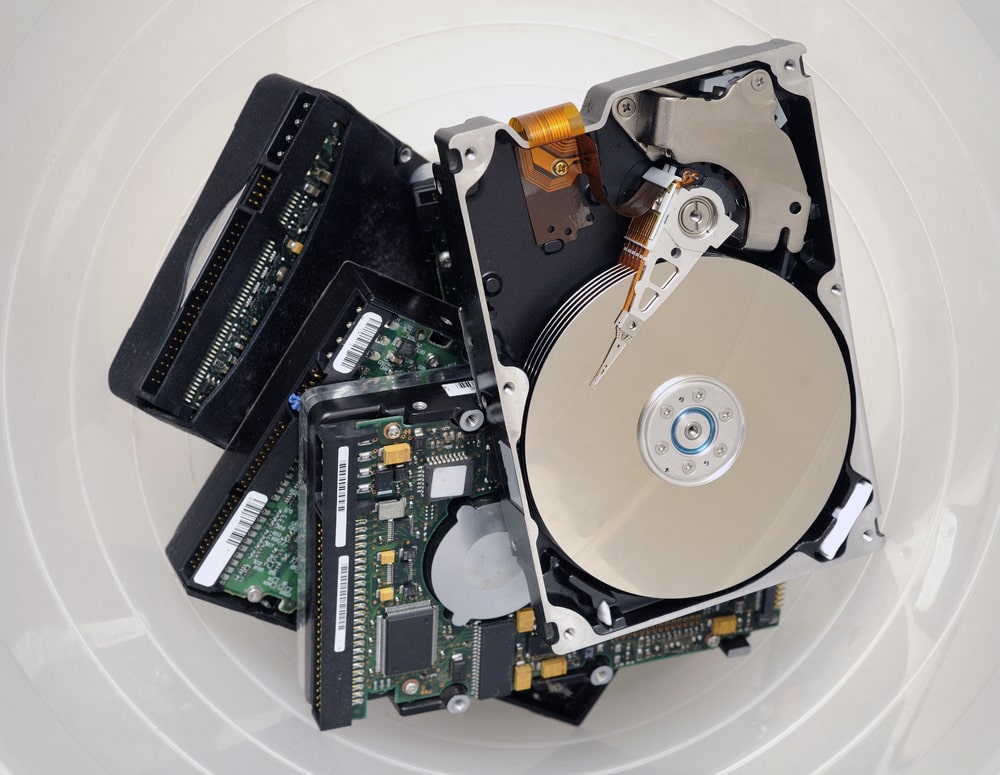
Because typical deletion removes only pointers, automated recovery tools can scan raw disks and reconstruct structured files, enterprise databases, and virtual disk images within minutes. Quick formats operate under the same limitation: they recreate the filesystem metadata structure without clearing the data sectors. Relying on basic commands represents one of the most common ineffective data destruction methods seen during hardware upgrades.
Factory resets present a similar false sense of security. A factory reset restores default network configurations, clears user access control lists, and unbinds storage pools, but it rarely runs a media-level purge across attached hard drives or non-volatile flash storage. Furthermore, enterprise NAS devices often contain auxiliary flash memory, dedicated boot devices (such as internal M.2 SSDs or SATA DOMs), and non-volatile cache structures (such as ZFS SLOG or L2ARC drives). Residual information left on any of these media paths leaves corporate data exposed when equipment leaves your direct control.
Risks of Incomplete NAS Device Data Destruction in Business Storage
Incomplete media sanitization introduces serious security, legal, and operational liabilities. Modern corporate regulations require verifiable, documented elimination of customer, patient, and payment records prior to disposal or hardware reassignment.
- GDPR Compliance: Article 17 mandates the “Right to Erasure.” Discarding or returning NAS hardware containing personal identifiable information (PII) constitutes an unauthorized disclosure. Learn how to maintain GDPR compliance during IT disposal through auditable destruction tracking.
- HIPAA Security Standards: Healthcare organizations handle protected health information (PHI) that requires secure destruction under the HIPAA Security Rule. Review HIPAA compliance requirements during ITAD to avoid severe financial penalties for improper drive handling.
- PCI-DSS Requirements: Requirement 9.8 dictates that all hard-copy and electronic media containing cardholder data must be rendered unrecoverable before disposal.
Failing to maintain a defensible disposition trail can result in regulatory fines, costly breach notification mandates, and reputational harm.
Core Methods for Enterprise NAS Sanitization: Software, Crypto, and Physical
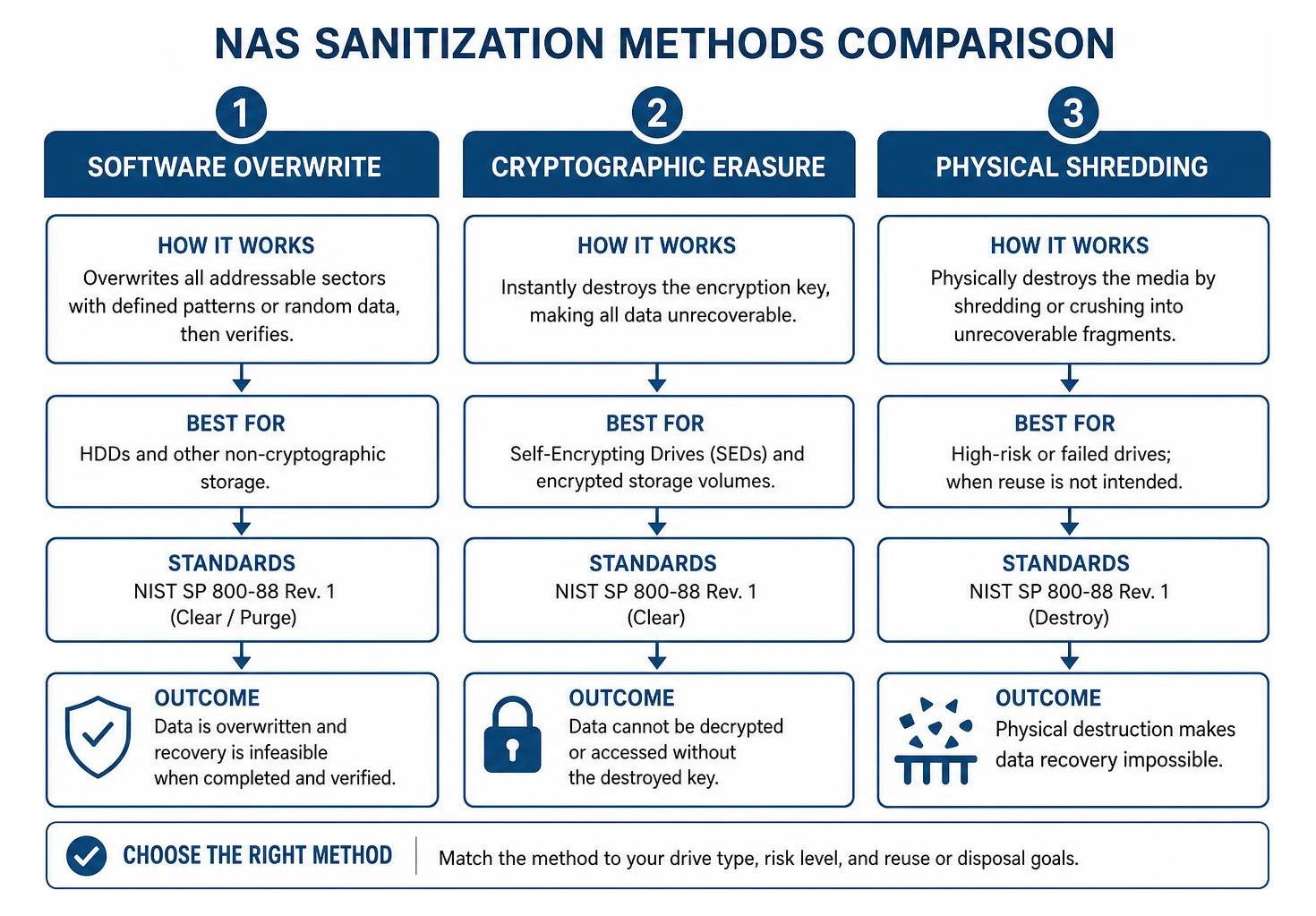
To sanitize enterprise NAS storage properly, IT teams must choose an approach aligned with drive technology, organizational risk models, and asset lifecycle objectives. We recommend consulting our guide to secure data destruction methods to understand which protocol fits your environment.
When determining whether to wipe or shred, balance equipment value against risk by reviewing physical destruction vs data wiping to see when each method is required.
Software Overwriting and Established Sanitization Standards
Software overwriting replaces existing magnetic patterns or addressable storage blocks with structured character strings, pseudo-random noise, or zeros.
- NIST SP 800-88 Rev. 1 (Clear / Purge): The gold standard for modern media sanitization. For magnetic media (HDDs), NIST Purge involves writing targeted patterns across all addressable logical blocks, followed by verification.
- DoD 5220.22-M: A legacy multi-pass specification (typically 3 passes: writing a fixed character, its complement, and a random pattern, followed by read verification). While historically popular, explore DoD compliant data destruction to understand why single-pass NIST Purge is now preferred for modern high-density drives.
- Gutmann 35-Pass: An older methodology designed for legacy MFM/RLL drives. It is obsolete for modern enterprise storage and causes unnecessary wear without increasing security on high-density SAS or SATA platters.
Cryptographic Erasure for Self-Encrypting Drives (SEDs)
Enterprise NAS filers increasingly deploy hardware-based Self-Encrypting Drives (SEDs) validated to FIPS 140-2/3 standards. With SEDs, data written to the drive is continuously encrypted via an internal Media Encryption Key (MEK).
Cryptographic Erasure (CE) instantly renders stored data inaccessible by securely wiping, replacing, or invalidating the MEK. When the key is deleted:
- The ciphertext on the flash cells or magnetic platters becomes unreadable, regardless of forensic recovery attempts.
- In enterprise storage environments, administrators execute vendor-specific commands (such as NetApp ONTAP’s
storage encryption disk destroyoremergency-shred) to overwrite internal keys. - For connected enterprise clusters, external key management systems (such as KMIP servers) can purge associated cryptographic key tokens to guarantee that drives cannot be unlocked.
- If a destroyed SED must be repurposed, it can be reset to factory defaults using its Physical Security ID (PSID) without recovering the original plaintext data.
HDD Overwriting vs. SSD Secure Erase Protocols
Wiping solid-state storage requires fundamentally different mechanisms than magnetic hard drives. Traditional multi-pass binary overwriting does not reach every part of an SSD due to wear-leveling algorithms, bad-block remapping, and reserved over-provisioning areas.
Read our deep dive on wiping an SSD drive safely across modern flash controllers.
| Feature / Factor | Enterprise Magnetic HDDs | Enterprise Flash SSDs / NVMe |
|---|---|---|
| Primary Risk Area | Hidden sectors (HPA, DCO) | Wear-leveling blocks, over-provisioned space |
| Recommended Method | NIST 800-88 Purge Overwrite (1–3 passes) | ATA Secure Erase / NVMe Format (Sanitize) |
| Cryptographic Erase | Supported on HDD SEDs | Supported on native SED / NVMe controller |
| Physical Destruction | High-gauss degaussing or mechanical shredding | Mechanical micro-shredding (≤ 2mm screen) |
| Standard Overwrite Impact | Clears all addressable sectors | Fails to clear unmapped or over-provisioned blocks |
Step-by-Step Execution: Preparing and Sanitizing NAS Storage Arrays
Proper preparation ensures that storage nodes are safely decoupled from enterprise workflows without causing accidental downtime across surviving production volumes. Follow our framework on how to prepare IT equipment for secure disposal.
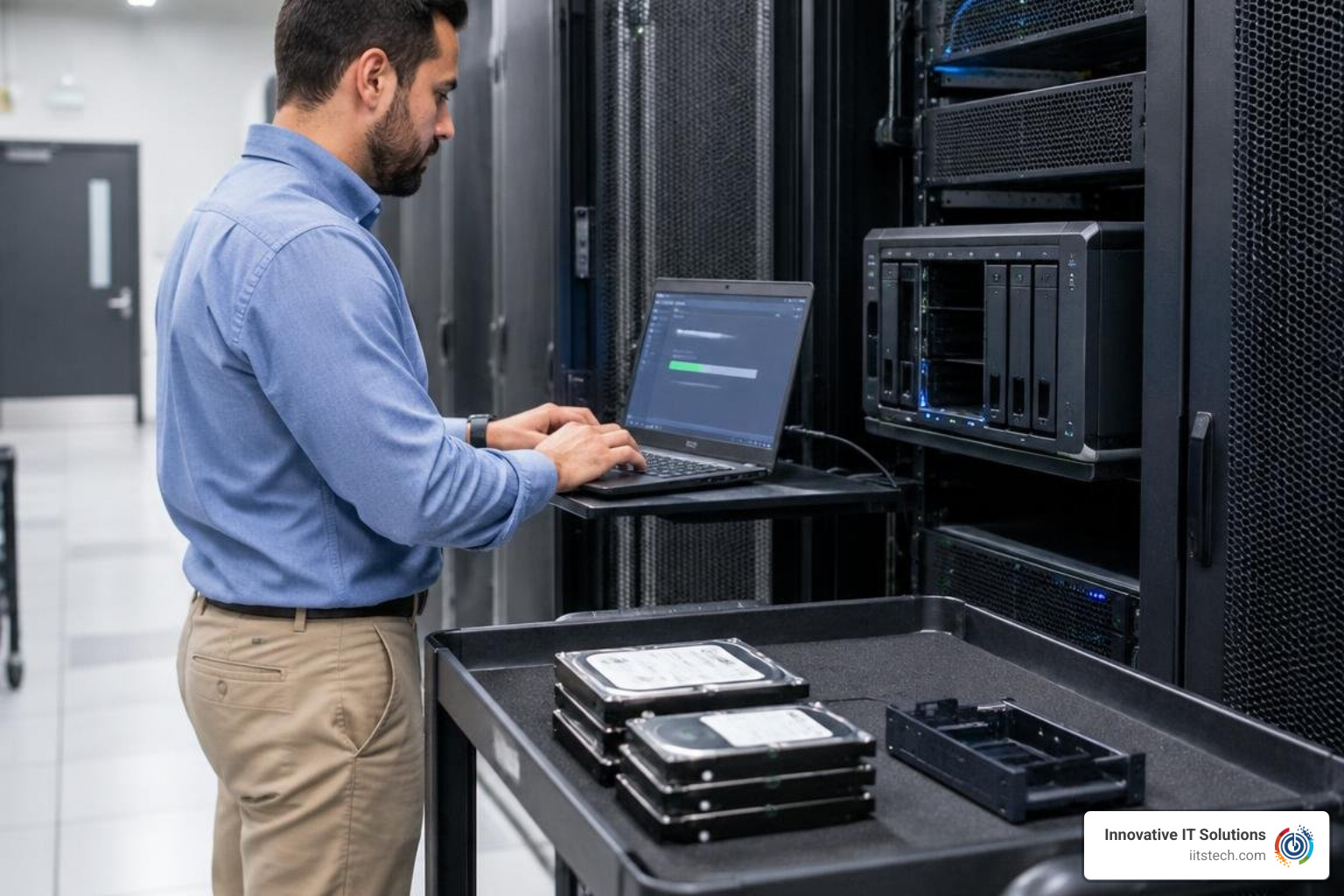
- Audit and Inventory: Log serial numbers, slot positions, bus addresses, and media types for every drive in the enclosure.
- Backup and Verification: Create independent, verified backups of any mission-critical volumes, configurations, and snapshot trees.
- Storage Pool Disassociation: Unmount active iSCSI LUNs, NFS exports, and SMB shares.
- RAID Deconstruction: Delete the associated storage aggregates, volume groups, and RAID sets within the NAS operating system.
- Execution of Sanitization Protocol: Initiate the selected software wipe, ATA Secure Erase, or cryptographic purge command across all detached disks.
- Auxiliary Component Clearing: Wipe internal OS M.2 drives, clear non-volatile cache accelerators, reset Baseboard Management Controllers (BMC), and reset BIOS/UEFI settings to factory defaults.
Built-in OS Erasure Tools and Their Enterprise Limitations
Operating systems like Synology DSM, QNAP QTS/QuTS hero, and TrueNAS provide native disk-clearing options:
- Synology Storage Manager: Features a “Secure Erase” function that executes an ATA Secure Erase command or block overwrite across SATA/SAS drives.
- QNAP QTS/QuTS: Offers a Secure Erase wizard providing Complete (multi-pass overwrite), SSD (ATA sanitize/NVMe erase), and Fast modes. Reference official guidance such as QNAP’s secure erase documentation and third-party workflow overviews like the QNAP wipe disk guide.
- TrueNAS CORE/SCALE: Provides “Quick” or “Full with zeros” disk-wipe actions directly via the web interface. Admins managing high-security deployments should consult the vendor’s Statement of Volatility documentation to identify all non-volatile components needing manual clearance.
- Enterprise Filers: NetApp ONTAP allows administrators to execute native commands such as storage encryption disk destroy, deploy protocols to destroy a FIPS drive or SED in ONTAP, or invoke procedures to emergency shred data on a FIPS drive or SED in ONTAP.
Enterprise Limitations: Built-in tools do not produce cryptographically signed, audit-ready Certificates of Destruction that link physical serial numbers to technician IDs and tamper-evident logs. When high regulatory compliance is required, internal OS tools should be paired with dedicated enterprise sanitization platforms or managed services.
Executing Standalone Network and Local Drive Sanitization
Running full-array wipes over standard network shares (such as mapped SMB or NFS mounts) is ineffective because network protocols restrict block-level access to raw drive cylinders.
To perform certified software overwriting:
- Direct Host Connection: Remove drives from the NAS enclosure and insert them into a dedicated erasure workstation or drive bay connected via direct SAS/SATA Host Bus Adapters (HBAs).
- Bootable Erasure Media: Boot the appliance or host workstation into an offline, certified Linux-based sanitization kernel.
- Automated Batch Verification: Use commercial software to run concurrent NIST 800-88 Purge routines across 24+ drives simultaneously, verifying 100% of readable sectors.
Evaluating whether to manage this in-house or outsource it? Review our comparison of in house data wiping vs professional destruction.
Physical Destruction and Warranty Return (RMA) Protocols
Physical destruction remains the most definitive method when drives reach the end of their lifecycle or carry severe compliance liabilities.
High-Security Physical Shredding and Degaussing Workflows
- Degaussing (Magnetic HDDs Only): Exposing spinning drives to a powerful electromagnetic pulse (typically exceeding 10,000 to 20,000+ Gauss) neutralizes magnetic domains and permanently destroys the servo tracks, rendering platters completely unreadable. Learn more by reviewing our resource on data degaussing.
- Mechanical Shredding: Enterprise shredders crush drive enclosures, platters, circuit boards, and spindle motors into irregular fragments. Understand the importance of hard drive shredding for end-of-life media.
- SSD Disintegration: Because flash chips store data in silicon memory dies smaller than a fingernail, SSDs must be processed through specialized rotary disintegrators or small-particle shredders (often 2mm or smaller) to prevent partial die reconstruction.
Ensuring Compliance and Verification with NAS Device Data Destruction
Enterprise sanitization workflows require verifiable documentation to satisfy compliance auditors. An audit-ready process includes:
- Chain of Custody Tracking: Establishing an unbroken, serialized trail of accountability from the data center rack to the destruction chamber. Read about chain of custody in ITAD for enterprise risk management.
- Certificate of Destruction: Every sanitized drive must be documented with its manufacturer serial number, make, model, sanitization method, pass count, verification checksum, technician signature, and timestamp. Explore our guide to the Certificate of Destruction.
Frequently Asked Questions About NAS Data Sanitization
Can I securely wipe a failed NAS hard drive before returning it under warranty?
If a failed drive spins and responds to low-level controller commands, you can execute a cryptographic key purge or a native ATA Sanitize command without voiding physical warranty terms. However, if a mechanical or PCB failure prevents the drive from communicating, software wiping is impossible. In high-security or regulated environments, organizations often purchase OEM “Non-Returnable Disk” warranty riders, which allow IT departments to mechanically destroy failed drives on-site while still receiving warranty replacements.
How does a factory reset differ from a certified secure erase on a NAS?
A factory reset reinitializes configuration files, clears operating system network parameters, and unbinds logical volume configurations. It does not systematically overwrite data blocks or invoke firmware-level flash purging commands across attached drives. A certified secure erase targets every block, sector, and over-provisioned area on the storage media using recognized standards (such as NIST SP 800-88 Purge) and validates that the raw storage space contains no recoverable data.
Why is physical degaussing ineffective for enterprise NAS SSDs?
Degaussers rely on high-energy magnetic fields to randomize magnetic domains on spinning platters and destroy magnetic servo tracks. SSDs, NVMe drives, and flash cache accelerators store data as electrical charges trapped in floating-gate or charge-trap NAND flash memory cells. Magnetic fields have no effect on electrical charges. Solid-state storage requires certified software sanitization, cryptographic erasure, or physical micro-shredding.
Conclusion
Managing decommissioned storage infrastructure demands a structured sanitization program. Relying on simple volume deletions, quick formats, or basic factory resets leaves sensitive corporate records exposed across enterprise drive pools. By standardizing on NIST SP 800-88 sanitization, leveraging native cryptographic erase capabilities for SEDs, and deploying mechanical shredding for retired hardware, IT managers protect corporate assets and maintain compliance.
At Innovative IT Solutions, we deliver NIST- and DoD-compliant IT asset disposition (ITAD), secure on-site data destruction, asset recovery, and zero-landfill electronics recycling from our facilities in Oklahoma City. We provide serialized tracking, tamper-evident handling, and certified documentation to safeguard your enterprise data through every stage of hardware retirement.
Partner with our team for certified enterprise electronics recycling and IT asset disposition to secure your storage infrastructure and maximize return on retired hardware.


