
Manage End of Life IT Equipment Without Creating Data or Compliance Risk
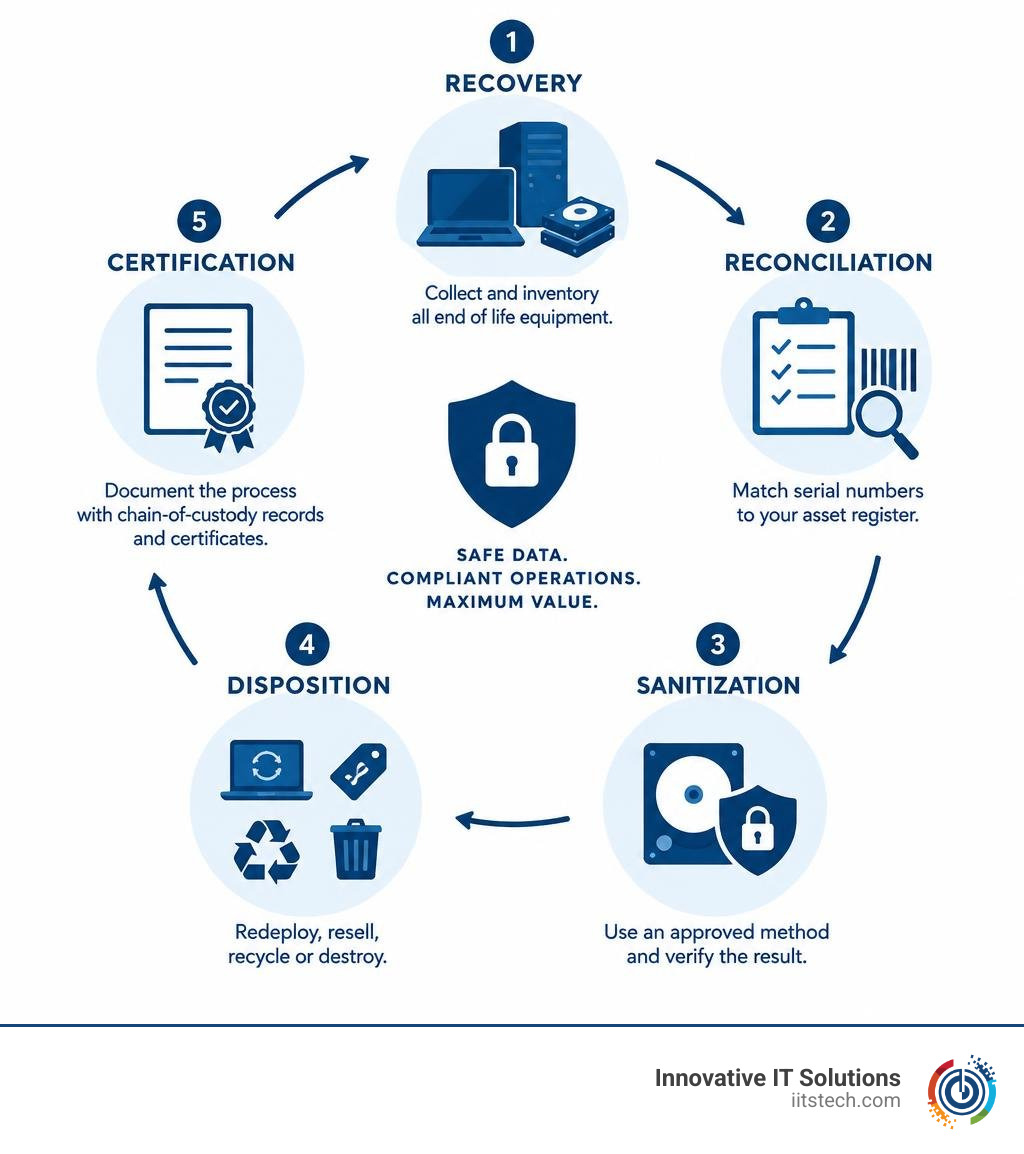
To manage end of life IT equipment safely, first recover every business laptop, server, and data-bearing component. Then reconcile its serial number to your asset register, choose an approved data sanitization method, verify the result, and document whether the hardware is redeployed, resold, recycled, or destroyed.
This is more than getting old hardware out of storage. A retired drive can still contain sensitive employee, customer, financial, or health data. For organizations subject to HIPAA, GDPR, PCI DSS, or SOC 2 requirements, a missing device or vague recycling receipt can become a serious audit and breach problem.
A practical end-of-life process should help you do three things:
- Protect data with validated sanitization or physical destruction when needed.
- Recover value by repairing, redeploying, or remarketing eligible equipment.
- Prove what happened through chain-of-custody records and serial-level certificates.
File deletion alone is not enough. Nor is sending a pallet of devices to a recycler without knowing which serial numbers were processed. The goal is a documented decision for every asset, from employee offboarding and hardware refresh through final disposition.
I am Mike Haden, founder and director of business development at Innovative IT Solutions. Over 14 years in ITAD, I have helped organizations securely process, sanitize, remarket, and recycle end of life IT equipment while maintaining strong chain-of-custody and audit practices.
Common end of life it equipment vocab:
Understanding End of Life IT Equipment: ITAD vs. E-Waste Recycling
When commercial IT equipment reaches the end of its useful lifespan within an enterprise, organizations often confuse basic e-waste recycling with comprehensive IT Asset Disposition (ITAD). While both deal with retired hardware, their objectives, security protocols, and compliance outcomes differ dramatically.
Traditional e-waste recycling treats decommissioned equipment as scrap material. A local scrapper collects metal chassis, broken circuit boards, and worn monitors to shred them into commodity streams—copper, aluminum, plastics, and glass. While environmentally responsible, traditional scrap recyclers rarely prioritize the chain of custody, data protection standards, or serial-level tracking that regulated businesses demand.
In contrast, an effective secure ITAD strategy is an end-to-end information security and lifecycle management framework. It handles the entire lifecycle of enterprise hardware—from data center server blades and SAN storage units to commercial enterprise laptops. ITAD balances data risk mitigation with financial recovery, ensuring that every drive is wiped to strict standards before determining whether an asset should be remarketed, harvested for parts, or physically destroyed.
| Feature / Criteria | Traditional E-Waste Recycling | Comprehensive IT Asset Disposition (ITAD) |
|---|---|---|
| Primary Objective | Scrap volume and material recovery | Data sanitization, compliance, and asset recovery |
| Data Security | Incidental; often relies on shredding | NIST SP 800-88 / DoD-compliant certified wiping |
| Tracking & Auditing | Bulk weight or pallet-level receipts | Device-by-device, serial-level chain of custody |
| Value Recovery | Minimal scrap commodity payouts | Component remarketing, buyback, and resale revenue |
| Regulatory Fit | Basic environmental scrap disposal | SOC 2, HIPAA, PCI DSS, ISO 27001 audit defense |
| Hardware Scope | Generic electronics and raw scrap | Business laptops, enterprise servers, arrays, switches |
Treating enterprise data infrastructure like generic electronic scrap introduces massive regulatory vulnerabilities. ITAD bridges this gap by enforcing tight administrative and technical controls from the moment an asset is decommissioned.
The Four Strategic Paths for Enterprise Hardware Disposition

Not all retired hardware belongs in the shredder. When an organization finishes a hardware refresh cycle, every computer and server component should follow one of four structured disposition paths based on age, condition, market value, and sensitivity:
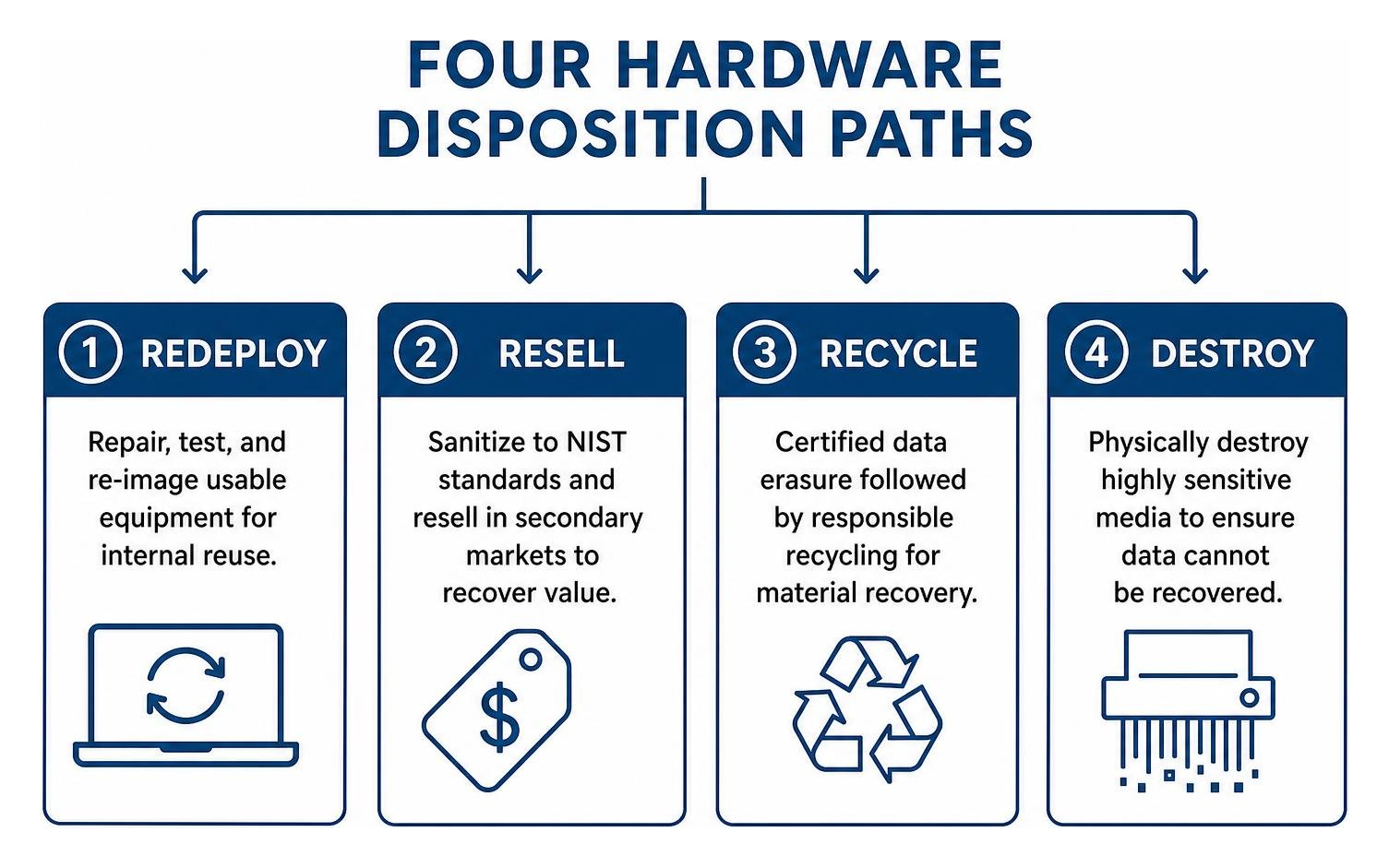
- Repair and Redeploy: Laptops or modular server components that still possess viable operational life are tested, cleaned, re-imaged, and assigned to other internal business units.
- Remarket and Resell: Enterprise devices that no longer meet internal performance benchmarks are sanitized to NIST standards and resold on secondary commercial markets to recover capital.
- Sanitize and Recycle: Equipment that is physically broken, obsolete, or economically unrepairable undergoes certified data erasure before being processed for raw material recovery.
- Physical Destruction: Highly sensitive storage media (failed encrypted drives, solid-state arrays with corrupted controllers, or top-tier regulated assets) are physically degaussed or shredded to dust.
Evaluating End of Life IT Equipment for Redeployment, Resale, or Recycling
Determining the right disposition path requires a systematic triage workflow. We evaluate each enterprise asset based on cosmetic condition, functional diagnostic testing, component health (such as CPU, enterprise RAM, and drive health), and current secondary market demand.
For high-density data center hardware, component harvesting offers strong value recovery. A blade server with an obsolete motherboard may still contain commercial DDR4/DDR5 ECC memory modules, enterprise NVMe storage drives, and high-wattage power supplies that command significant secondary market pricing.
Organizations interested in sustainability often wonder what happens to equipment after ITAD completes its cycle. Recoverable hardware is refurbished and recirculated into the economy, reducing electronic waste and supporting zero-landfill initiatives. Non-functional materials are separated and sent to certified refiners to ensure no hazardous components end up in municipal landfills.
The Hidden Risks of Inactive Equipment and Ghost Devices
One of the most frequent mistakes organizations make is choosing the “do nothing” path—shoving retired company laptops and server blades into an unmonitored IT closet or storage cage. In our analysis of IT support workflows, storage and warehousing challenges represent roughly 22.8% of inbound customer calls, creating massive bottlenecks in hardware lifecycle management.
Leaving retired equipment unattended introduces severe operational and security liabilities:
- The “Ghost Device” Vulnerability: Unused laptops left in storage accumulate out-of-date security patches, lost asset tags, and degraded firmware. If stolen, they can provide backdoor access to enterprise directories or cached cloud credentials.
- Rapid Depreciation: Enterprise IT equipment loses market value on a steep depreciation curve every month it sits idle in a warehouse.
- Battery Degradation: Lithium-ion laptop batteries stored improperly can swell, leak, or present active fire hazards inside storage facilities.
The hidden costs of storing old IT equipment quickly outstrip any imagined convenience. Decommissioning hardware swiftly ensures maximum financial return and closes lingering security loopholes.
Step-by-Step Framework for Secure Asset Retirement
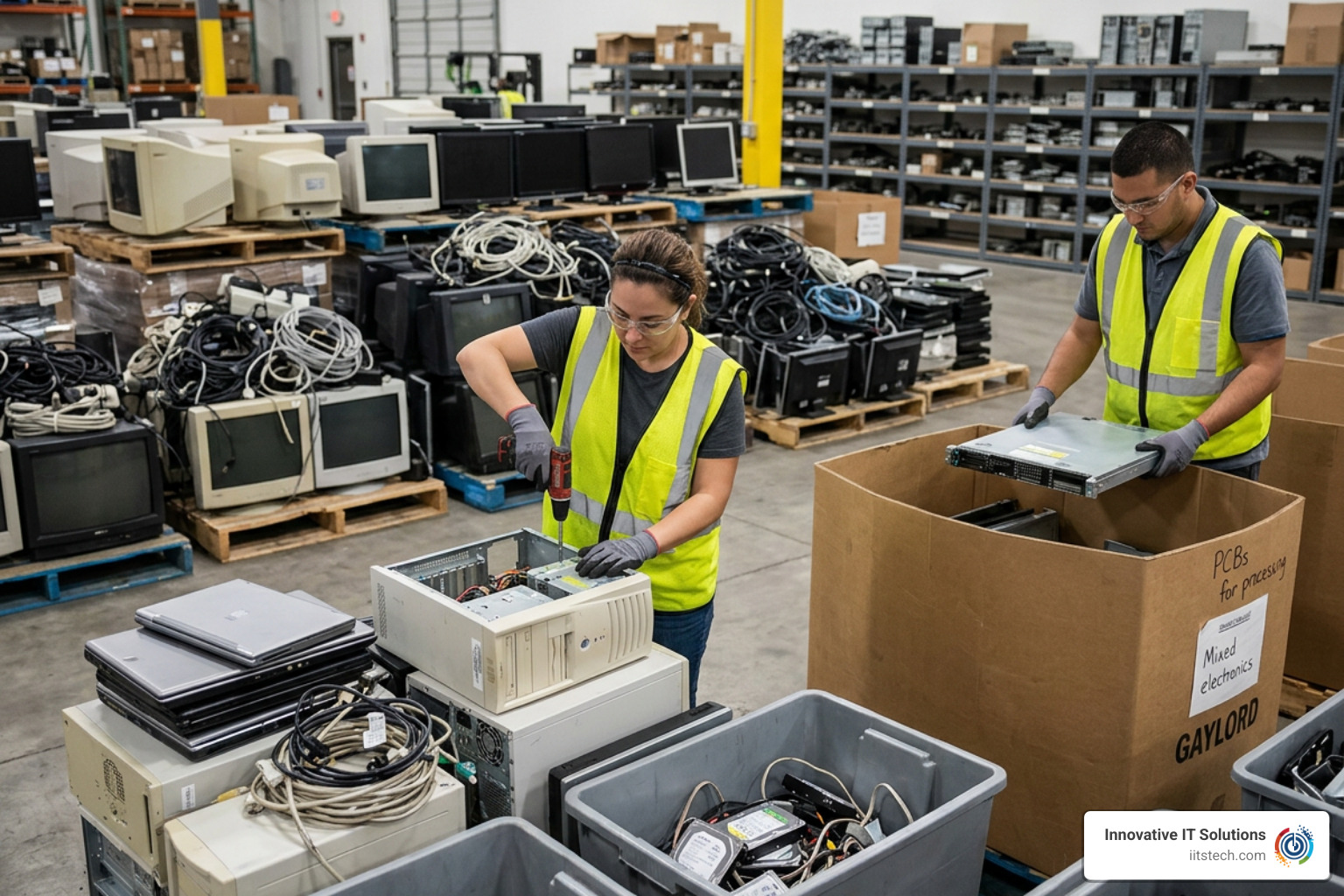
A predictable, secure asset retirement program relies on disciplined physical custody and verified technical controls. When executing a structured computer asset disposal process, our team adheres to a five-stage operational framework:
- Discovery and Secure Recovery: Generate a manifest of all systems scheduled for retirement, revoke internal user access permissions, and secure devices in tamper-evident containers.
- Asset Reconciliation: Scan physical serial numbers and asset tags upon intake, matching hardware directly against your Configuration Management Database (CMDB) or active directory records to flag discrepancies immediately.
- Technical Assessment: Test processors, memory, chassis integrity, and storage drives to separate functional assets from dead hardware.
- Data Sanitization and Media Destruction: Execute software-driven data overwriting, cryptographic erasure, or physical shredding according to your organization’s risk profile.
- Disposition and Final Certification: Release cleared assets to remarketing or zero-landfill material refining, issuing serial-level certificates for full audit defensibility.
Data Sanitization Standards Beyond Simple File Deletion
A persistent misconception among non-technical personnel is that formatting an operating system or dragging files to the trash bin permanently deletes confidential information. In reality, simple deletion merely removes the file system’s index pointers—leaving the raw data blocks intact on the magnetic platters or flash storage cells, where standard forensic utilities can easily recover them.
Proper data sanitization must comply with recognized international standards, primarily NIST SP 800-88 Rev. 1 (and ongoing updates) as well as DoD 5220.22-M:
- Clear: Overwriting user-accessible storage locations with logical techniques (such as single-pass binary overwrites) to protect against basic software recovery tools.
- Purge: Executing firmware-level commands (including Secure Erase and Cryptographic Erase) that invert internal memory states, making target data recovery impossible even with advanced laboratory forensic techniques. Purging is mandatory for modern solid-state drives (SSDs) and NVMe storage where wear-leveling algorithms bypass standard sector overwrites.
- Destroy: Physical destruction methods such as high-gauss degaussing (for magnetic hard drives and tape media) or mechanical shredding down to 2mm–10mm particulate sizes, preventing any physical reconstruction of the storage medium.
Enterprise security teams can establish strict media sanitization policies that align with industry-recognized frameworks.
Chain of Custody and Serial-Level Destruction Certificates
During a SOC 2, HIPAA, or ISO 27001 audit, vague documentation is just as bad as lost hardware. In fact, roughly 12.1% of IT team compliance inquiries arise specifically because an auditor demanded device-level proof of destruction that the organization could not produce.
This issue frequently stems from the “batch-versus-serial” tracking problem. Inexpensive scrap recyclers often issue a generic certificate stating they processed “One pallet containing 40 assorted laptops.” When an auditor points to an individual laptop serial number in your inventory and asks for its specific disposition log, a bulk receipt fails the audit.
Every compliant disposition event requires individual serial-level tracking, as outlined in our essential guide to IT asset management disposal. Complete audit packages must include:
- The unique serial number, asset tag, make, and model of the hardware.
- The specific sanitization method applied (software wipe, degauss, mechanical shred).
- Exact completion timestamps and technician sign-offs.
- Sanitization software log outputs validating zero read/write errors.
- A serialized Certificate of Data Destruction and Certificate of Recycling.
Regulatory Compliance and Global Logistics for Distributed Fleets
Modern IT infrastructure spans far beyond the central corporate office, complicating the retirement of enterprise hardware across decentralized workforces and regional server environments.
Managing End of Life IT Equipment Across Distributed and Global Teams
With hybrid work environments now standard, offboarding remote employees and retrieving laptops has become a primary operational challenge for distributed IT teams—accounting for approximately 22.6% of remote lifecycle management tasks. Furthermore, 22.0% of IT operational overhead involves configuring and deprovisioning Mobile Device Management (MDM) enrollment before hardware moves between users.
To maintain security across distributed environments, organizations should implement standardized reverse logistics:
- Pre-paid, Secure Retrieval Kits: Dispatch padded, tamper-sealed shipping cartons directly to departing personnel with automated return tracking.
- Remote Wipe and MDM Deprovisioning: Issue remote lock and cryptographic erasure commands via your MDM platform the moment an employee departs, protecting local data while the laptop is in transit.
- Centralized Intake Hubs: Direct all remote equipment to secure ITAD processing facilities rather than letting hardware sit in regional branch offices or unmonitored home offices.
For companies managing cross-border hardware movements, tracking these assets requires strict alignment with customs rules, hazardous material shipping regulations, and regional compliance standards.
Environmental Mandates and Vendor Accountability
Corporate Sustainability Officers and IT Directors must account for the downstream environmental footprint of their retiring technology. Improper disposal of enterprise hardware exposes organizations to severe regulatory fines under EPA rules and environmental protection statutes.
Commercial computer hardware and server infrastructure contain hazardous elements—such as lead solder, mercury backlights, cadmium, and lithium-ion batteries—that require specialized downstream handling:
- Certified Standards: Always partner with ITAD vendors maintaining accredited environmental certifications, such as R2 (Responsible Recycling) or e-Stewards.
- Zero-Landfill Commitment: Ensure your ITAD partner’s downstream processing guarantees 100% material diversion from municipal solid waste landfills.
- Contractual SLAs: Demand explicit indemnification clauses in vendor agreements, confirming that your disposal partner assumes legal liability once hardware custody transfers.
Frequently Asked Questions About End of Life Hardware
What is the difference between ITAD and standard e-waste recycling?
IT asset disposition (ITAD) is a comprehensive risk-management and value-recovery process designed for enterprise equipment. It focuses on chain-of-custody tracking, certified data sanitization (NIST SP 800-88), audit logging, and hardware remarketing. Standard e-waste recycling focuses primarily on crushing equipment for raw commodity scrap recovery without guaranteeing device-level security or chain of custody.
Why is standard file deletion insufficient for data privacy?
Standard file deletion and basic operating system formatting only remove the file structure’s indexing pointers, leaving the underlying binary data accessible on the drive platters or flash blocks. Anyone using standard data recovery utilities can reconstruct proprietary databases, customer files, or login credentials unless the drive undergoes multi-pass sanitization, cryptographic purging, or physical destruction.
What records are required to pass a SOC 2 ITAD audit?
To satisfy a SOC 2 audit, you must present unbroken chain-of-custody records paired with serial-level Certificates of Data Destruction. These records must document the make, model, and serial number of every individual asset, the specific sanitization tool and standard applied, pass/fail verification logs, technician timestamps, and verified transfer documentation confirming receipt by a certified disposition vendor.
Conclusion
Managing retired enterprise computers and server infrastructure requires a disciplined balance of data security, environmental accountability, and financial optimization. Decommissioning hardware without validated sanitization, unbroken custody records, and serial-level documentation leaves your organization vulnerable to costly regulatory fines and destructive data breaches.
At Innovative IT Solutions, we provide full-lifecycle, NIST- and DoD-compliant IT asset disposition services. From nationwide serialized logistics and zero-landfill electronics recycling to verified data destruction and hardware remarketing, we help you eliminate liability while capturing maximum return on your retired infrastructure. Protect your organization, streamline compliance, and maximize hardware returns with our dedicated enterprise asset recovery services.


