
What DoD 5220.22-M Data Sanitization Means for Enterprise Drives
For a working hard disk drive (HDD), a DoD 5220.22-M-style wipe writes over addressable data, often in three passes using zeros, ones, and random data. Verify the wipe before the drive leaves your control. This does more to prevent file recovery than deletion or a quick format, but it does not make a drive automatically compliant with today’s DoD requirements. For solid-state drives (SSDs), use a suitable device sanitize command instead of relying on repeated overwrites.
DoD 5220.22-M was the operating manual for the National Industrial Security Program, which set rules for protecting classified information held by contractors. The familiar “DoD wipe” is a legacy approach, not a one-size-fits-all rule for retiring enterprise computers and server drives. The right method depends on the drive, the data, and your organization’s requirements.
I’m Mike Haden, founder of Innovative IT Solutions, and my 14 years in IT asset disposition include guidance on dod 5220.22 m data sanitization. Our R2v3-certified business uses documented auditing and sanitization procedures to help organizations retire IT hardware securely.
Understanding DoD 5220.22 M Data Sanitization and Its Origins
The DoD 5220.22-M specification originated within the National Industrial Security Program Operating Manual (NISPOM). Established to guide defense contractors and industrial facilities managing classified data, it outlined physical, administrative, and electronic security baselines. For decades, the standard governed how electronic media should be cleared before release outside controlled environments.
While historically significant, the official DoD 5220.22-M specification manual was designed for legacy magnetic storage architectures. Over time, national defense frameworks transitioned responsibilities. The Cognizant Security Authority (CSA)—including entities like the Defense Counterintelligence and Security Agency—now aligns classified clearance guidelines with updated cryptographic and media standards.
When enterprise IT leaders explore DoD compliant data destruction demystified, they find that the DoD standard has largely shifted into an industry shorthand. Commercial software vendors adopt the overwriting algorithm to deliver robust protection on legacy magnetic drives, even as federal mandates adopt newer guidelines.
The Core Mechanics of DoD 5220.22 M Data Sanitization Overwrite Passes
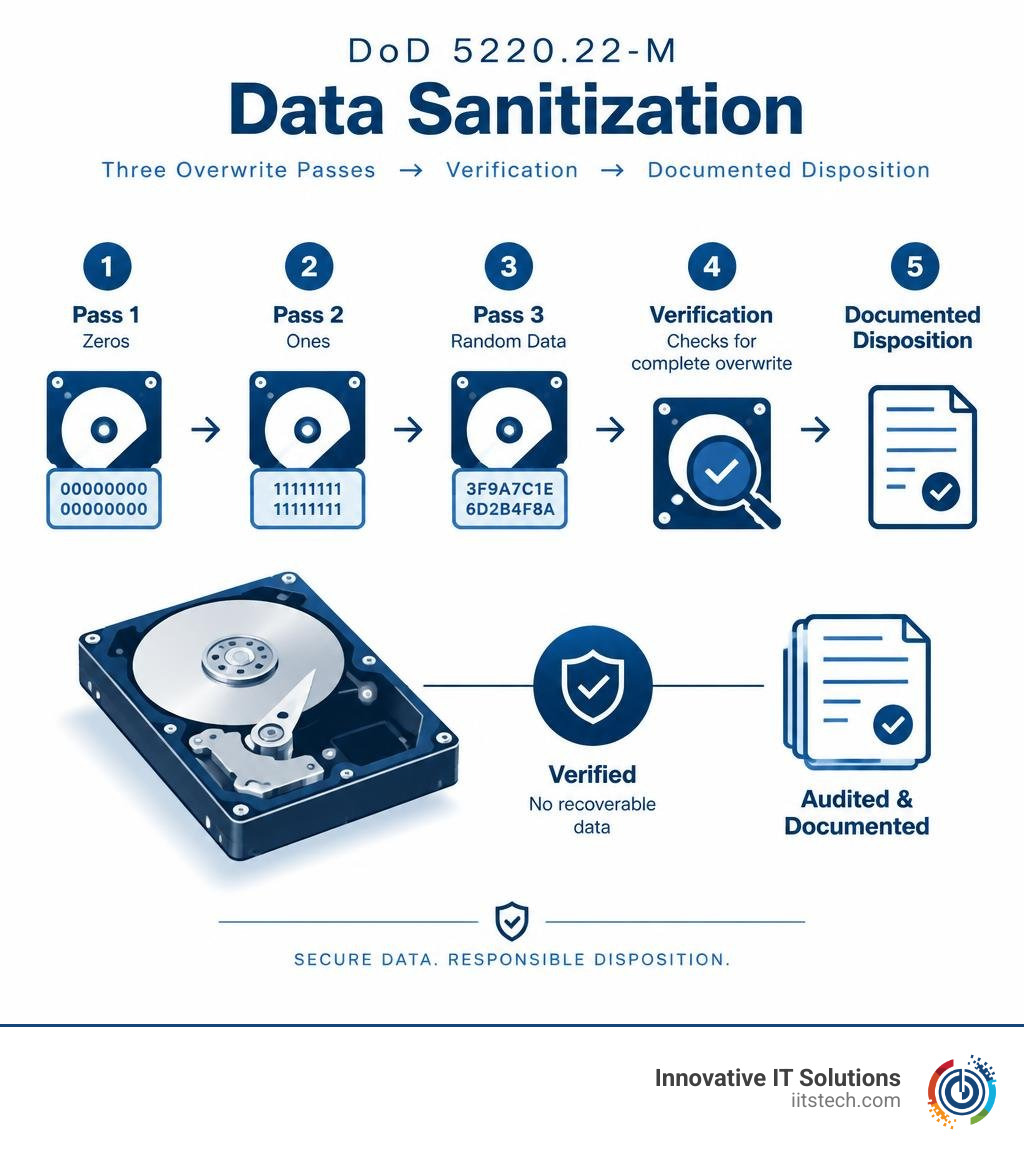
At its core, a standard DoD 5220.22-M wipe systematically replaces existing magnetic bits across all user-addressable sectors. The software executes a three-stage sequence:
- Pass 1: Overwrites all addressable storage sectors with binary zeros (
00000000). - Pass 2: Overwrites all addressable sectors with binary ones (
11111111) or a fixed character complement. - Pass 3: Overwrites every sector with pseudo-random characters.
- Verification: Validates the write process across the sectors to ensure no original data remains readable.
This sequential overwriting disrupts the magnetic domains on disk platters, preventing common file recovery tools and forensic lab software from reconstructing underlying bits.
DoD 5220.22-M 3-Pass vs 7-Pass ECE Method
In higher-security contexts, administrators historically deployed the DoD 5220.22-M (ECE) method. This extended seven-pass variant runs the standard three-pass cycle twice, separated by an additional pass writing a specific fixed character:
- Pass 1: Write binary zeros.
- Pass 2: Write binary ones.
- Pass 3: Write a pseudo-random character.
- Pass 4: Write a fixed character (such as
10010110). - Pass 5: Write binary zeros.
- Pass 6: Write binary ones.
- Pass 7: Write pseudo-random characters, followed by complete read verification.

While the 7-pass method provided peace of mind on 1990s-era enterprise disk arrays, modern high-density magnetic platters do not retain recoverable magnetic remanence after a verified multi-pass overwrite. Running seven full write cycles on modern multi-terabyte drives adds massive operational overhead with diminishing security returns.
DoD Wipe vs Standard Formatting vs Modern Sanitization Standards
Many organizations retiring computer towers or server chassis assume a standard operating system format is sufficient. However, forensic analysis consistently shows that standard OS utilities leave underlying business intelligence fully intact. Reviewing a detailed guide to secure data destruction methods shows why purpose-built software sanitization is necessary.
Independent research and commercial analysis of enterprise hardware confirm that simple formatting operations merely detach pointers rather than destroying binary sectors. An analysis of commercial data removal reliability reveals how often basic deletion leaves sensitive corporate records exposed to recovery.
Comparing DoD 5220.22 M Data Sanitization with NIST 800-88 and Gutmann
Overwriting standards balance security assurance, process speed, and storage architecture compatibility:
| Sanitization Standard | Primary Media Type | Pass Count | Execution Speed | Security Assurance Level | Best Enterprise Use Case |
|---|---|---|---|---|---|
| Zero-Fill (Single-Pass) | Legacy HDDs | 1 Pass | Fast | Baseline | Low-risk internal drive reallocation |
| Random Data Fill | Legacy HDDs | 1–2 Passes | Fast | Moderate | Non-sensitive computer redeployment |
| DoD 5220.22-M (3-Pass) | Enterprise HDDs | 3 Passes + Verification | Moderate | High | HDD liquidation, resale, or donation |
| DoD 5220.22-M (ECE) | Enterprise HDDs | 7 Passes + Verification | Slow | Very High | Legacy compliance mandates |
| NIST SP 800-88 Clear | HDDs & SSDs | 1 Pass (Logical) | Fast | High | Standard enterprise IT decommissioning |
| NIST SP 800-88 Purge | HDDs, SSDs, NVMe | Hardware / Cryptographic | Very Fast | Maximum (Non-destructive) | Regulated enterprise server retirement |
| Gutmann Method | Obsolete MFM/RLL Drives | 35 Passes | Extremely Slow | Legacy Theoretical | Obsolete drives from the 1980s–1990s |
The Gutmann method’s 35 passes were designed for legacy encoding systems that are no longer used in modern IT hardware. For modern magnetic HDDs, a 3-pass DoD sanitization routine delivers strong data protection without the extreme time penalty of Gutmann.
For mixed storage environments containing both HDDs and solid-state media, modern frameworks like NIST SP 800-88 and IEEE 2883 are the accepted industry standards.
Why Standard Formatting Fails Enterprise Security Standards
When an administrator performs a standard “Quick Format” in Windows or initializes a volume in Linux, the operating system only wipes the partition table and Master File Table (MFT) or superblock. The actual payload blocks remain in unallocated space.
Free data recovery programs can easily rebuild deleted directory trees from unallocated space in minutes. For enterprise IT hardware leaving corporate custody, relying on standard OS formatting introduces severe data breach risks.
Applying DoD Sanitization to Modern Hardware: HDDs vs SSDs
Data sanitization must match the underlying physical storage media. Enterprise disk arrays often blend traditional spinning SAS drives with high-throughput solid-state drives, requiring distinct sanitization approaches.

The Limits of Multi-Pass Overwriting on Solid-State Media
While a DoD 3-pass wipe works reliably on traditional spinning magnetic platters, it is not recommended for Solid State Drives (SSDs) or NVMe cards. Flash memory uses wear-leveling algorithms managed by an internal controller to distribute writes evenly across NAND cells.
Because of wear leveling, over-provisioned blocks, and bad-block remapping, a software-based overwrite tool communicating through logical block addresses cannot directly target every physical NAND cell.
Furthermore, writing 3 to 7 full passes across an SSD causes unnecessary drive wear without guaranteeing sanitization of hidden blocks. For flash media, IT teams should follow guidelines for wiping an SSD drive safely, which rely on native firmware commands such as ATA Secure Erase, NVMe Sanitize, or Cryptographic Erase (CE).
Step-by-Step Execution on Enterprise Hard Disk Drives
When sanitizing enterprise hard drives using software-based utilities, follow this structured process:
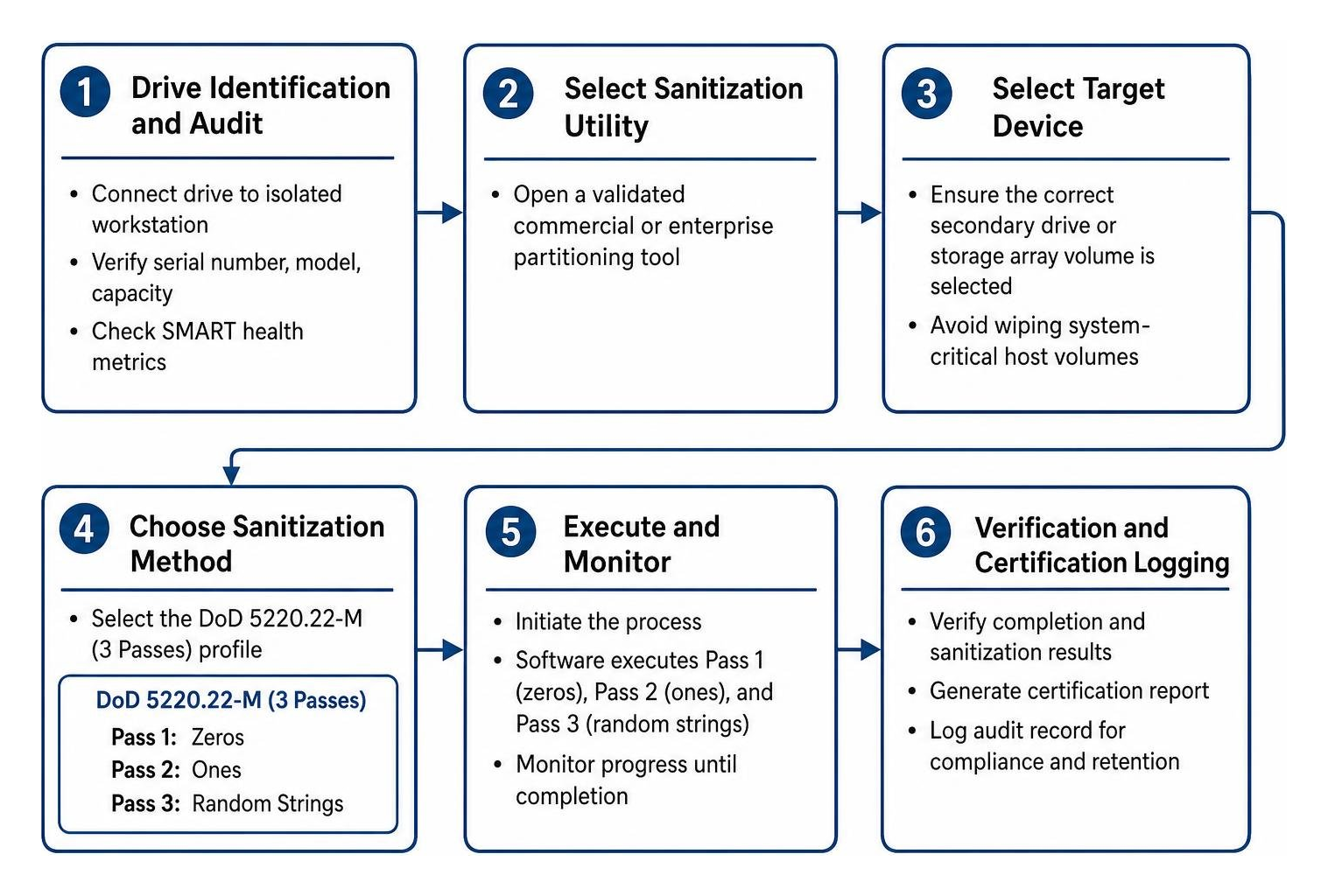
- Drive Identification and Audit: Connect the targeted enterprise HDD to an isolated technician workstation. Verify drive serial numbers, model information, capacity, and SMART health metrics.
- Select Sanitization Utility: Open a validated commercial or enterprise partitioning tool.
- Select Target Device: Ensure the correct secondary drive or storage array volume is selected to avoid wiping system-critical host volumes.
- Choose Sanitization Method: Select the DoD 5220.22-M (3 Passes) profile.
- Execute and Monitor: Initiate the process. The software executes Pass 1 (zeros), Pass 2 (ones), and Pass 3 (random strings) across every sector.
- Automated Verification: The software scans sectors post-wipe to confirm that only non-identifiable patterns remain.
- Generate Documentation: Record drive serial numbers, sanitization timestamps, operator ID, and verification logs for compliance records.
Regulatory Compliance, ITAD Best Practices, and Physical Destruction
Proper data sanitization is essential for meeting compliance standards such as HIPAA, GLBA, Sarbanes-Oxley, and GDPR. Leaving retired corporate workstations or decommissioned database servers unmanaged exposes an organization to steep regulatory penalties.
Enterprise compliance teams must understand HIPAA compliance in ITAD to ensure Protected Health Information (PHI) is permanently erased before hardware leaves custody.
Meeting Corporate Compliance and Asset Liquidation Mandates
Whether reallocating internal server nodes or preparing enterprise workstations for value-recovery resale, companies need verifiable documentation. A formal Certificate of Sanitization must accompany decommissioned assets, detailing:
- Hardware manufacturer, model, and chassis serial numbers.
- Individual disk serial numbers and capacities.
- Sanitization standard applied (e.g., DoD 5220.22-M 3-Pass, NIST SP 800-88 Purge).
- Read/write verification results and error status.
- Technician credentials and final disposition timestamp.
Maintaining this audit trail protects your business during annual data security audits.
When to Choose Physical Shredding Over Software-Based Overwriting
Software wiping is a great way to recover hardware value through remarketing, but it isn’t always the right operational choice. Physical shredding is necessary when:
- Drives Exhibit Bad Sectors: Drives with read/write hardware failures cannot be fully written to via software, leaving un-sanitized data on damaged tracks.
- Solid-State Drives with Failed Controllers: If an SSD controller is locked or bricked, firmware sanitize commands will fail, requiring physical destruction.
- Classified Environments: Top-secret corporate R&D or restricted government data environments often require physical destruction alongside software erasure.
- Time Constraints: High-volume data center decommissioning projects involving thousands of obsolete low-capacity drives are often more cost-effective to shred than wipe over several days.
When managing high-risk infrastructure, reviewing certified media and server destruction options helps determine whether software erasure or physical destruction best meets your corporate risk policy.
For a deeper dive into choosing between physical and software methods, explore our breakdown on physical destruction vs data wiping.
Frequently Asked Questions About DoD Data Sanitization
Can a DoD wipe completely erase enterprise SSDs?
A DoD 3-pass wipe cannot guarantee complete erasure on solid-state drives. Because flash storage relies on wear-leveling controllers, logical overwrites cannot directly access reserved over-provisioned blocks or reallocated cells. For enterprise SSDs, use hardware-level ATA Secure Erase, NVMe Sanitize commands (NIST 800-88 Purge), or physical shredding.
Is DoD 5220.22-M still officially approved for classified government data?
No. The federal government and Department of Defense have transitioned classified clearing mandates away from the legacy DoD 5220.22-M NISPOM manual to modern standards, primarily NIST SP 800-88 Rev. 1 and NSA/CSS guidelines. However, the DoD 3-pass method remains widely used in commercial enterprise settings for spinning hard disk sanitization.
How long does a 3-pass DoD sanitization process take on large storage arrays?
Sanitization times vary based on drive capacity, spindle speed (e.g., 7,200 RPM vs 15,000 RPM SAS), interface throughput, and verification passes. A single 3-pass wipe with full verification on a modern 8TB enterprise HDD can take between 12 to 24 hours. When sanitizing high-density storage arrays, hardware-level Purge commands or physical shredding can significantly accelerate disposition timelines.
Conclusion
The DoD 5220.22-M standard remains one of the most recognized sanitization protocols for traditional hard drives. By overwriting sectors across three distinct passes with verification, it prevents software recovery when decommissioning legacy magnetic drives.
However, modern IT asset disposition requires matching the sanitization method to the storage architecture. From single-pass NIST SP 800-88 Purge methods for enterprise NVMe arrays to physical shredding for failed storage arrays, a robust disposition strategy protects your business against data exposure and regulatory penalties.
At Innovative IT Solutions, we provide secure, certified IT asset disposition, media sanitization, and hardware liquidation tailored to your compliance requirements. If your enterprise is upgrading servers or retiring workstation fleets, contact our team to schedule certified hard drive destruction in Oklahoma City and safeguard your organization’s sensitive data.


