
Trash to Treasure: Where to Find Free IT Equipment Disposal Near You
The Growing Problem of IT Equipment Disposal — and Where to Find Free Help
If you’re responsible for managing free IT equipment disposal at your organization, here are the fastest ways to get started:
| Option | Best For | Cost |
|---|---|---|
| Certified ITAD provider pickup | Businesses, healthcare, government | Free for qualifying volumes |
| State/local government drop-off | Residents and small businesses | Free or low-cost |
| Manufacturer take-back programs | Individual devices by brand | Free |
| Non-profit donation programs | Working equipment, any quantity | Free |
| Retail drop-off (Best Buy, Staples) | Individuals, small quantities | Free for most items |
Old computers don’t just take up space — they create real risk.
According to the UN Global E-waste Monitor, a record 62 million tonnes of e-waste were generated globally in 2024. Yet only 22.3% was formally collected and recycled. The rest? Much of it ends up in landfills, leaching lead, mercury, and cadmium into soil and water.
For IT managers, the stakes are even higher. Improperly disposed devices can expose sensitive data. IBM’s 2024 Cost of Data Breach Report puts the average U.S. breach at $4.88 million. That’s a steep price for skipping a proper disposal process.
The good news: you don’t have to pay to do this right. Dozens of certified programs — from government drop-offs to ITAD providers — will handle your retired equipment for free, often with full data destruction certificates included.
I’m Mike Haden, Founder and Director of Business Development at Innovative IT Solutions. Over the past 14 years, I’ve helped hundreds of organizations navigate free IT equipment disposal through our R2v3-certified ITAD process — covering everything from secure data sanitization to responsible recycling and asset remarketing. In that time, we’ve processed over a million pieces of enterprise IT equipment, so I know exactly what options are available and how to use them.
Below, I’ll walk you through every major option — so you can find the right fit for your organization’s size, location, and compliance requirements.
The Ultimate Guide to Free IT Equipment Disposal for Businesses and Individuals
When you look at a stack of dusty Dell monitors or tangled server racks, you might just see an annoying clutter problem. But from an environmental and regulatory perspective, that pile is a ticking clock.
Did you know that up to 70% of overall toxic waste in America’s landfills comes from discarded electronics? E-waste is packed with hazardous substances like lead, mercury, beryllium, and cadmium. When buried in a landfill, these heavy metals eventually leach into local soil and groundwater systems, creating long-term ecological damage.
Because of these environmental risks, local and federal regulations have become increasingly strict. Failing to dispose of your electronics properly can result in massive fines for your business. If you want to understand the legal landscape and avoid costly mistakes, reading up on How to Dispose of Electronic Waste is a crucial first step.
Fortunately, you do not have to spend a fortune to stay compliant. Free IT equipment disposal programs exist to help both everyday citizens and large enterprises safely divert technology from landfills without breaking the bank.
Who Qualifies for Free IT Equipment Disposal?
The short answer is: almost everyone qualifies for some form of free disposal, but the method of disposal depends entirely on who you are and how much gear you have.
For individuals and households in the Oklahoma City metro area, free disposal is typically structured around local drop-off facilities or community collection events. You can load your old family computer into your trunk, drive it to a designated facility, and hand it over at zero cost.
For businesses, corporate offices, healthcare systems, and schools, the logistics are different. Because businesses handle large volumes of equipment, they often qualify for free on-site pickup services. However, to offset the fuel and labor costs of sending a truck, certified ITAD (IT Asset Disposition) providers usually require a minimum quantity of “qualifying items”—such as a certain number of complete laptops, desktops, or enterprise-grade servers.
| Feature | Residential Drop-Off | Corporate Pickup |
|---|---|---|
| Cost | 100% Free | Free for qualifying volumes |
| Convenience | Self-transport required | On-site pickup at your facility |
| Volume Limits | Often limited (e.g., 5-10 items per visit) | No upper limit; minimum quantities apply |
| Data Security | Basic (user should wipe beforehand) | Certified (NIST 800-88 compliant + Certificate) |
| Documentation | None | Full audit trails, serialized reports, and Certificates of Destruction |
What Types of Electronics Are Accepted?
Not all e-waste is created equal. While recycling providers want to keep toxic materials out of the ground, some items are much easier to process and recycle than others. Items with high commodity value (like copper, gold, and aluminum found in circuit boards) help fund the recycling of low-value items.
Generally, you can sort your electronics into accepted and non-accepted categories:
Accepted Electronic Items (Usually Free)
- Computers & Laptops: Desktops, notebooks, Chromebooks, and tablets.
- Servers & Networking Gear: Enterprise servers, switches, routers, hubs, and modems.
- Monitors: Flat-screen LCD and LED monitors.
- Peripherals: Keyboards, mice, power cords, cables, and docking stations.
- Office Equipment: Printers, copiers, scanners, and multi-function machines.
- Mobile Devices: Smartphones, office desk phones, and tablets.
Non-Accepted Items (Or Items Requiring a Fee)
- Hazardous Materials: Loose mercury switches, smoke detectors, and industrial chemicals.
- Large Appliances: Refrigerators, air conditioners, and microwaves (these contain freon or other hazardous coolants).
- Damaged Batteries: Swollen or leaking lithium-ion batteries.
- CRT Monitors/TVs: Older “box” style cathode-ray tube monitors are often rejected or require a specialized fee because they contain up to eight pounds of highly toxic leaded glass.
How to Find Free Electronics Recycling Services Near You
If you are located in Oklahoma City, South OKC, or the surrounding Oklahoma communities, you have several excellent local resources at your disposal. Finding a convenient solution is simply a matter of matching your location with the right service provider.
For a comprehensive breakdown of local drop-off spots, we highly recommend reviewing these Options for Recycling Electronics in Oklahoma City to see what is closest to your home or office.

Local Government and Retailer Programs
If you are a resident looking to clear out a few personal devices, local government programs and major retail partnerships are your best bet.
The state of Oklahoma encourages residents to use designated recycling infrastructure to keep hazardous waste out of municipal trash cans. You can find detailed local guidelines through the state’s resource on E-waste recycling for Oklahoma residents. Additionally, local municipal drop-off sites and community collection events provide accessible options for OKC residents looking to discard computers and peripherals safely.
For quick, everyday drop-offs, nationwide retailers like Best Buy and Staples offer free recycling programs for a wide variety of electronics, including cables, old cell phones, and rechargeable batteries. Simply walk up to their customer service desk and hand over your old gear.
Non-Profit Donation and Digital Equity Programs
Before you send your old laptop to be shredded and melted down for raw metals, ask yourself: Could someone else use this?
Refurbishing and reusing technology is the highest form of recycling. It saves energy, conserves resources, and directly helps bridge the “digital divide.” In the United States, millions of households do not own a computer, yet over 90% of new jobs require medium-to-high-level digital skills. This creates a massive barrier to employment, healthcare, and education.
By donating your working or repairable devices to non-profit programs, you help provide refurbished hardware to students, job seekers, and low-income families. To learn more about how to make a positive social impact with your retired tech, check out our guide on Don’t Trash Your Tech: Best Places to Recycle Electronics the Right Way.
How to Arrange Free IT Equipment Disposal for Your Organization
If you are managing the IT department for a corporate office, a school district, or a healthcare facility in OKC, you cannot simply drop off 200 computers at a retail store. You need a structured, professional logistics plan.
Arranging a free corporate pickup involves a few simple steps:
- Inventory Your Gear: Create a basic spreadsheet listing the types of equipment and approximate quantities you need to dispose of.
- Verify Free Pickup Eligibility: Contact us to see if your inventory meets the minimum requirements for a free business pickup.
- Schedule the Logistics: We will coordinate a convenient pickup time, send a professional crew to handle the heavy lifting, and transport your assets securely to our processing facility.
For a deeper dive into setting up a seamless, recurring system for your company, read our article on establishing an Electronic Recycling Program for Your Business.
Data Security and Compliance Standards in Free IT Recycling
The biggest mistake a business can make during free IT equipment disposal is treating data security as an afterthought. Just because a service is free does not mean you can compromise on data protection.
If a discarded hard drive falls into the wrong hands, the consequences can be devastating. With the average U.S. data breach cost sitting at $4.88 million, secure data destruction is a non-negotiable requirement for any business.
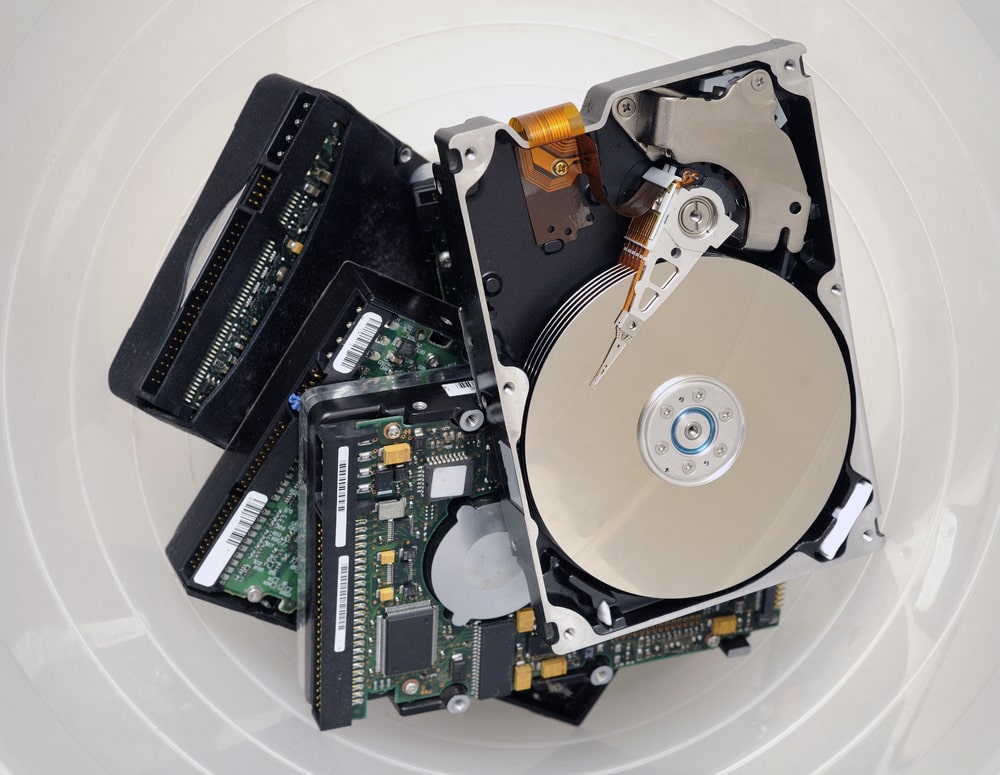
Many business owners wonder: Can we just handle this internally? It is a tempting thought, but taking a hammer to a hard drive in the office parking lot does not meet regulatory standards. For a detailed look at why DIY recycling is a liability risk, see Can I Recycle My Office Electronics Myself?.
Secure Data Destruction Methods
When we collect data-bearing devices like hard drives, solid-state drives (SSDs), and backup tapes, we use industry-standard sanitization protocols to ensure your data is permanently unrecoverable.
- NIST SP 800-88 Rev. 1: This is the gold standard for media sanitization used by the federal government and leading enterprises. It involves software-based data wiping that overwrites every sector of the drive, rendering the original data completely unrecoverable.
- DoD 5220.22-M: A multi-pass sanitization standard originally established by the Department of Defense.
- Physical Shredding: For drives that are physically damaged or cannot be digitally wiped, industrial shredders crush and slice the drives into tiny metal fragments, making data recovery physically impossible.
To understand exactly what happens to your hard drives and devices once they enter the recycling stream, check out Computer Recycling Services: What Happens to Your Old Tech?.
Documentation and Certificates of Destruction
In the corporate world, if it isn’t documented, it didn’t happen. To satisfy internal compliance audits, HIPAA regulations, and environmental laws, you must maintain a clear paper trail.
When you partner with a professional ITAD provider like Innovative IT Solutions, you receive comprehensive documentation:
- Serialized Asset Tracking: A complete list of every device collected, including serial numbers, make, and model.
- Certificate of Data Destruction: A legally binding document certifying that all data-bearing devices were successfully sanitized or physically destroyed in compliance with NIST standards.
- Chain of Custody Documentation: Proof of secure transport from the moment the gear left your facility to its arrival at our processing center.
For additional resources on federal recycling standards, you can review the EPA’s official guidelines on Electronics Donation and Recycling.
Frequently Asked Questions About Free IT Disposal
Are there any hidden fees or minimum quantities for free pickup?
While the recycling itself is free, logistical costs mean that free corporate pickups are usually reserved for organizations with a minimum quantity of high-value IT assets (typically 5 to 10 laptops, desktops, or servers).
If you only have a few cables and an old printer, we can still help you recycle them, but you may need to drop them off at a designated location or pay a small transport fee. To learn more about how these logistics are calculated, see E-Waste Recycling Services: The Smart Way to Dispose of Electronics.
What happens to the recycled IT equipment after collection?
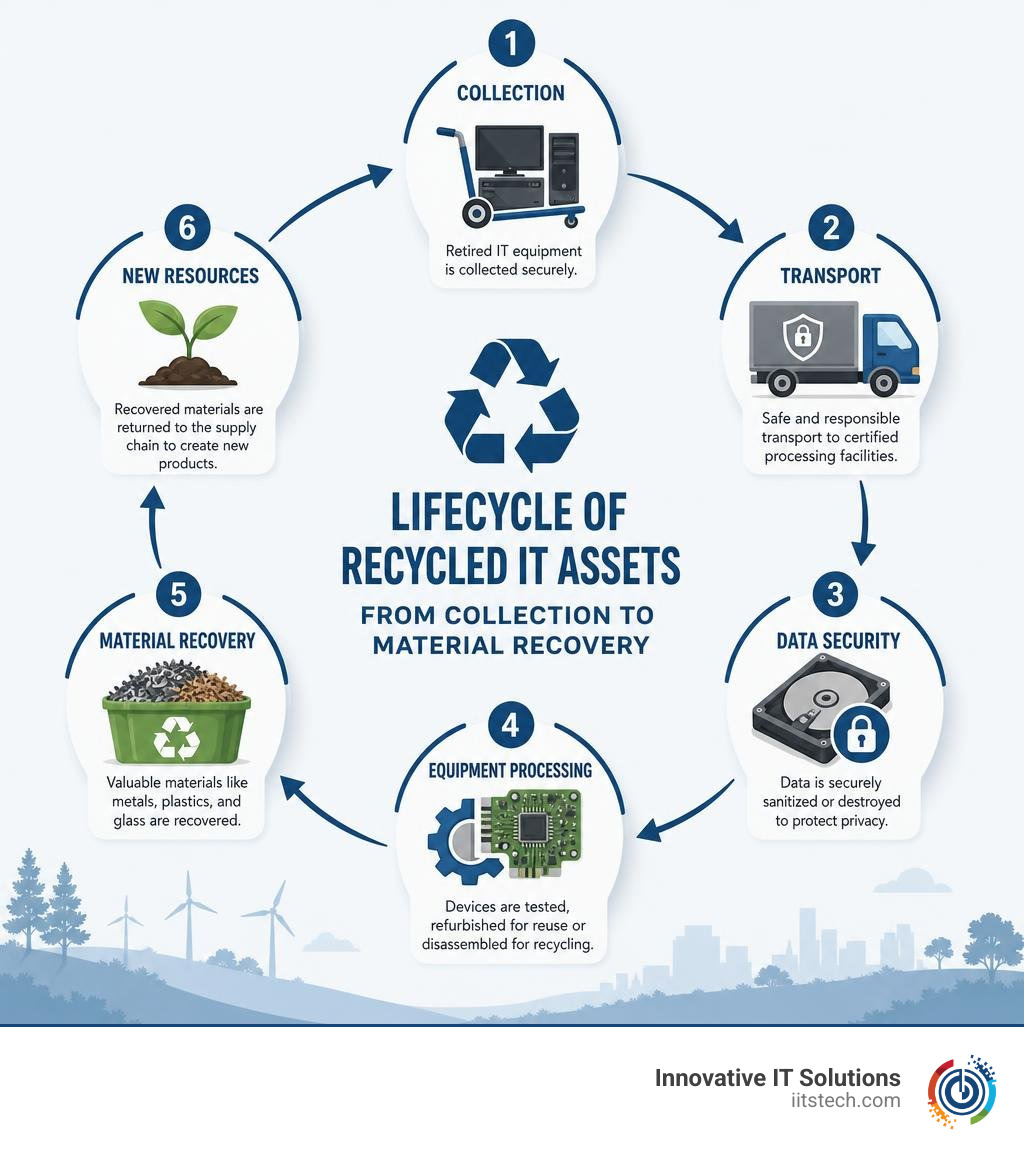
Our goal is always to maximize the lifespan of technology. When equipment arrives at our facility:
- Evaluation & Testing: We test devices to see if they can be refurbished, upgraded, and reused.
- Data Sanitization: All data-bearing devices are wiped or shredded.
- Material Recovery: Devices that are completely broken or obsolete are carefully disassembled. Metals, plastics, and glass are sorted and sent to certified downstream partners to be melted down and used in new manufacturing.
We operate under a strict zero-landfill policy, meaning nothing we collect ends up in a dump. For a local perspective on how this process protects our community, read How to Properly Dispose of Electronics: Computer Recycling in Oklahoma City.
What should I do to prepare my devices before disposal?
To ensure a smooth and secure disposal process, we recommend taking a few quick steps before handing over your devices:
- Remove Device Locks: Log out of iCloud, Google, and corporate MDM (Mobile Device Management) accounts. Locked devices are incredibly difficult to refurbish and often must be shredded instead of reused.
- Back Up Your Data: Once we wipe a drive, that data is gone forever. Double-check that you have saved all important files.
- Remove Loose Batteries: If a device has an easily removable battery, take it out to prevent accidental short circuits during transport.
For a complete checklist on preparing your office for a technology transition, see our guide on What to Do with Old IT Equipment When Your Business Closes or Downsizes.
Conclusion
Managing retired technology doesn’t have to be a logistical headache or a financial burden. By choosing free IT equipment disposal through a certified partner, you can protect your organization’s sensitive data, stay compliant with environmental laws, and clear out valuable office space—all at zero cost to your bottom line.
At Innovative IT Solutions, we are proud to serve businesses, schools, healthcare providers, and public institutions throughout Oklahoma City, South OKC, and the wider Oklahoma region. Our EPA-compliant, zero-landfill IT asset disposition services are designed to give you complete peace of mind, backed by industry-standard NIST data destruction and full audit reporting.
Ready to clear out your old tech the smart, secure, and sustainable way? Schedule your free IT equipment recycling assessment today and let our team handle the rest!


