
What You Need to Know Before Buying a Used POS System
A used POS system is a cost-effective way to equip your business with reliable, enterprise-grade point-of-sale hardware — at a fraction of the cost of buying new.
Quick answer for buyers:
| What you want to know | The short answer |
|---|---|
| How much can I save? | 40–70% less than new equipment |
| Is it reliable? | Yes, if bought from a reputable provider with testing and a warranty |
| What’s included? | Terminal, receipt printer, cash drawer, card reader (varies by bundle) |
| How long will it last? | 5–7 years with proper maintenance |
| Can I use my existing software? | Usually yes — verify OS and software compatibility first |
Upgrading or replacing POS hardware is a significant investment. For IT managers at mid-sized businesses, the decision goes beyond just price. It touches on compliance, data security, asset recovery, and hardware lifecycle management. Getting it wrong can mean stranded costs, security gaps, or compatibility headaches down the line.
That’s why more procurement teams are taking a closer look at the refurbished POS market — not just to cut costs, but to make smarter, more sustainable technology decisions.
I’m Mike Haden, Founder and Director of Business Development at Innovative IT Solutions. Over the past 14 years, I’ve led the processing and remarketing of over a million pieces of enterprise IT equipment — including used POS systems — with a focus on secure data destruction, compliance, and maximizing returns for our clients.
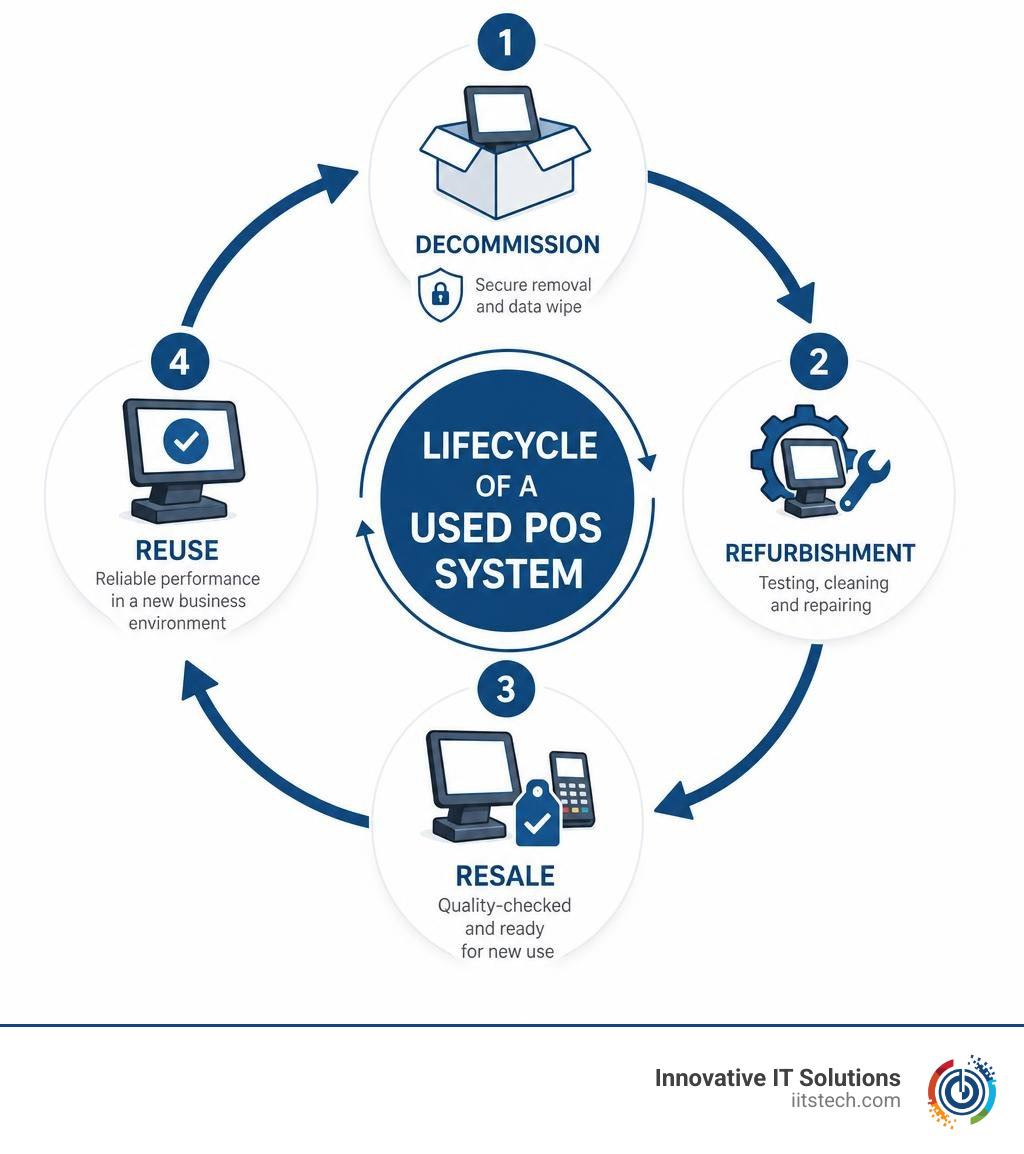
Why Businesses Choose a Used POS System Over New Hardware
When you are walking through a bustling retail store in Oklahoma City or grabbing a bite in South OKC, you probably do not think twice about the terminal where you swipe your card. But for the business owner behind the counter, that terminal represents a critical business decision.
Historically, companies defaulted to buying brand-new POS setups because they feared the unknown. However, in June 2026, the landscape of IT procurement has shifted dramatically. Savvy businesses are increasingly choosing a used POS system over brand-new hardware. Let’s look at why:
- Substantial Cost Savings: The most immediate benefit is financial. Opting for a pre-owned or refurbished system can slash your upfront hardware costs by 40% to 70% compared to brand-new units. For a growing business or a multi-location enterprise, those savings translate directly into capital that can be reinvested in marketing, inventory, or hiring.
- Immediate Availability: If you have tried ordering new enterprise IT hardware lately, you know that supply chain bottlenecks can turn a simple upgrade into a multi-month waiting game. Refurbished systems are typically in stock and ready to ship immediately, eliminating long lead times.
- Environmental Sustainability: Every terminal, printer, and cash drawer kept in circulation is one less piece of electronic waste heading to an Oklahoma landfill. By choosing refurbished gear, you support a circular economy and lower your company’s carbon footprint.
- Proven Hardware Lifespan: Enterprise-grade POS hardware is built to be incredibly rugged. Unlike standard tablets, these systems are designed to survive spills, continuous touch input, and dusty environments. A well-maintained pre-owned terminal easily delivers an average lifespan of 5 to 7 years.
To dive deeper into how this choice fits into your broader IT strategy, check out our guide on Refurbished vs New IT Equipment: Making the Smart Procurement Choice.
Key Components and Types of Pre-Owned POS Hardware
When sourcing a used POS system, you will find everything from standalone terminals to complete checkout lane overhauls. Navigating the inventory requires understanding what is available and how components fit together.

Whether you are looking to buy individual replacements or bulk configurations, you can browse a wide variety of pre-owned POS systems to match your specific layout. To ensure you get equipment that performs like new, it is vital to work with certified refurbishers who thoroughly inspect, clean, and test each component.
Industry-Specific Configurations
Different industries have vastly different checkout requirements. A hardware configuration that excels in a retail store might fail miserably in a restaurant.
- Restaurants and Bars: These environments demand rugged, spill-resistant hardware. Complete, localized setups can handle grease, heat, and splashes. For modern, cloud-integrated workflows, options like the Toast Flex POS system provide highly adjustable, high-speed interfaces. If you are operating a larger venue, you might even look into multi-unit setups such as Toast Kiosks and kitchen monitors to streamline self-ordering and kitchen communication.
- Retail Outlets: Retailers require speedy scanning and seamless payment processing. In Oklahoma, businesses often look for robust, enterprise-grade hardware that can be easily integrated with local payment processors.
- Grocery Stores: Grocery checkout lanes require heavy-duty scanner-scales integrated directly into the counter, alongside secondary customer displays and high-capacity cash drawers.
- Specialty Markets & Cannabis Dispensaries: Specialized industries require strict compliance integration. For example, dispensaries in Oklahoma utilize tailored setups to keep their inventory and sales aligned with state tracking laws.
Essential Hardware Components in a Bundle
A complete used POS system is made up of several moving parts that must communicate flawlessly:
- The Touchscreen Terminal: The brain of your checkout lane. Popular refurbished models include the Elo 10-inch i-series, which is ideal for compact counter spaces.
- Receipt Printers: Thermal printers (like the reliable Star TSP650ii or Epson TM series) are the industry standard, offering fast, ink-free printing.
- Cash Drawers: Rugged steel drawers that connect directly to your receipt printer, opening automatically when a cash transaction is completed.
- Card Readers & Payment Terminals: This is where security meets convenience. Using a high-quality, durable terminal like the Inegenico Lane 8000 POS Good Condition ensures that your customers’ payment data is processed securely and swiftly.
Evaluating Condition, Lifespan, and Compatibility
Buying pre-owned hardware does not mean crossing your fingers and hoping for the best. By understanding how refurbished hardware is evaluated, you can make a purchase with absolute confidence.
Evaluating the Cost of a Used POS System
The price of a used POS system depends on its technical specifications, cosmetic condition, and the generation of the processor inside. To help you visualize the financial impact, here is a general breakdown of what you can expect:
| Hardware Tier | New System Cost | Refurbished/Used Cost | Typical Target Business |
|---|---|---|---|
| Entry-Level Bundle (Compact tablet, basic stand, printer) | $1,000 – $1,500 | $400 – $600 | Small boutiques, cafes, food trucks |
| Mid-Range Workstation (15″ touchscreen, standard processor, cash drawer, thermal printer) | $1,800 – $2,500 | $700 – $1,100 | Busy retail stores, full-service restaurants |
| Enterprise Lane (High-performance terminal, heavy-duty scanner-scale, customer display) | $3,500 – $5,000+ | $1,200 – $2,000 | Grocery stores, high-volume supermarkets |
How to Ensure Compatibility with Your Used POS System
The most common mistake buyers make is purchasing beautiful hardware that cannot run their preferred software. To prevent this, always verify the following:
- Operating System Support: If your POS software requires Windows 11, ensure the refurbished terminal’s processor (such as modern Intel Core or Celeron chips) officially supports it. Many legacy terminals are locked to Windows 10 or older embedded operating systems like POSReady 7.
- Payment Processor Integration: Your card reader must be compatible with both your POS software and your merchant services provider.
- Peripheral Ports: Ensure the terminal has enough powered USB, serial, or LAN ports to connect your cash drawer, scanner, and printer without needing a messy web of adapters.
For a step-by-step checklist on preparing your checkout lanes for an upgrade, read our expert advice on How to Upgrade Your Checkout Lane with Quality Refurbished POS Hardware.
How to Sell Your Old POS Equipment and Recapture Value
If you are upgrading your store’s technology, what should you do with your old terminals? Storing them in a back room to gather dust is a missed financial opportunity.
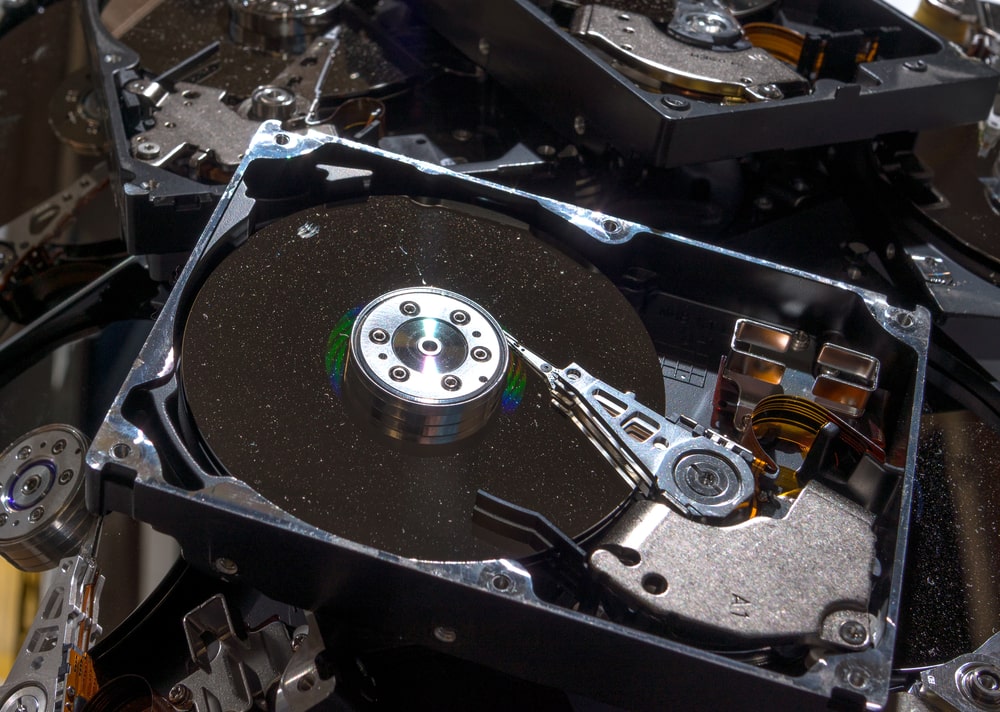
At Innovative IT Solutions, we help Oklahoma businesses turn their retired IT assets into working capital through structured buyback programs. When you partner with us, the process is simple and secure:
- Inventory & Assessment: You provide us with the model numbers, quantities, and general condition of your old equipment.
- Valuation: We calculate the fair market value of your hardware and present a competitive buyback offer.
- Secure Logistics & Data Destruction: We handle the pickup of your gear. Once it arrives at our facility, we perform NIST-compliant data destruction to ensure all customer records, transaction histories, and proprietary business data are completely erased from the hard drives. For reference, NIST’s media sanitization guidance is published in NIST Special Publication 800-88 Revision 1.
- Payout or Credit: You receive your payment, which can be used to offset the cost of your upgraded system.
Ready to clear out your storage closet? You can easily Sell Your Gear through our secure portal, or learn more about the financial advantages of asset recovery in our article on The Business Benefits of Selling Your Used IT Equipment.
Frequently Asked Questions about Refurbished POS Hardware
What is the average lifespan of a refurbished POS terminal?
With proper care, a high-quality refurbished POS terminal will easily last 5 to 7 years. Because enterprise-grade hardware is built for continuous commercial use, its internal components are far more durable than standard consumer-grade devices. Keeping the cooling vents free of dust and installing regular software updates will maximize its longevity.
Is it safe to buy a used payment terminal?
Yes, provided you purchase from a reputable, certified ITAD (IT Asset Disposition) specialist. The primary safety concern is ensuring the device is cleared of any legacy data and complies with current PCI (Payment Card Industry) data security standards. Certified refurbishers test these units to ensure that encryption keys are intact and that the hardware has not been tampered with.
Can I use my existing POS software on a used terminal?
In most cases, yes. Most modern cloud-based and local POS software platforms are hardware-agnostic, meaning they can run on any terminal that meets their minimum operating system (e.g., Windows 10/11 or Android) and RAM requirements. Always double-check your software provider’s hardware compatibility list before purchasing.
Conclusion
Upgrading your business infrastructure does not have to break the bank. Choosing a used POS system allows you to secure robust, enterprise-grade hardware while keeping your capital focused on growing your business. By partnering with a trusted ITAD provider, you ensure that your hardware is thoroughly tested, secure, and ready to perform from day one.
At Innovative IT Solutions, we are dedicated to helping businesses in Oklahoma City, South OKC, and across the state navigate their technology lifecycles with zero-landfill, EPA-compliant processes.
If you are ready to elevate your checkout experience without the enterprise price tag, you can https://iitstech.com/product/inegenico-lane-8000-pos-good-condition/ today and secure premium, reliable payment hardware for your business.


