
Give Old Business Computers a Second Life
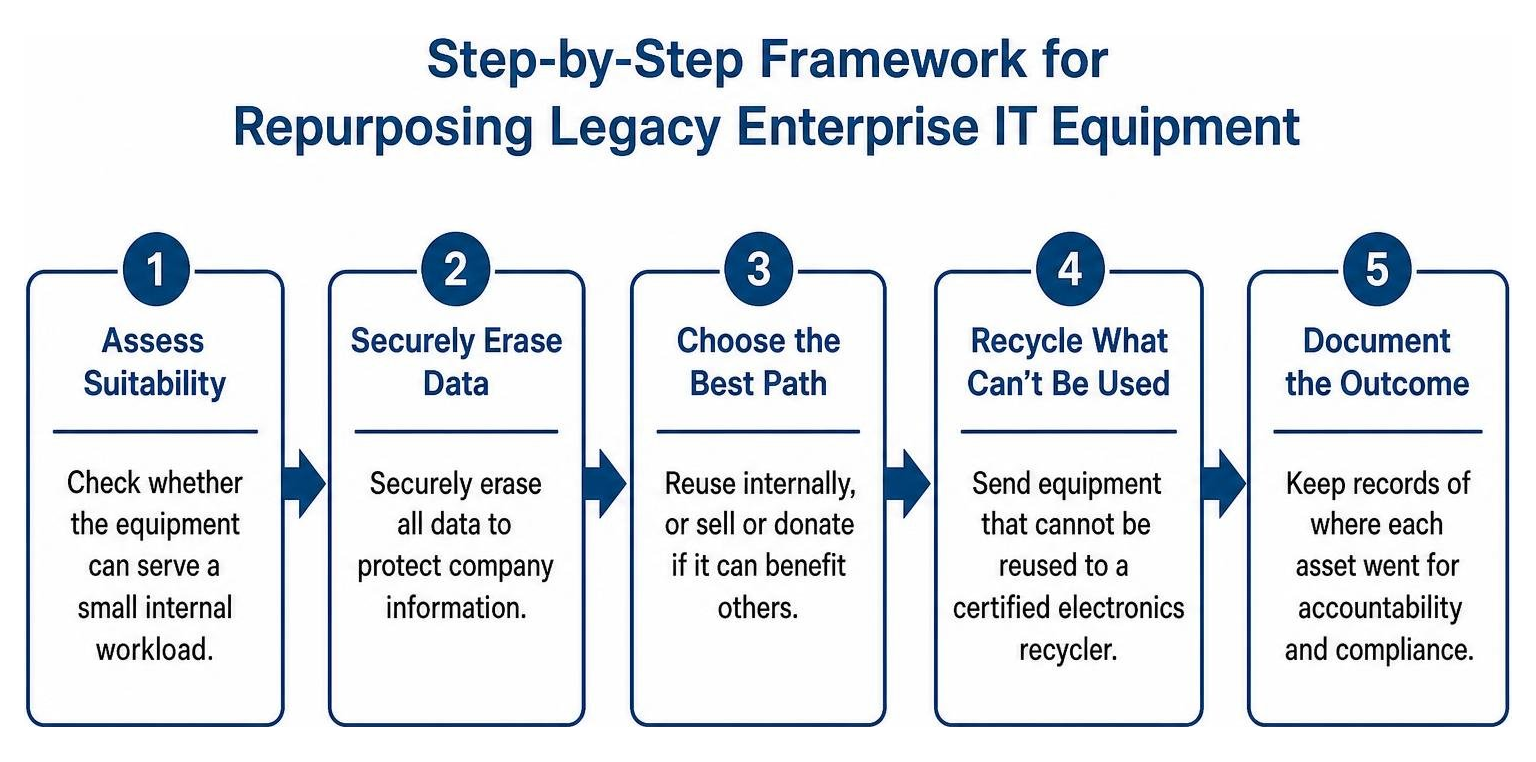
Don’t put retired business computers in the trash. Check whether they can serve a small internal workload, then securely erase their data before reuse, sale, or donation. Send equipment that cannot be reused to a certified electronics recycler, and keep records of where each asset went.
That decision protects company data and may recover value from hardware you already own. While enterprise IT departments routinely retire company-issued mobile fleets and old cell phones alongside main infrastructure, this guide focuses on business computers and server components.
I’m Mike Haden, founder of Innovative IT Solutions. For 14 years, I’ve helped organizations manage retired IT assets through secure processing, resale, and responsible recycling.
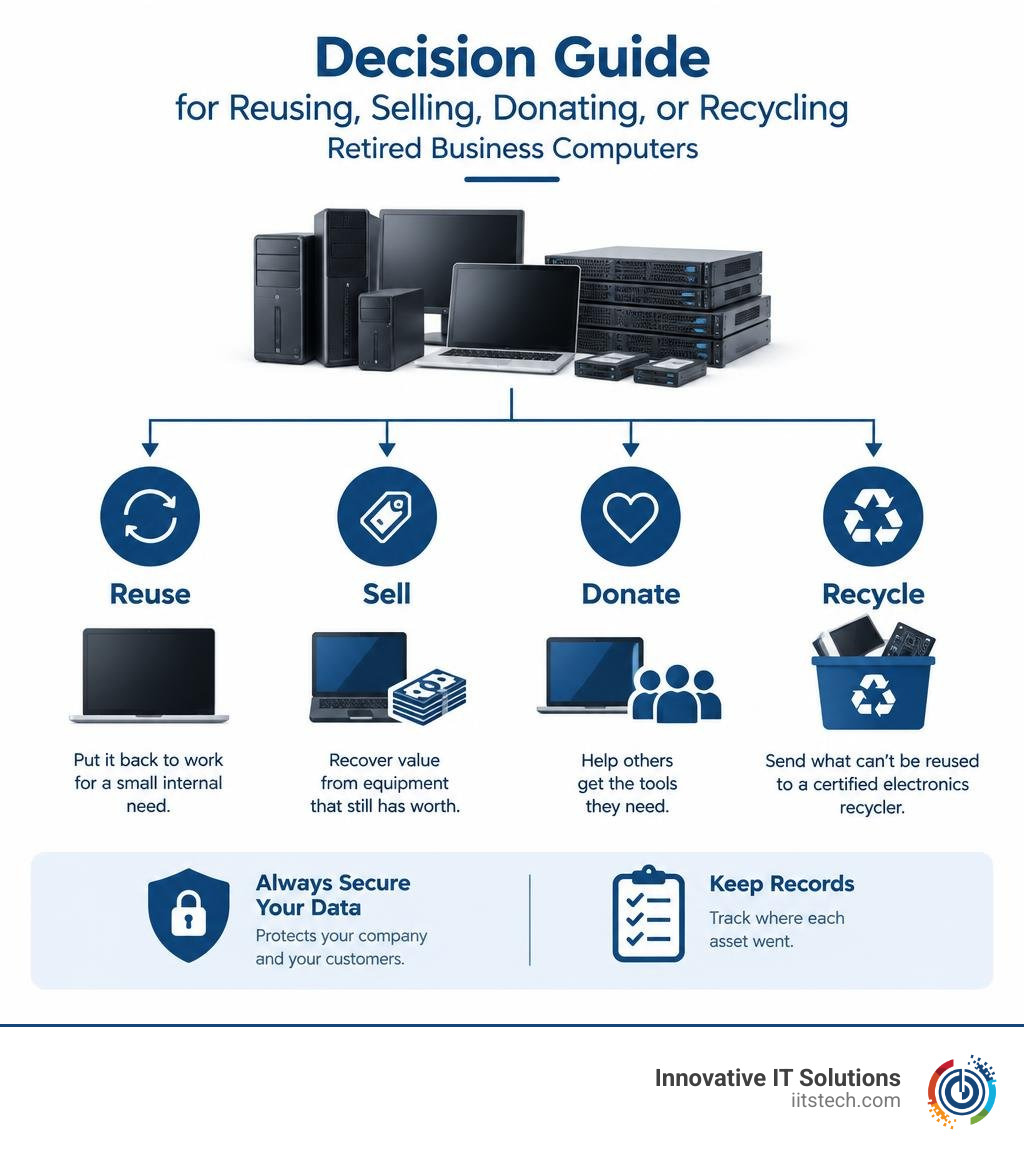
Simple guide to business IT asset disposition terms:
5 Creative Ways to Repurpose Old Business Computers and Server Components
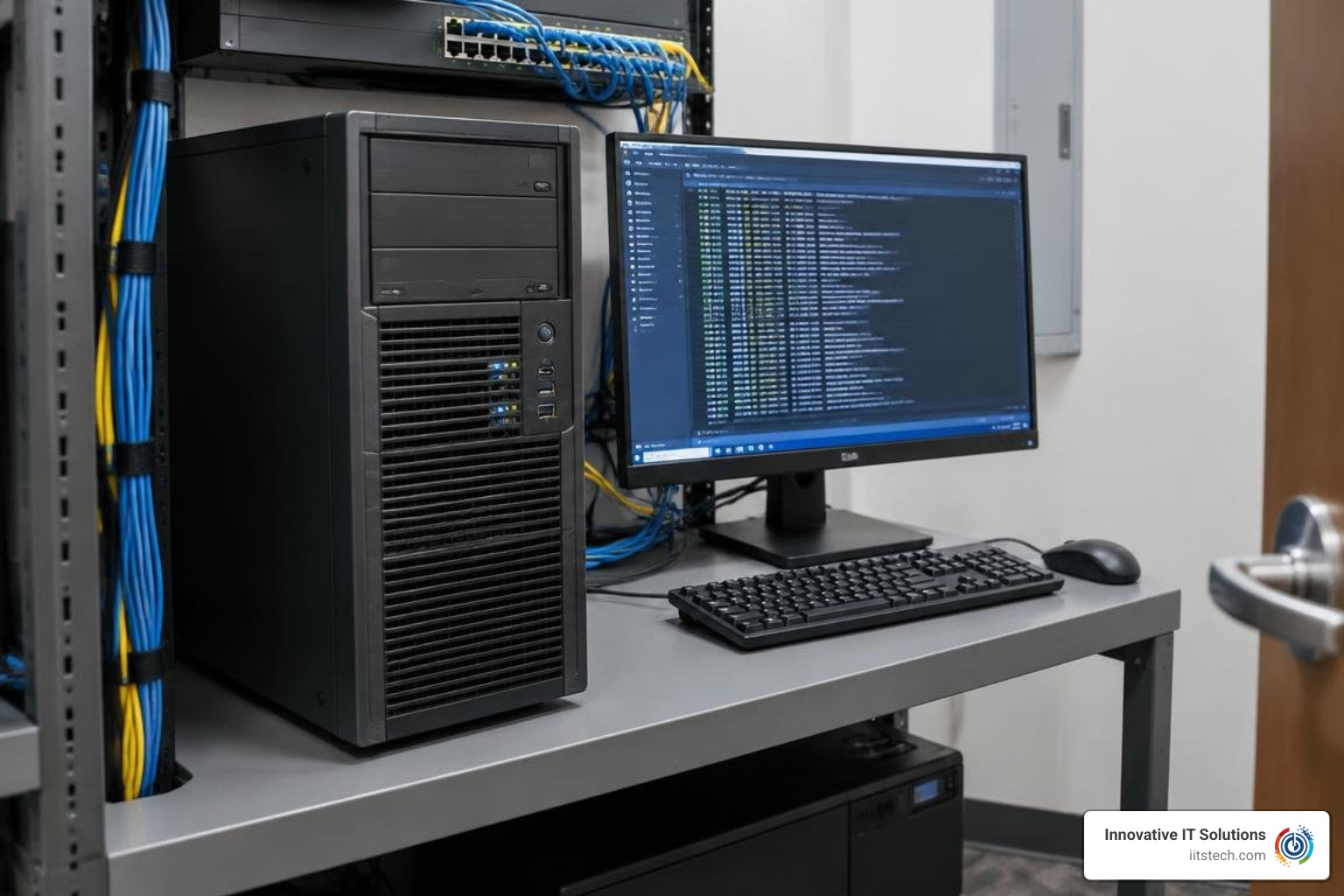
When enterprise desktop towers, rack servers, or corporate laptops reach the end of their primary lifecycle, they rarely become useless overnight. Instead of letting depreciated gear sit idle in a storage closet, your IT department can repurpose these enterprise-grade systems for secondary internal roles. Business-class hardware is built to higher reliability standards than consumer machines, making it capable of handling non-critical support functions with ease.
Before reallocating these assets, evaluate their power consumption, cooling demands, and security requirements. Older multi-socket servers can pull substantial wattage, so ensure the operational benefit justifies the electricity cost. Once verified, configure the hardware on an isolated administrative VLAN to maintain security boundaries across your corporate network.
1. Dedicated Testing and Troubleshooting Workstation
Every IT department needs a safe sandbox for software evaluation, patch validation, and hardware diagnostics. Retiring business desktops and high-performance workstations make excellent dedicated test benches.
- Isolated Test Environment: Deploy pre-release software, firmware patches, or operating system updates without risking production endpoints.
- Hardware Diagnostics: Use functional motherboards and PCIe expansion slots to test suspect RAM modules, storage drives, and network interface cards.
- Secure Network Access: Place the test machine on a segregated subnet with restricted firewall rules to prevent unverified software from communicating with enterprise databases.
- Power Management: Configure wake-on-LAN and scheduled sleep states to minimize unnecessary energy consumption when testing concludes.
2. Virtualization Host for Internal Development
Enterprise rack servers often house high-core-count processors, redundant power supplies, and substantial registered ECC memory. Even if they no longer meet Tier-1 production service level agreements (SLAs), they excel as local hypervisors for staging and software development.
- Development Workloads: Host lightweight virtual machines (VMs) and containers for software engineering teams testing containerized builds or database migrations.
- Component Redundancy: Leverage enterprise server components like hardware RAID controllers and dual power supplies to maintain high availability for internal development tools.
- Capacity Planning: Match legacy CPU architectures and RAM capacities against internal staging workloads, retiring nodes that exceed target energy thresholds.
- Role-Based Access Controls: Implement administrative boundaries so development teams can spin up or tear down sandbox environments without accessing core infrastructure.
3. Local Backup or File Server
Retired enterprise towers or mid-range servers with multiple hot-swap drive bays can serve as secondary, non-critical network-attached storage (NAS) or local staging targets for operational backups.
- Backup Staging: Configure the system as an intermediary destination for nightly data snapshots before offsite replication.
- Storage Configuration: Deploy redundant array configurations (such as RAID 6 or ZFS pools) across enterprise SAS/SATA drives to handle disk failures safely.
- Strict Access Permissions: Lock down file-sharing protocols (SMB/NFS) with multi-factor authentication and role-based access lists to secure archived records.
- Documented Recovery Testing: Routinely validate recovery images and test failover speeds to ensure the auxiliary server performs reliably during real-world restore drills.
4. Employee Training and Onboarding Workstation
Training new staff on corporate tools, proprietary business systems, and administrative software should never risk live operational data. Repurposed business laptops and compact desktops provide ideal platforms for onboarding.
- Simulated Work Environments: Load mock databases and staging software so new hires can practice standard workflows without impacting operational systems.
- Standardized Device Management: Manage these machines using centralized endpoint policies, testing your deployment scripts while keeping training modules up to date.
- Restricted User Access: Limit the machine’s local privileges and disable external data ports to ensure compliance with company security standards.
- Secure Configuration Baseline: Create a clean system image to quickly wipe and re-image the machine between training cycles.
5. IT Recovery and Imaging Workstation
A dependable IT recovery station speeds up support tickets and deployment workflows across the organization. Dedicating a retired business workstation to this single function keeps your team organized.
- Automated OS Deployment: Configure the machine as an internal network boot or imaging server to deploy standard operating system builds to new hardware.
- Diagnostic Tools: Install certified storage erasure tools, disk cloning utilities, and hardware benchmarking software for rapid asset processing.
- Asset Tracking: Use the terminal to scan barcodes, log equipment serial numbers, and update your internal IT asset management (ITAM) database.
- Secure Peripheral Storage: House write-blockers, drive-docking adapters, and recovery media securely in one centralized staging area.
The Environmental Impact of Discarded Business Computers

Electronic waste represents one of the fastest-growing environmental concerns in the modern economy. In 2022 alone, an estimated 62 million tonnes of e-waste were produced globally, yet only 22.3% was formally collected and recycled. By 2050, an estimated 120 million tons of e-waste will be generated annually if systemic lifecycle management is not broadly adopted.
In Europe, over 700 million unused devices sit in storage, demonstrating the immense volume of untapped materials waiting for responsible disposition. Responsible electronics management makes a measurable difference; for example, Fairphone achieved a 63% reuse rate for all devices collected in 2024 through dedicated recovery pathways. Business computers and servers contain valuable, finite resources such as gold, silver, copper, palladium, and rare earth metals that must be reclaimed through certified channels. Organizations must learn how to dispose of electronic waste responsibly and understand the environmental impact of ITAD done right to keep toxic elements out of municipal waste streams.
Why You Should Never Throw Business Computers in Household Trash
Enterprise computing hardware contains heavy metals and hazardous compounds, including lead, mercury, cadmium, and brominated flame retardants. When these machines are dumped into ordinary municipal landfills, their physical casings degrade over time, allowing hazardous toxins to leach into local soil and groundwater reservoirs.
Improperly discarded electronics also pose acute combustion hazards in municipal waste facilities when damaged power supplies or batteries ignite under compaction. Utilizing certified e-waste recycling services to safely process electronics guarantees that business computer assemblies are safely dismantled, commodities are cleanly recovered, and toxic elements are handled under stringent zero-landfill protocols.
Safe Handling of Batteries in Business Laptops
Corporate laptops rely on dense lithium-ion and lithium-polymer battery packs that require careful handling during decommissioning:
- Thermal Runaway Prevention: Damaged or defective lithium batteries can enter an uncontrollable self-heating state, generating toxic fumes and intense fires.
- Identifying Battery Swelling: Inspect retired business laptops for warped trackpads, bulging bottom plates, or separated chassis seams, which indicate pressurized gas buildup inside battery cells.
- Handling Precautions: Never crush, puncture, bend, or force a swollen battery out of a laptop housing using sharp metal tools.
- Terminal Isolation: If removing intact modular batteries, tape exposed metal connector terminals with non-conductive electrical tape to prevent short circuits.
- Certified Hazardous Collection: Store retired laptop batteries in non-flammable, fire-rated containers lined with vermiculite and dispatch them exclusively to certified hazardous material handlers.
Beyond Repurposing: Donating, Recycling, or Selling Business Computers
When internal repurposing is no longer practical due to architecture limits or changing software requirements, organizations must choose between donation, resale, or materials recovery. Enterprise-grade IT assets retain secondary market value far longer than consumer models, and evaluating the business benefits of selling used IT equipment can help offset the cost of new infrastructure deployments.
Donating Computers to Support Community Programs
Donating decommissioned business desktops and laptops to educational organizations, non-profits, or community technology centers helps bridge digital divides while supporting corporate social responsibility (CSR) initiatives.
- Assess Device Condition: Ensure donated systems are fully functional, structurally sound, and capable of running modern web browsers and security patches.
- Sanitize All Drives: Completely eliminate all corporate records, software licenses, and proprietary tools before equipment leaves your facility.
- Confirm Recipient Requirements: Coordinate directly with non-profit partners to ensure your hardware matches their operational software needs and administrative capabilities.
- Maintain Clear Documentation: Record all equipment serial numbers, obtain signed donation receipts, and adhere to local tax guidelines regarding corporate capital asset write-offs.
Responsible Resale and Certified Recycling Channels
If your company manages fleets of standardized enterprise servers, enterprise desktops, or commercial laptops, liquidating them through certified remarketing channels recovers vital budget dollars. Consult our complete guide to selling IT equipment to structure an effective disposition plan.
- Comprehensive Testing and Grading: Assets undergo professional diagnostic testing, cosmetic grading, and component testing to establish accurate secondary market value.
- Component-Level Harvesting: Systems too outdated for whole-unit resale are carefully dismantled to harvest valuable CPUs, registered RAM, and enterprise power supplies.
- Certified Commodity Refining: Completely obsolete or non-functional circuit boards and metal chassis are processed by certified e-waste refiners to extract base metals without environmental contamination.
Preparing Business Computers for Lifecycle Transition: Data Security
Before any business computer or server leaves your chain of custody—whether for internal department reallocation, charity donation, resale, or scrap recycling—data security is mandatory. Merely deleting partitions or performing an operating system reinstall leaves raw data easily recoverable using basic forensic tools.
How to Securely Wipe Data from Business Computers Before Reuse
A robust disposition plan requires verified sanitization processes aligned with regulatory frameworks like NIST SP 800-88 Rev. 1 and DoD 5220.22-M. Recognizing the critical importance of data destruction protects your enterprise from regulatory fines, intellectual property theft, and damaging compliance breaches.
- Cryptographic and Overwrite Sanitization: Use certified data-erasure software to overwrite magnetic hard drives with verified multi-pass patterns, or issue cryptographically signed sanitize commands to solid-state drives (SSDs).
- Firmware and Account De-Linking: Remove active directory bindings, deregister hardware from unified endpoint management (UEM/MDM) platforms, and flash device BIOS/UEFI back to factory configurations.
- Physical Media Degaussing and Shredding: For storage drives containing high-security or regulated customer data that have reached the end of their operational life, utilize physical degaussing followed by mechanical shredding.
- Chain of Custody and Certification: Maintain detailed serialized logs matching sanitization and physical destruction records against your internal asset tracking system.
Legacy Business Computers and Server Components: Reuse, Value, and Modern Upgrades
Older generations of enterprise compute hardware often feature modular architectures, making component upgrades and custom refurbishment viable for secondary markets. Understanding how various eras of business-class hardware perform helps IT asset managers identify which systems should be repurposed, remarketed, or recycled.
| Hardware Category | Approximate Era | Key Architectural Features | Secondary Reuse & Resale Potential |
|---|---|---|---|
| Enterprise Rack Servers (1U/2U) | 2016–2021 | Multi-core Intel Xeon / AMD EPYC, DDR4 ECC Registered RAM, SAS-3 hot-swap storage bays, redundant 80 Plus Platinum PSUs | High resale demand for homelabs, web hosting, and containerized internal development clusters. High component value for harvested RAM and CPUs. |
| Enterprise Workstations | 2017–2022 | Single/Dual high-TDP processors, dedicated enterprise GPUs (NVIDIA Quadro), high-capacity ECC memory channels | Exceptional longevity for CAD modeling sandboxes, local machine-learning testing, and secondary engineering design stations. |
| Commercial Desktop Towers & SFF | 2018–2022 | Intel Core i5/i7 / AMD Ryzen Pro, standardized SATA/NVMe slots, tool-less chassis design | Highly sought after for non-profit donations, digital signage endpoints, and standardized employee training workstations. |
| Corporate Laptops & Ultrabooks | 2019–2023 | Energy-efficient low-voltage processors, integrated TPM 2.0 security chips, USB-C/Thunderbolt docking compatibility | Strong secondary market resale value; excellent candidates for remote onboarding training units and mobile diagnostic terminals. |
| Legacy Storage Arrays & SANs | 2014–2018 | Proprietary Fibre Channel/iSCSI controllers, dense multi-bay SAS enclosures, dual redundant power infrastructure | Best suited for component-level reclamation, controller recycling, and internal offline archiving tasks due to elevated power usage. |
Frequently Asked Questions About Retiring Business Computer Hardware
Can a retired business computer still be useful for a small IT workload?
Yes. Commercial desktops and enterprise servers feature robust cooling designs, durable power delivery circuits, and high-reliability components. If a retired system’s hardware capacity (processor performance, RAM limits, and bus bandwidth) meets the requirements of lightweight workloads like internal DNS staging, local backup caching, or network monitoring, it can remain in service for years. Always ensure the operating system receives active security updates and that energy consumption remains cost-effective.
How do I know if business computer equipment is worth selling or recycling?
Determining whether hardware should be sold or recycled depends on age, architecture, cosmetic condition, and functional testing:
- Resale Potential: Equipment under five years old with DDR4/DDR5 memory support, functional motherboards, intact chassis, and mainstream processor architectures retains measurable market demand.
- Recycling Candidate: Systems older than seven to eight years, units with proprietary obsolete interfaces, or hardware with damaged motherboards are best processed for materials reclamation.
What should I do if a business laptop battery is swollen?
If a business laptop battery exhibits swelling, stop using and charging the device immediately. Do not compress, puncture, or attempt to force the battery out with metal screwdrivers. Isolate the machine on a flat, non-combustible surface in a cool, well-ventilated area away from flammable materials. Contact a certified hazardous-waste or ITAD management professional to perform safe extraction and environmentally compliant recycling.
Conclusion
Managing retired corporate IT infrastructure doesn’t have to mean sending functional hardware to the scrap yard. By establishing clear internal evaluation protocols, your team can repurpose decommissioned systems into productive testing sandboxes, dedicated backup targets, and training terminals. When equipment reaches true obsolescence, turning to certified channels guarantees complete data protection and sustainable material recovery.
At Innovative IT Solutions, we help organizations across Oklahoma City and surrounding areas achieve complete peace of mind through NIST- and DoD-compliant data destruction, full chain-of-custody documentation, secondary market asset recovery, and zero-landfill e-waste processing. If you are ready to retire, remarket, or sustainably process your enterprise IT hardware, explore professional certified electronics recycling services with our team today.


