
The Best Local Spots for Computer Hard Drive Destruction
Find Secure Hard Drive Disposal Near Me for Business IT
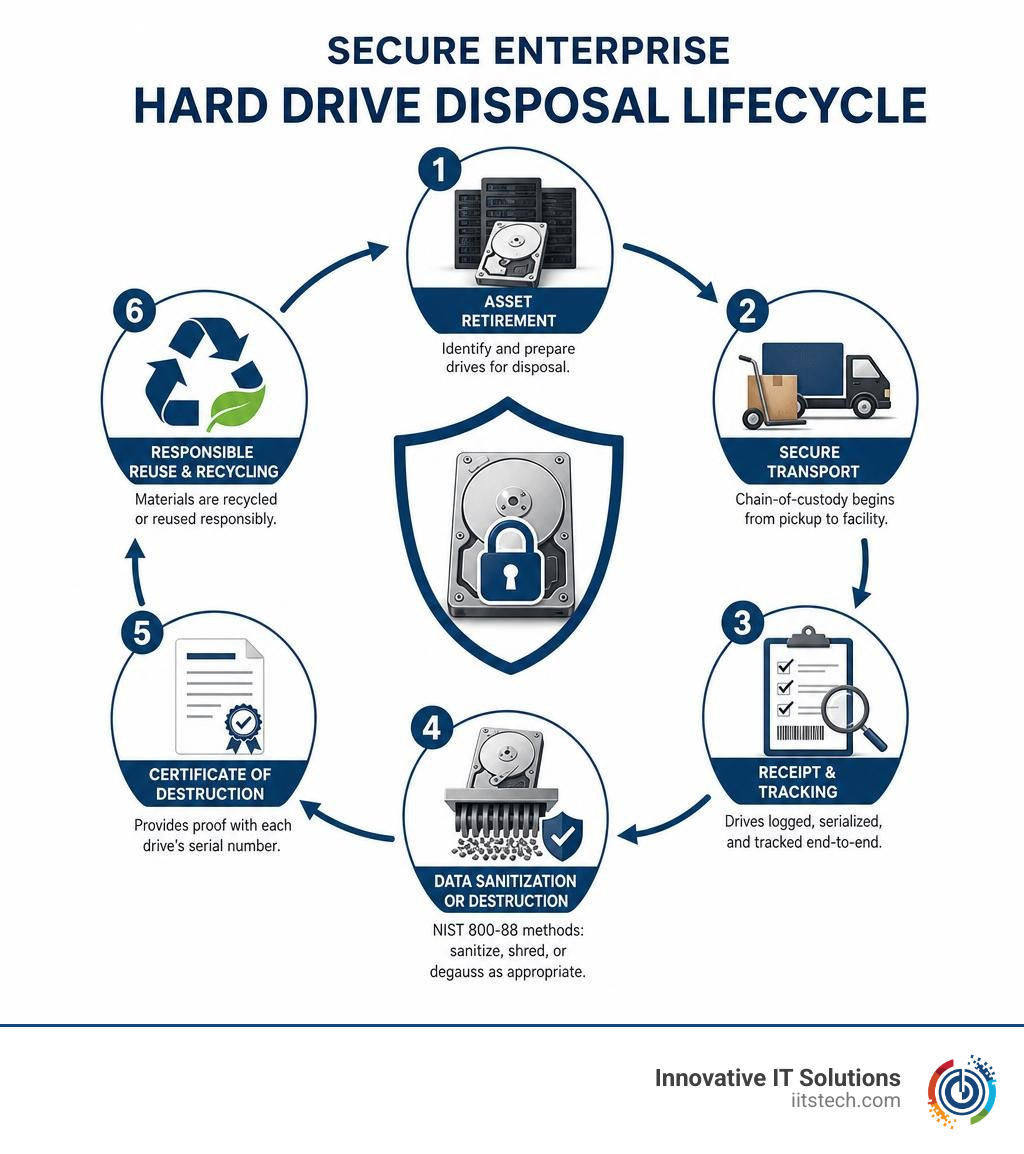
When searching for secure hard drive disposal near me, corporate IT teams must partner with a certified IT asset disposition (ITAD) provider that can handle business computers, servers, and enterprise storage equipment. Ask whether it provides:
- Secure pickup or a documented drop-off process
- Serialized chain-of-custody tracking
- NIST 800-88 data sanitization, physical shredding, or degaussing as appropriate
- A Certificate of Destruction that lists each drive’s serial number
Do not rely on drilling a hole through a drive or simply dropping it at a general recycling depot. Data can remain on undamaged areas of a hard disk, and many municipal programs may not provide the audit trail, security controls, or documentation a business needs for HIPAA, GDPR, PCI, and internal compliance.
The right local service protects data first, then routes the remaining materials through responsible reuse or recycling. It should also make logistics manageable, whether you are retiring a few server drives or clearing an entire rack environment.
I am Mike Haden, Founder and Director of Business Development at Innovative IT Solutions, with 14 years of experience in secure ITAD, data sanitization, and enterprise hardware recovery. I help organizations simplify hardware retirement while maintaining documented handling, compliance support, and responsible downstream recycling.
Quick reference resources:
How to Find Certified Hard Drive Disposal for Enterprise IT Hardware
When evaluating facilities for business-grade media destruction, standard scrap yards or consumer drop-off bins fall far short of the necessary security threshold. Managing corporate risk requires partnering with an enterprise ITAD vendor capable of providing verifiable physical security, industrial-grade processing capabilities, and complete regulatory alignment.
Finding the right local partner starts with vetting operational credentials. Knowing how to choose the right ITAD vendor for your business ensures your retired server arrays, SAS drives, and enterprise workstations do not end up in unmonitored holding areas where proprietary company data remains vulnerable to breach.
Look for facilities that maintain certifications such as R2v3 (Responsible Recycling) and NAID AAA (National Association for Information Destruction). These credentials confirm that the facility undergoes regular, unannounced third-party audits examining everything from background checks on personnel to video surveillance coverage and strict zero-landfill downstream vendor policies.
| Feature / Requirement | Local Public Drop-Off Depot | Certified Enterprise ITAD Service |
|---|---|---|
| Target Hardware | General scrap & mixed public drop-offs | Enterprise servers, storage arrays & business PCs |
| Chain-of-Custody Tracking | None (unmonitored bins) | Continuous, barcode-verified tracking |
| Data Sanitization Standards | Variable / non-standardized | NIST 800-88 & DoD 5220.22-M compliant |
| Documentation Provided | Basic scrap receipt (if any) | Itemized, serialized Certificate of Destruction |
| Logistics Options | Self-haul only | Secure GPS-tracked pickup & on-site mobile processing |
| Regulatory Audit Defense | Inadequate for corporate compliance | Fully defensible under HIPAA, PCI-DSS, SOX & GLBA |
Evaluating On-Site vs. Off-Site Hard Drive Disposal Options
Choosing between mobile on-site shredding and secure off-site plant processing depends on internal compliance mandates, physical data security policies, and total media volume.
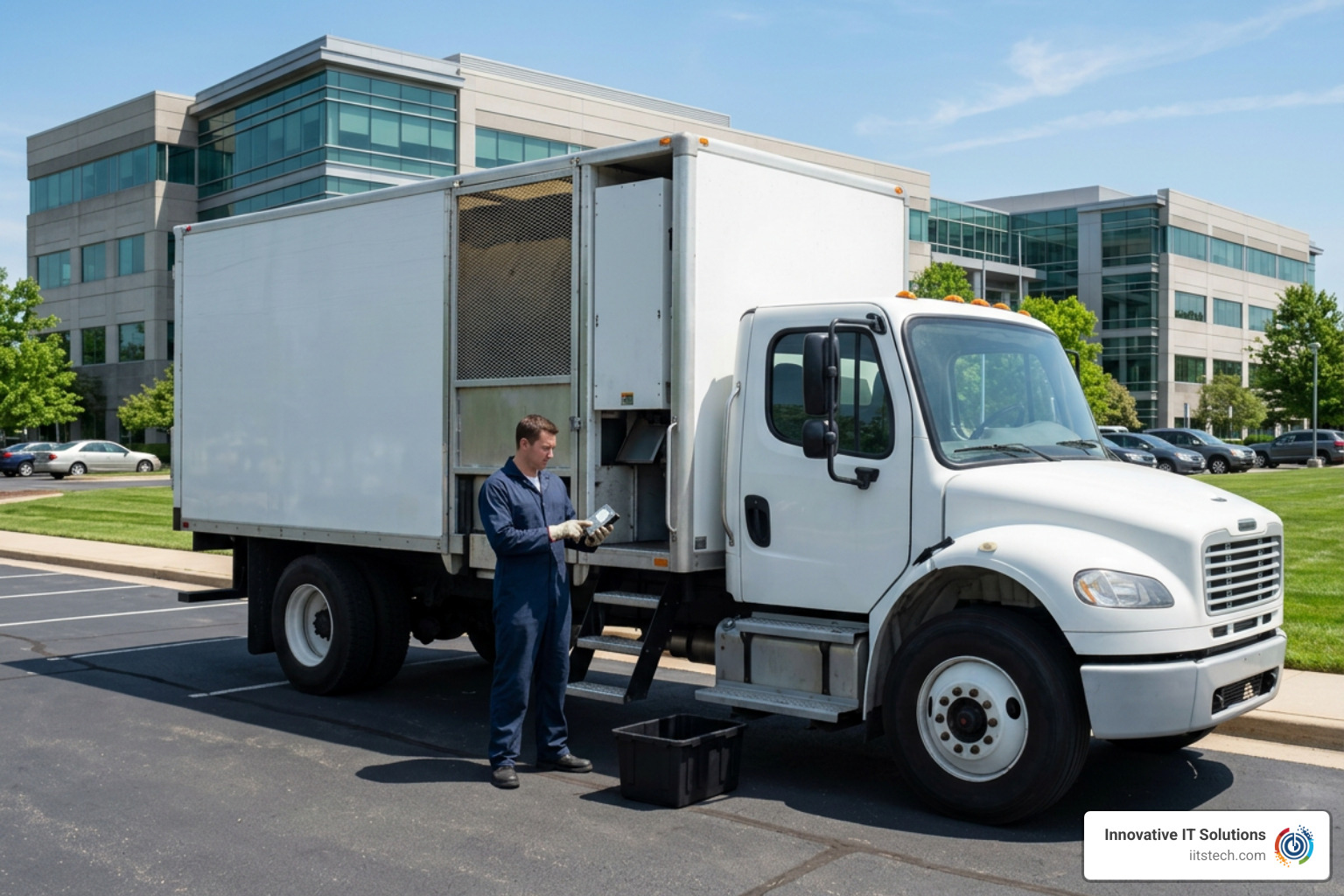
On-site destruction brings industrial shredding units directly to your corporate facility or data center loading dock. Your internal IT personnel can physically witness the scanning and instant destruction of every individual drive before the media ever leaves your premises. This eliminates in-transit exposure completely, providing the highest level of immediate risk mitigation.
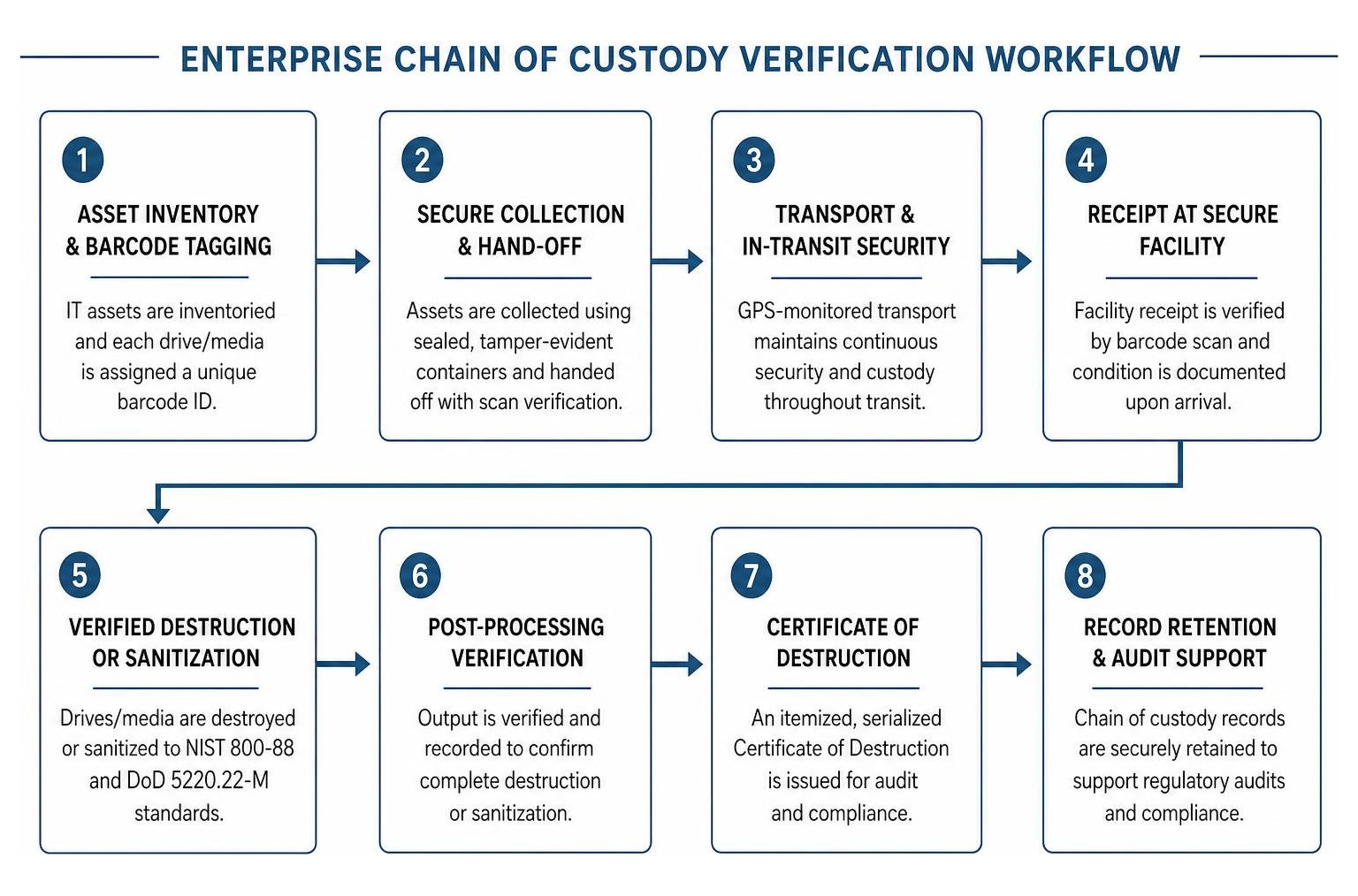
Off-site processing involves transporting data-bearing assets to a secure, access-controlled destruction facility. To maintain security during transport, professional ITAD providers utilize GPS-monitored vehicles, sealed and tamper-evident rolling bins, and strict operational protocols. Understanding what is chain of custody in ITAD and why it matters helps enterprise security managers maintain audit-ready oversight across every stage of the transit and plant processing workflow.
Verifying Compliance Standards for Enterprise Hard Drive Disposal
Every enterprise drive sanitization protocol must align with rigorous national and international benchmarks. The primary industry framework is NIST SP 800-88 Rev. 1 (Guidelines for Media Sanitization), which establishes clear parameters for Clear, Purge, and Destroy actions across various media formats. Another widely recognized military benchmark is the legacy DoD 5220.22-M standard, which outlines multi-pass overwriting sequences for magnetic storage.
Beyond data security frameworks, your disposal workflow must adhere strictly to environmental regulations enforced by the EPA and state departments of environmental quality. Corporate computer chassis, server motherboards, and data center arrays contain toxic heavy metals and universal waste materials that cannot be sent to municipal landfills.
The essential deliverable verifying full compliance across both data privacy and environmental domains is a certified report. Demystifying the Certificate of Destruction for your business reveals why an itemized, serialized document—signed by a certified technician—is your company’s primary legal defense during corporate compliance audits.
Top Methods for Secure Corporate Hard Drive Destruction
Enterprise data storage involves diverse technologies, from high-capacity mechanical hard disk drives (HDDs) to high-speed solid-state drives (SSDs) and NVMe storage modules. Different media architectures demand distinct sanitization and destruction techniques to guarantee total data elimination.
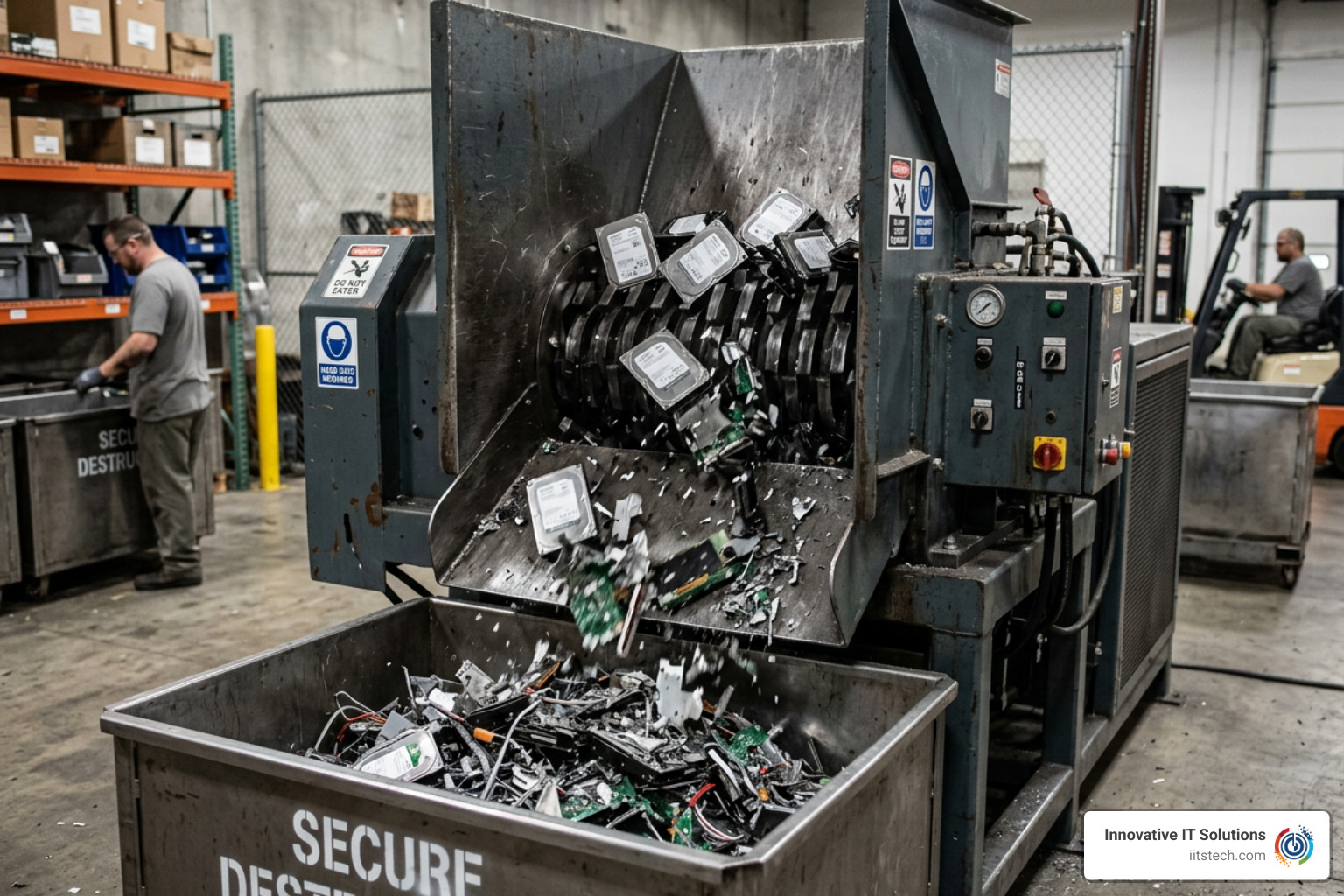
Evaluating physical destruction vs data wiping: when each method is required allows businesses to balance security requirements with potential asset recovery value.
Physical Shredding and Degaussing Workflows
Mechanical hard disk drives store digital records magnetically across rigid spinning platters. One of the most effective methods for rendering these magnetic domains unrecoverable is industrial degaussing. High-powered degaussers generate intense electromagnetic pulses (often exceeding 10,000 to 20,000 Gauss) that instantly scramble and neutralize the magnetic orientation of the platters, eliminating all data along with the factory-written servo tracks, rendering the drive permanently inoperable.
For complete physical destruction, rotary shredders crush and slice enterprise drives into small, jagged metal fragments. Standard rotary shredding provides particulate sizing suitable for mechanical drives, but solid-state storage requires specialized handling. Because SSDs store data electronically inside microscopic NAND flash memory chips, a standard shredder with wide blade spacing might leave individual flash chips intact. High-security SSD destruction uses disintegration or fine-crosscut shredding that reduces solid-state media into particles of 2mm to 10mm or smaller, obliterating every semiconductor chip.
Our team provides comprehensive hard drive disposal for businesses: secure, compliant, and hassle-free, ensuring mechanical platters and enterprise flash arrays are processed using calibrated machinery designed for enterprise hardware.
Certified Data Sanitization and Wiping
Physical destruction is not always the only path forward. When corporate server systems, SAN arrays, or corporate laptops still possess market value, software-based data sanitization allows organizations to capture asset recovery value while maintaining compliance.
Enterprise data sanitization involves overwriting every addressable storage sector with pseudo-random binary patterns verified against NIST 800-88 Purge parameters. On modern enterprise solid-state media, cryptographic erasure can also be leveraged, securely wiping the internal hardware encryption keys to render the underlying stored bits permanently indecipherable.
Following successful software sanitization, our specialists generate automated, tamper-proof wiping logs mapped to individual drive serial numbers. This process preserves the physical integrity of the hardware, allowing corporate assets to be safely refurbished, remarked, and reintroduced to the circular economy. Reviewing the ultimate guide to safe computer hard drive disposal helps IT departments decide whether sanitization for remarketing or terminal shredding best meets their operational goals.
Step-by-Step Guide to Preparing Enterprise Drives for Disposal
A secure disposal lifecycle starts inside your corporate data center or server closet long before the disposal partner arrives on-site. Documenting hardware and controlling physical access prevents unrecorded asset loss and keeps audits completely clean.
To establish an organized retirement workflow, consult our walkthrough on how to prepare IT equipment for secure disposal: a step-by-step guide. Follow these essential preparation steps:
- Verify Full System Backups: Ensure all mission-critical corporate databases, virtual machine images, and configuration files have been fully migrated or backed up to active production systems.
- Document and Log Hardware Serials: Scan or record every drive serial number, system chassis asset tag, and host server identifier into your IT Asset Management (ITAM) database.
- De-install and Label Media: Physically remove hard drives and enterprise SSDs from hot-swap server bays, disk shelves, and computer towers, labeling each caddy or bare drive clearly.
- Isolate Embedded Batteries and Hazardous Sub-assemblies: Unseat server raid-controller cache batteries, onboard CMOS cells, and external battery backups prior to physical recycling.
- Stage Hardware in Secure Containment: Place extracted storage media into locked, tamper-evident security bins located within an access-controlled room under active video surveillance.
Asset Inventory and Serial Number Tracking
Reconciling your asset inventory is the most critical internal security control during an IT hardware refresh or data center decommission. When server drives are unmounted, technicians must scan the manufacturer barcode serial numbers directly into an inventory log.
If storage media is housed inside hot-swap caddies, decide whether the sleds will be preserved for reuse or crushed alongside the drives. Once logged, bare drives must be placed into serialized, tamper-evident storage bins. This prevents “drive walking”—the unauthorized removal of physical drives between decommission and destruction.
Safe Handling of Supporting Components
Retiring enterprise server hardware involves more than just storage platters. High-density server chassis, uninterruptible power supplies (UPS), and enterprise networking switches contain auxiliary power components that require dedicated handling.
- Lithium-Ion and NiCad Batteries: Cache backup modules and server RAID batteries must be unseated and routed to specialized battery recycling streams to prevent thermal runaway and fire hazards in processing facilities.
- Uninterruptible Power Supplies (UPS): Lead-acid battery arrays housed within server rack UPS units must be separated from electronic chassis and handled according to strict universal waste protocols.
- Server Racks and Cabling: Heavy steel server enclosures, copper networking cables, and enterprise power distribution units (PDUs) should be broken down for systematic metal and materials recycling.
Frequently Asked Questions About Local Hard Drive Destruction
What is a Certificate of Destruction and why is it mandatory for businesses?
A Certificate of Destruction (CoD) is a formal, legally binding document provided by a certified ITAD vendor confirming that data-bearing assets were completely sanitized or destroyed according to industry compliance standards.
For commercial enterprises, a CoD is mandatory because it serves as non-repudiable proof during internal and external regulatory compliance audits. A valid Certificate of Destruction must include:
- The date and precise physical location of destruction
- The specific method used (e.g., degaussing, high-torque shredding to specific particle size, NIST 800-88 compliant overwrite)
- A complete, itemized schedule of all processed hardware listing each drive’s unique manufacturer serial number
- A signed verification from the certified destruction technician managing the process
Without serialized Certificates of Destruction, a business cannot legally demonstrate compliance with privacy laws such as HIPAA, GLBA, Sarbanes-Oxley, or the European Union’s GDPR in the event of an investigation.
Can enterprise hard drives be dropped off at municipal e-waste centers?
In almost all cases, municipal e-waste drop-off locations are unsuited for enterprise hard drives and corporate computer equipment.
Municipal and county electronics collection points are designed primarily for non-secure public drop-offs. These public centers typically operate unmonitored collection bins where equipment can sit unattended for days or weeks. Because municipal programs do not offer secure chain-of-custody tracking, tamper-evident handling, or itemized Certificates of Destruction, leaving corporate storage media at a public depot introduces massive data security risks and violates most commercial privacy compliance regulations.
Furthermore, municipal facilities frequently restrict or assess commercial fee schedules on corporate-generated hardware volumes, requiring commercial businesses to route their enterprise IT hardware through certified private ITAD providers.
What is the difference between degaussing and shredding for server drives?
Degaussing and physical shredding neutralize data through fundamentally different physical mechanisms:
- Degaussing: Utilizes an industrial-strength magnetic pulse to completely neutralize the magnetic orientation across traditional spinning hard drive platters and magnetic data tapes. This instantly erases the data and obliterates the factory-written servo tracks, making the drive permanently unreadable and impossible to reuse. However, degaussing only works on magnetic media and is completely ineffective on solid-state drives (SSDs), NVMe cards, and flash memory.
- Shredding: Uses high-torque industrial blades to physically tear, cut, and fracture the storage hardware into small pieces. Shredding physically destroys both magnetic platters and the semiconductor chips inside solid-state drives, guaranteeing that no physical section of the drive remains intact.
For maximum enterprise data security, high-compliance organizations often employ a two-step destruction protocol: magnetic server hard drives are first degaussed to eliminate data electronically, and then physically fed through an industrial shredder to destroy the physical components completely.
Conclusion
Leaving retired business computers, legacy server arrays, and loose enterprise hard drives in unmonitored storage rooms exposes your company to severe data breach risks, financial penalties, and compliance failures. Effective hard drive disposal requires a disciplined approach rooted in verified chain-of-custody protocols, compliant destruction standards, and certified downstream recycling.
At Innovative IT Solutions, we deliver comprehensive IT asset disposition services backed by NIST-compliant data destruction, EPA-aligned zero-landfill recycling, and serialized reporting that keeps your organization audit-ready. Whether your business requires secure mobile shredding directly at your facility or complete data center decommissioning across Oklahoma City and the surrounding areas, our team provides the documented security and hardware recovery expertise your enterprise demands.
Protect your corporate data and streamline your hardware lifecycle today by establishing a certified electronic recycling program for your business. Contact our specialists to schedule secure hard drive pickup and certified data destruction.


