
Why End-of-Life Business Hardware Needs Secure Disposal
Destroy expired credit cards before discarding them: cut through the chip, magnetic stripe, and account details. An expired date does not erase sensitive information. The same principle applies to retired business computers and server components, which may still hold recoverable company data.
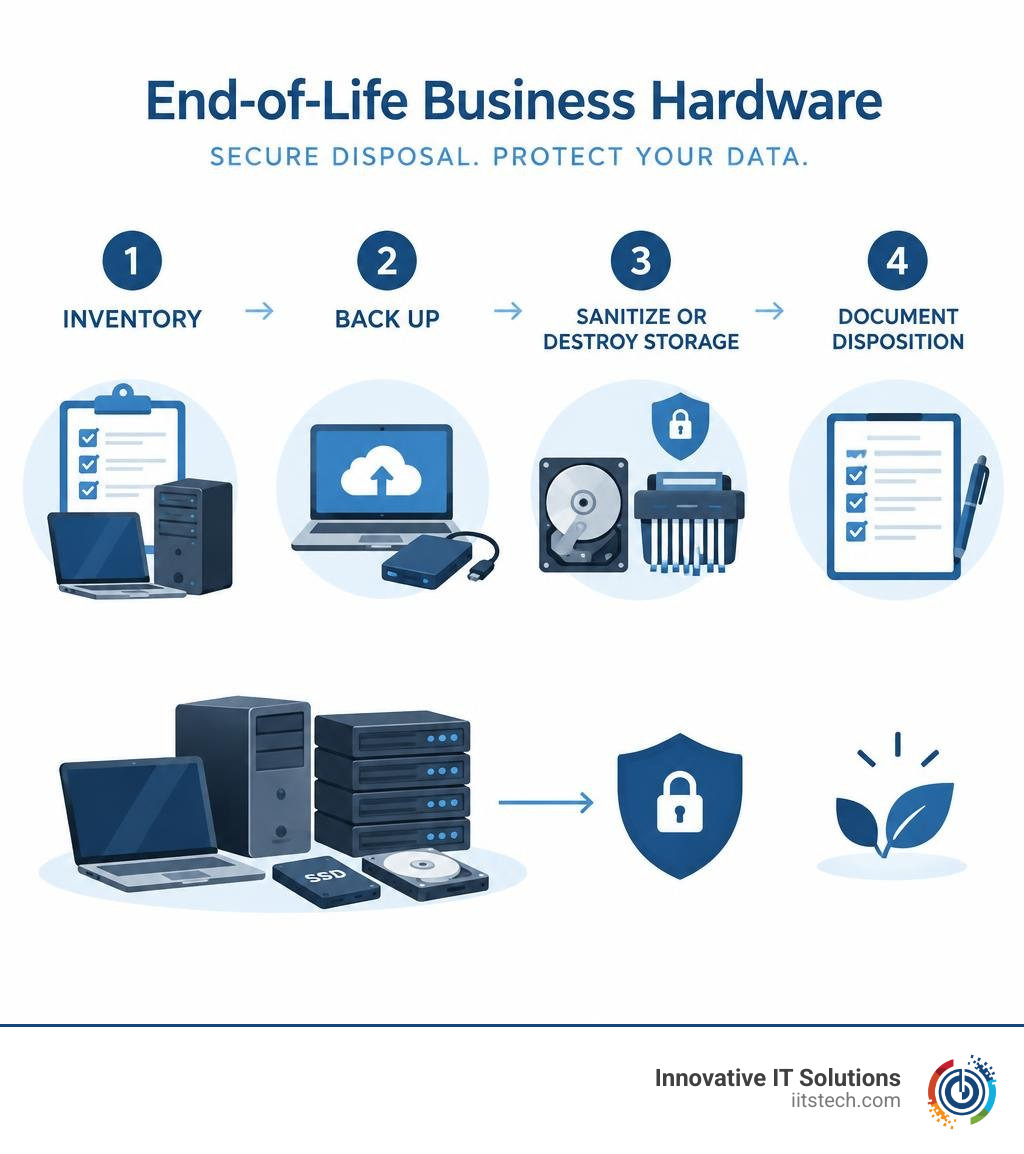
Before disposing of business hardware, inventory each asset, back up needed data, and securely sanitize or destroy its storage media. Document what happens to each device so your team can account for it and identify components that may have resale value.
I’m Mike Haden, founder and director of business development at Innovative IT Solutions. In 14 years of IT asset disposition work, I’ve learned that expired credit cards and retired hardware share one important lesson: no longer in use does not mean safe to discard.
Understanding Business Computer and Server Component Lifecycles
Every piece of enterprise IT infrastructure operates on a finite lifecycle. Managing these assets effectively requires understanding when hardware transitions from an active productivity driver to an organizational liability.
Business workstations, enterprise laptops, rackmount servers, and storage arrays follow predictable operational curves. Typically, enterprise endpoints maintain an optimal service life of three to five years, while mission-critical server hardware and SAN arrays operate on three-to-seven-year lifecycles. Beyond these windows, the cost of maintenance agreements rises sharply, failure rates increase, and compatibility with modern operating environments degrades.
Planning refresh cycles ensures your organization stays ahead of sudden equipment failures, unpatched vulnerabilities, and compliance gaps.
| Lifecycle Consideration | Business Computers (Desktops & Laptops) | Server Components (CPUs, Motherboards, SAS/SATA Drives) |
|---|---|---|
| Typical Lifespan | 3 to 5 years | 3 to 7 years |
| Primary Failure Points | NVMe/SATA SSDs, batteries, cooling fans, physical chassis damage | Power supply units (PSUs), mechanical enterprise HDDs, RAID controller batteries |
| Warranty & Support | 3-year OEM standard, optional 5-year extended warranty | 3-to-5-year enterprise SLA, mission-critical 4-hour response packages |
| Security Risk Profile | Cached user credentials, browser tokens, local documents, BitLocker keys | High-density databases, directory services, virtual machine disk images, root certificates |
| Disposition Path | Cryptographic wipe or mechanical shredding; secondary resale/refurbishment | Physical media degaussing/shredding, board-level component harvesting, certified e-waste recycling |
Why Organizations Replace Computers and Server Components Regularly
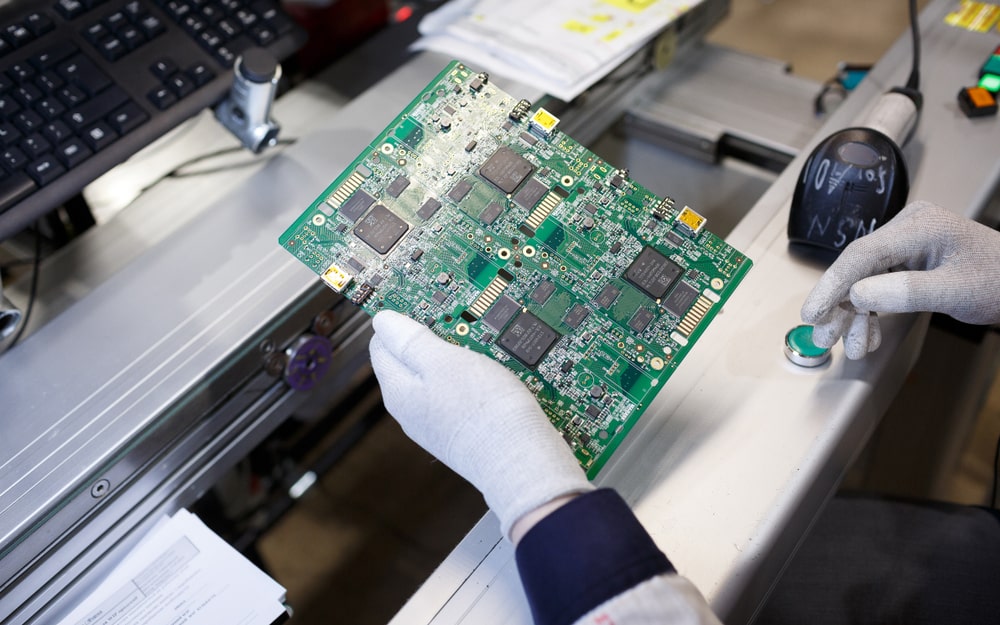
Replacing aging hardware is fundamentally a strategic security and efficiency measure. As software ecosystems evolve, legacy motherboards, microprocessors, and storage controllers struggle to support the processing overhead required by modern security protocols, hypervisors, and data analytics tools.
Organizations systematically retire enterprise hardware for several key reasons:
- Security Updates and Architecture Support: Legacy microprocessors and chipsets eventually drop off active vendor patch cycles. Without microcode updates, endpoints and hypervisors remain permanently vulnerable to firmware-level exploits.
- Performance and Compute Density Demands: Modern applications require faster clock speeds, advanced PCIe bus standards, and higher multi-core densities to execute complex business workflows smoothly.
- Physical Wear and Component Fatigue: Solid-state drives run through write cycles, cooling fans seize, capacitors age, and spinning enterprise disks suffer bearing degradation after years of continuous runtime.
- Shifting Regulatory and Business Requirements: Modern data governance frameworks mandate hardware-enforced encryption, secure boot standards, and TPM 2.0 modules that older platforms simply lack.
Replacement Schedules and Timelines
Executing a structured IT refresh prevents operational disruption across your business units. Managing asset deployments requires clear coordination between procurement teams, network administrators, and asset disposition partners.
- Asset Inventory Auditing: Maintain an exhaustive hardware catalog detailing serial numbers, MAC addresses, asset tags, physical locations, and deployment dates.
- Refresh Window Identification: Group systems into phased retirement tiers based on warranty expiration dates and performance benchmarks.
- Logistics and Deployment Planning: Coordinate new machine rollouts alongside the immediate quarantine and intake of retired units.
- Site and Location Verification: For distributed environments across Oklahoma City, South OKC, and the broader Oklahoma region, verify precise pickup facilities, loading dock access, and chain-of-custody protocols before dispatching logistics teams.
- IT Support and User Data Migration: Validate that all operational profiles, cloud-synced repositories, and enterprise applications have migrated fully to new systems before decommissioned assets are isolated.
Security Vulnerabilities of End-of-Life Computers and Server Components
When organizations pull servers from server racks or disconnect office workstations, those devices remain rich repositories of corporate intelligence. Just as consumers must properly destruct expired credit cards to prevent account reconstruction, enterprises must treat retired IT assets as active data vectors until verified sanitization occurs.
Decommissioned hard drives, solid-state arrays, and non-volatile server memory retain operational records, internal communications, customer records, and system keys long after being powered down.
How Attackers Can Target Retired Computers and Server Components
Data thieves and opportunistic bad actors target decommissioned enterprise assets through several sophisticated vectors:
- Data Carving and Direct Media Recovery: Unsanitized magnetic platters and flash memory chips can be scanned using low-level forensic software to recover database fragments, ERP records, and proprietary designs.
- Credential and Token Extraction: Decommissioned operating system partitions frequently contain cached Active Directory credentials, VPN certificates, and API access keys that give attackers administrative footholds into live corporate networks.
- Firmware Exploitation: Unwiped baseboard management controllers (BMCs) and integrated lights-out management interfaces (like iDRAC or iLO) may harbor hardcoded credentials, static IP configurations, and remote access logs.
- Unregulated Resale and Downstream Leakage: Hardware passed to unverified e-scrap handlers often ends up sold intact on secondary auction sites, exposing your company’s intellectual property to foreign or domestic buyers.
Why You Must Never Discard Computers or Server Components Intact
Throwing enterprise computers or server components into general waste streams or casual recycling bins invites severe regulatory penalties and brand damage. Dumpster diving and social engineering tactics routinely start with discarded corporate electronics.
A single intact server blade or decommissioned desktop motherboard can reveal your internal network architecture, domain naming conventions, software licensing keys, and employee directory structures. Without certified destruction, physical chain-of-custody tracking breaks down, leaving your organization unable to prove compliance during regulatory audits.
What to Do When Computers or Server Components Reach End of Life
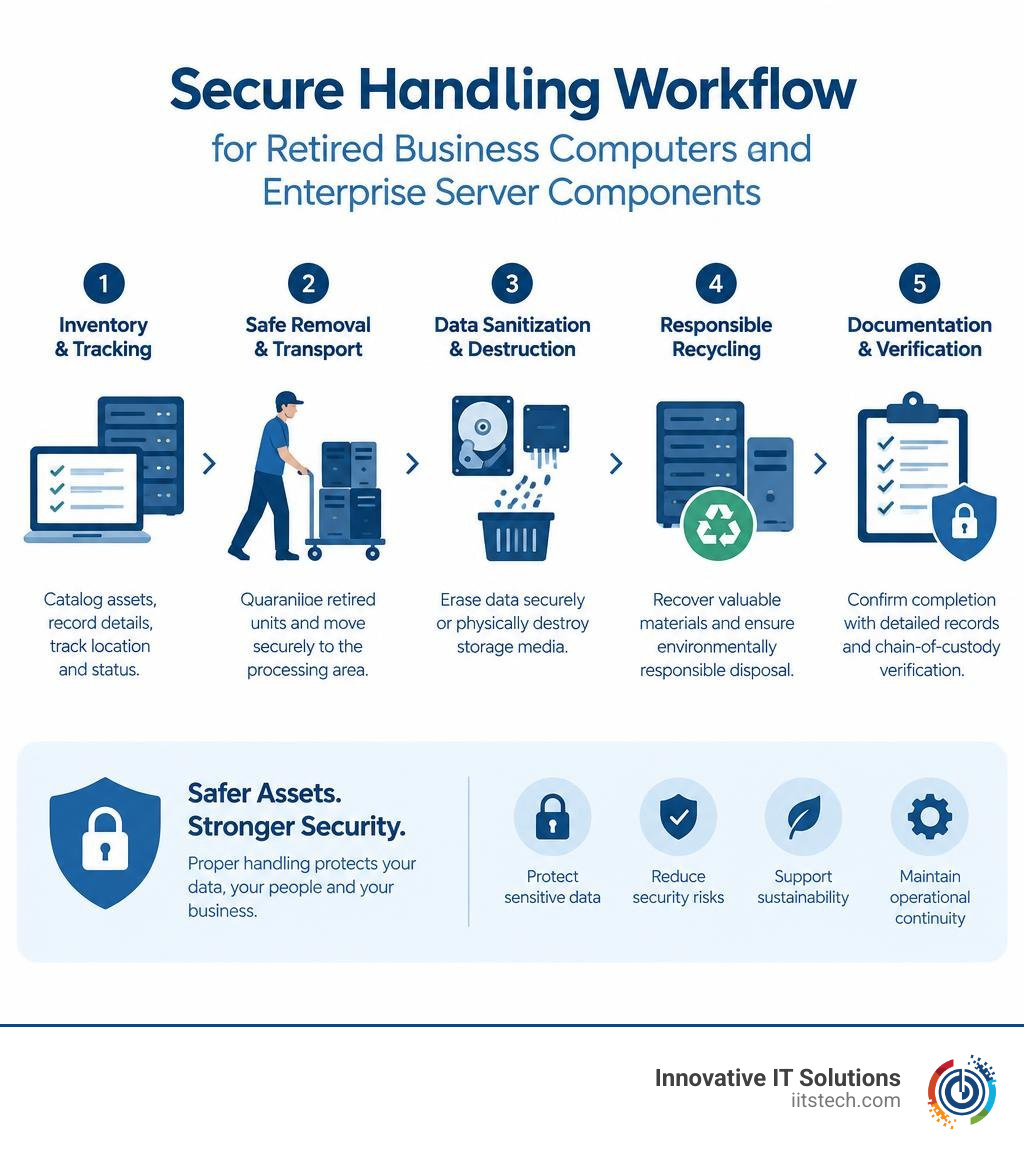
Retiring enterprise hardware requires a structured, auditable workflow. Implementing formal decommissioning safeguards company data, preserves asset value, and ensures environmental compliance.
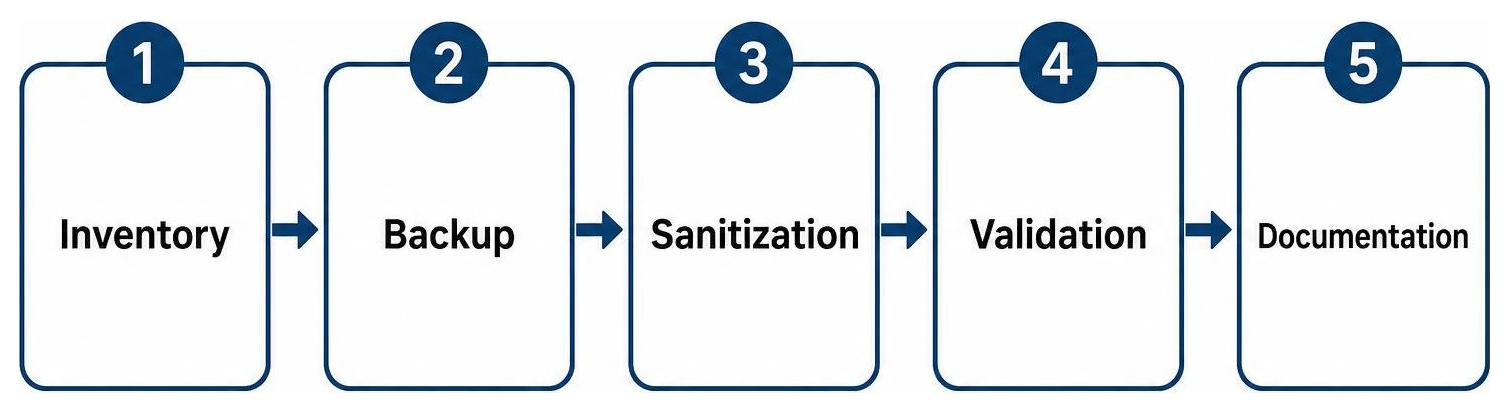
Before releasing equipment for physical processing, complete this checklist of critical business repositories and systems:
- Local operating system drives hosting temporary files and cached credentials
- RAID array member disks, including hot spares and parity drives
- Secondary internal storage volumes, scratch disks, and backup target drives
- Embedded flash modules, hypervisor SD cards, and internal USB boot keys
- Baseboard management controller logs, network configuration caches, and remote access profiles
- Physical asset tags, proprietary corporate labels, and inventory barcodes
Secure Destruction and Disposition Methods for Computers and Server Components
To protect sensitive corporate intelligence, our team utilizes comprehensive IT asset disposition (ITAD) processes that adhere to rigorous environmental and security standards:
- Certified Data Sanitization: Overwriting logical drives in accordance with strict cryptographic standards ensures magnetic and flash storage media are rendered permanently unreadable without destroying functional hardware that holds residual market value.
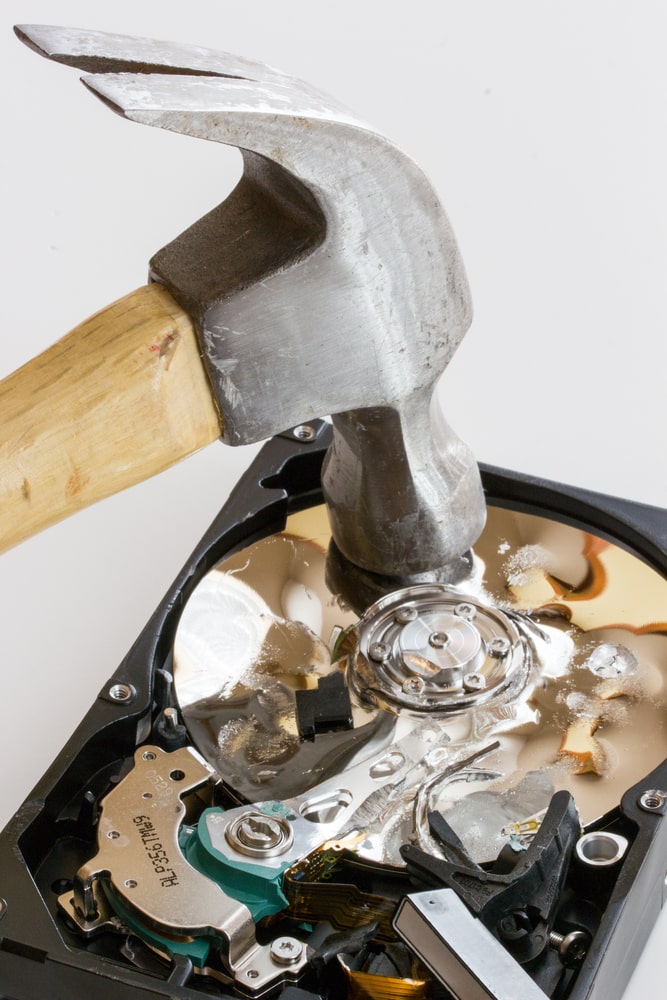
- Physical Media Destruction: For drives carrying high-security, regulated, or classified business information, industrial solid-state and mechanical shredders reduce storage platters, controller boards, and flash memory dies into unrecoverable fragments.
- Component Harvesting and Separation: Motherboards, enterprise CPUs, ECC memory modules, server power supplies, and structural chassis components are separated into distinct material streams for remarketing or EPA-compliant, zero-landfill material reclamation.
- Secure Chain-of-Custody Transport: Locked security bins, dedicated transport vehicles, and detailed electronic transfer logs ensure assets remain protected from pickup to processing.
- Asset Recovery and Remarketing: Working hardware without residual data is tested, graded, refurbished, and remarketed to return capital back to your operational budget.
Reviewing proper procedures for physical assets—similar to understanding why organizations destruct expired credit cards and sensitive authentication materials—ensures your business data remains completely safe.
Frequently Asked Questions About End-of-Life Business Hardware
When should an organization replace its computers or server components?
Organizations should plan hardware refreshes based on vendor warranty expirations, software support cycles, performance thresholds, and security requirements. Standard business computers are typically replaced every three to five years, while enterprise servers and storage arrays run on three-to-seven-year lifecycles. Replacing hardware before OEM extended support expires minimizes unexpected downtime, protects against unpatchable firmware flaws, and maximizes the secondary resale value of retired units.
Can retired computers or server components still contain recoverable business data?
Yes. Decommissioned computers, hard drives, SSDs, and server modules retain data indefinitely until subjected to certified software sanitization, degaussing, or physical destruction. Even if an operating system is reinstalled or partitions are deleted, file structures remain recoverable using specialized forensic tools. Complete data sanitization or physical media shredding is essential to eliminate data recovery risks.
What should an organization do if retired hardware is not collected as scheduled?
If decommissioned IT assets are awaiting collection, move the equipment immediately into a locked, access-controlled staging area. Never leave decommissioned computers, server blades, or storage media in public hallways, shared loading docks, or unsecured storage rooms. Update your local asset logs to reflect the staging location, and contact your certified ITAD provider immediately to confirm an updated chain-of-custody transport schedule.
Conclusion
Retiring enterprise computers, workstations, and server components requires the same rigorous security mindset used to protect active corporate networks. Simply taking a machine offline does not eliminate the corporate records, customer data, and system credentials stored across its internal media.
At Innovative IT Solutions, we provide comprehensive, NIST- and DoD-compliant IT asset disposition (ITAD) services across Oklahoma City, South OKC, and throughout Oklahoma. Our processes deliver certified data destruction, high-yield asset recovery, and zero-landfill, EPA-compliant electronics recycling backed by comprehensive audit documentation. To safeguard your enterprise infrastructure and learn more about our secure disposal solutions, explore our enterprise hardware destruction guidance to protect your organization at every stage of the technology lifecycle.


