
What Is IT Asset Management Disposal — and Why It Matters
IT asset management disposal is the process of securely retiring end-of-life hardware while protecting sensitive data, meeting compliance requirements, and recovering as much value as possible from decommissioned equipment.
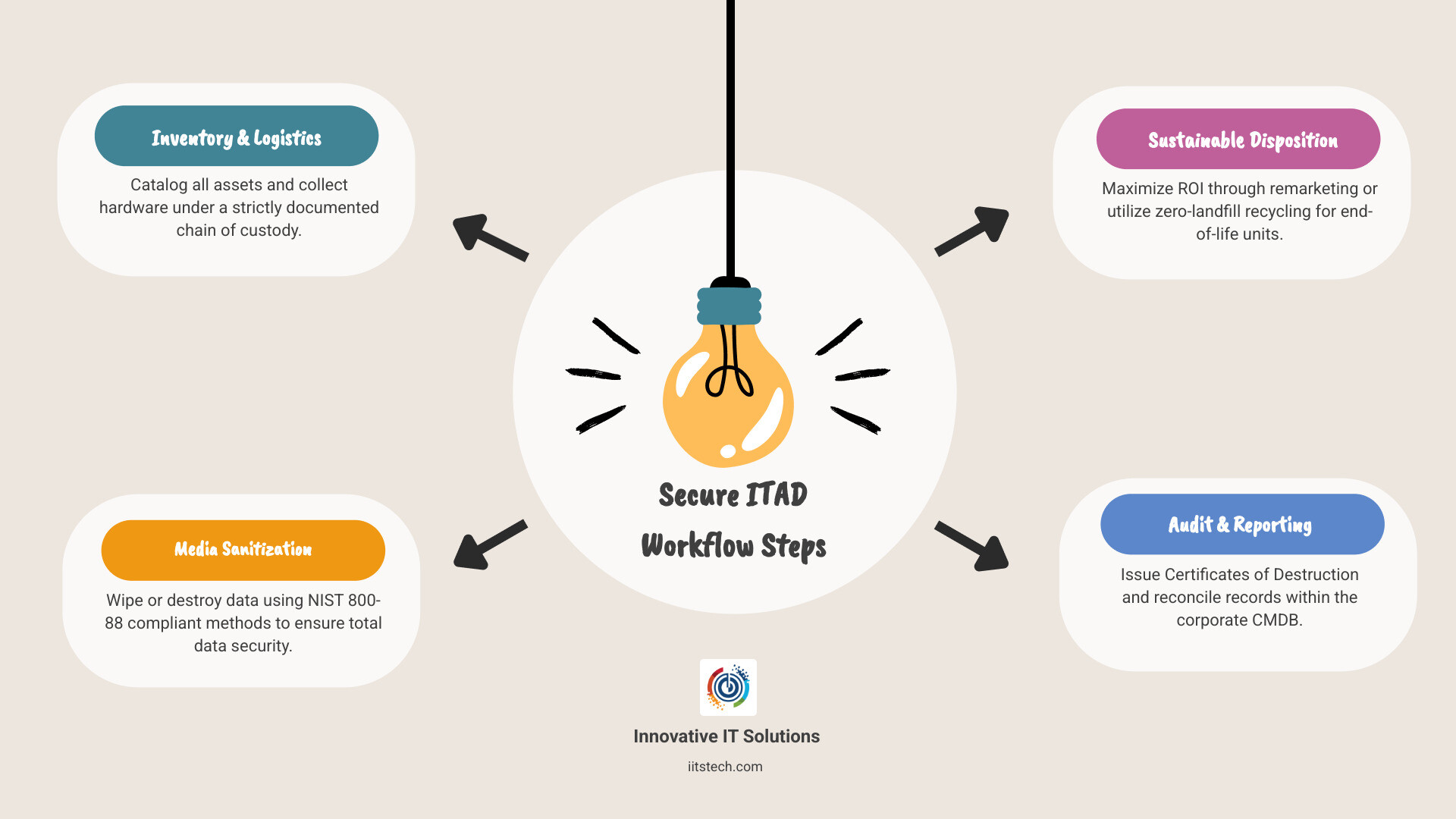
If you need a quick answer, here’s the core process:
- Inventory — Identify and catalog every asset flagged for retirement
- Retrieve — Collect hardware from all locations under a documented chain of custody
- Sanitize — Wipe or destroy data using NIST 800-88 compliant methods
- Dispose — Resell, donate, or recycle through a certified ITAD partner
- Document — Obtain a Certificate of Destruction and update your CMDB
Most IT managers think about disposal as a last step — almost an afterthought. It isn’t.
When a laptop leaves your building, it is still your liability until final disposition is confirmed. Cached credentials, stored VPN certificates, customer records on a retired storage array — any of these can become a breach waiting to happen.
The stakes are real. In 2020, Morgan Stanley was fined $60 million after an inexperienced vendor failed to properly decommission IT assets, exposing customer data. That wasn’t a hacking incident. It was a disposal failure.
At the same time, the global e-waste problem is accelerating. In 2022, the world generated 62 million tonnes of electronic waste — an 82% increase since 2010 — and only 22.3% of it was formally recycled. For IT managers, that gap represents both an environmental liability and an untapped opportunity.
A structured IT asset disposition (ITAD) program solves all of this at once: it closes security gaps, keeps you audit-ready, keeps you out of regulatory trouble, and can even generate revenue through hardware remarketing.
This guide walks you through exactly how to build and run that program.
Why a Formal IT Asset Management Disposal Program is Critical
In IT, “out of sight” should never mean “out of mind.” A formal program for IT asset management disposal is the only way to ensure that your retired hardware doesn’t come back to haunt you. We often see companies treat old laptops like old office chairs, but a chair doesn’t hold your company’s intellectual property or your customers’ social security numbers.
Data Security and Compliance
A secure program is your primary defense against data breaches. Regulations like GDPR, HIPAA, and PCI-DSS mandate strict controls over how personal and financial data is handled, even when the device it lives on is being thrown away. According to IT Asset Disposition: Why Every Business Needs a Secure ITAD Strategy, failing to have a documented strategy can lead to catastrophic legal and financial consequences.
The Morgan Stanley fine mentioned earlier is a sobering reminder: the bank used a vendor that wasn’t equipped to handle high-security decommissioning. This led to a “blind handoff” where the chain of custody was broken. To avoid this, many IT leaders look to Best IT Asset Disposition Reviews 2026 | Gartner Peer Insights to find partners who can actually back up their claims with proven performance.
E-Waste and Sustainability
Beyond security, there is the environmental factor. With 62 million tonnes of e-waste generated globally in 2022, the pressure on corporations to act responsibly has never been higher. In the United States, 25 states have already passed e-waste laws to ensure electronics are kept out of landfills. A formal ITAD program ensures you are compliant with EPA standards while supporting a circular economy.
Triggers for Initiating Disposal
When should you start the IT asset management disposal process? It’s not just when a computer stops turning on. Common triggers include:
- Employee Offboarding: When a team member leaves, their devices must be retrieved and evaluated.
- Technology Upgrades: Every 3–5 years, most businesses refresh their fleet to maintain productivity.
- Data Center Decommissioning: Moving to the cloud? Those physical servers in your Oklahoma City office need a secure exit plan.
- Lease Expiration: Returning leased equipment on time and wiped clean avoids late fees and security risks.
To dive deeper into these triggers, check out What is IT Asset Disposition (ITAD) and Why It Matters in 2025.
Risks of Improper Disposal
What happens if you get it wrong? It isn’t just a slap on the wrist.
- Data Breaches: Even non-functional drives can have data recovered by motivated actors.
- Environmental Penalties: Dumping electronics can lead to massive fines from the EPA or state regulators.
- Brand Damage: No one wants their company logo seen on a laptop found in an illegal landfill or sold on eBay with the previous CEO’s files still on it.
- Financial Loss: If you aren’t remarketing your gear, you’re leaving money on the table.
As noted in Electronics Lifecycle Management: Why Every Business Needs a Plan from Purchase to Disposal, disposal is a governance function, not a janitorial one.
The 5-Step Secure ITAD Workflow
Building a secure workflow is about creating a “chain of custody” that is never broken. Think of it like a high-security transport for cash—only the “cash” is your company’s data.

1. Planning and Inventory
Before a single screw is turned, you need a plan. You must identify every asset, its location, and whether it contains data. We recommend using your IT Asset Management (ITAM) software to flag devices for retirement. This prevents the “tech graveyard” phenomenon where old monitors and towers pile up in a storage closet because no one knows what’s on them.
2. Retrieval and Secure Transport
Once identified, the hardware must be collected. For businesses in Oklahoma City or South OKC, this means secure pickups using GPS-tracked vehicles. Assets should be scanned at the point of pickup and again upon arrival at the processing facility to ensure nothing went missing in transit.
3. Sanitization and Destruction
This is the heart of IT asset management disposal. Depending on the device and its sensitivity, you’ll choose between wiping the data or physically shredding the drive. For a detailed guide on these preparations, see How to Prepare IT Equipment for Secure Disposal: A Step-by-Step Guide. You can also find more on general best practices at IT Asset Disposition .
4. Remarketing or Recycling
Not everything needs to be destroyed. If a laptop is only three years old, it likely has resale value. We help organizations recover 10–40% of their original hardware costs through remarketing. If the asset is truly dead, it goes to a certified recycling line where it’s broken down into raw materials like gold, copper, and plastic.
5. Reporting and Documentation
The process isn’t over until the paperwork is filed. You need a Certificate of Destruction (CoD) for every data-bearing device. This is your “get out of jail free” card for audits.
Media Sanitization Standards for IT Asset Management Disposal
When it comes to wiping data, we don’t just “format” the drive. We follow the NIST 800-88 standard, which is the gold standard for media sanitization.
| Method | Description | Best For |
|---|---|---|
| Clear | Logical techniques to sanitize data in user-addressable storage locations. | Low-risk assets being reused internally. |
| Purge | Physical or logical techniques that make data recovery infeasible even using state-of-the-art laboratory techniques. | High-security assets intended for resale. |
| Destroy | Physical destruction (shredding, melting, pulverizing) that makes the media unusable. | Non-functional drives or top-secret data. |
It is important to note that SSDs (Solid State Drives) require different techniques than old-school HDDs. Since SSDs store data in flash memory, traditional degaussing (using magnets) doesn’t work. They must be cryptographically erased or physically shredded into tiny pieces.
Integrating IT Asset Management Disposal with ITSM Platforms
To make your life easier, your ITAD process should talk to your existing software. Modern workflows integrate directly with platforms like ServiceNow or your CMDB via API.
When an asset is scanned at our facility, it can automatically update its status in your system from “Active” to “Retired” or “Destroyed.” This real-time visibility is crucial for audit readiness. You won’t have to scramble to find a spreadsheet when a regulator asks where a specific server went; the answer will be right in your ITAD Compliance: How to Keep Your Business Audit-Ready and Secure records.
Maximizing ROI through Remarketing and the Circular Economy
Disposal doesn’t have to be a cost center. In fact, for many of our clients in Oklahoma, it’s a source of revenue. This is where Asset Recovery comes into play.
Asset Remarketing and Refurbishment
If your equipment is still functional and relatively modern, it can be refurbished and resold. This is the ultimate win-win: you recover capital to fund your next tech upgrade, and the hardware gets a second life, reducing the need for new manufacturing. We work with secondary markets to ensure you get the highest possible return on items like servers, GPUs, and networking gear. You can learn more about these services at Vantage Point ITAD – Information Technology Asset Disposition … .
Sustainable End-of-Life Options
For assets that don’t have resale value, there are still several paths:
- Donation: Giving older but working tech to local Oklahoma schools or non-profits can be a great way to give back (and get a tax break).
- Leasing Returns: We ensure the equipment is pristine and wiped, so you don’t get hit with those “missing data” or “damaged unit” fees from the leasing company.
- Zero-Landfill Recycling: When an item is truly at the end of its life, it should be recycled to the commodity level. This means 100% of the materials are recovered, and nothing ends up in a hole in the ground.
These efforts feed directly into your company’s ESG (Environmental, Social, and Governance) reporting. Quantifying how many pounds of e-waste you kept out of landfills is a powerful metric for stakeholders. For more on what happens to your gear, see What Happens to Your Equipment After ITAD?.
Choosing and Vetting a Certified ITAD Partner
You wouldn’t hire a security guard who doesn’t have a background check, so don’t hire an ITAD partner without the right certifications. When you’re looking for a vendor to handle your IT asset management disposal, look for these “Big Three” credentials:
- R2v3 (Responsible Recycling): The standard for electronics recycling, focusing on worker health, environmental safety, and data security.
- e-Stewards: Often considered the most rigorous environmental standard in the world.
- ISO 14001 & 45001: These prove the company has a managed system for environmental impact and workplace safety.
As we explain in How to Choose the Right ITAD Vendor for Your Business, the right partner should provide a transparent audit trail. If they can’t tell you exactly where your hardware is at any given moment, they aren’t the right partner. For more guidance on secure EOL management, check out the End-of-Life Asset Disposal: Secure, Sustainable IT Disposal Guide .
Logistics for Multi-Location Businesses
If your business has offices in Oklahoma City, Tulsa, and beyond, logistics get complicated. You need a partner who can provide a consistent experience across all sites. This involves:
- On-site Destruction: For the most sensitive data, we bring the shredder to you. You can watch your hard drives turn into confetti before they ever leave your parking lot.
- Off-site Processing: For bulk items, secure, locked containers are used for transport to a centralized facility.
- Serialized Reporting: Every single item should be tracked by its serial number, not just “one pallet of laptops.”
Managing these moving parts is easier when you follow the strategies in How Multi-Location Businesses Should Handle IT Asset Disposition.
Frequently Asked Questions about IT Asset Disposal
What is the difference between IT asset recycling and remarketing?
Think of it as “parts vs. product.” Remarketing (or refurbishment) is about cleaning up a device, wiping the data, and selling it as a working unit. This provides the highest ROI. Recycling is what happens when a device is broken or too old to be useful. We shred it and separate the raw materials (like gold and plastic) to be used in new manufacturing.
Why is a Certificate of Destruction (CoD) necessary?
A CoD is your legal proof that the data is gone. If a data breach ever occurs and a regulator comes knocking, the CoD shows that you followed industry-standard protocols. It should include the date, the method of destruction, and the serial number of every device processed. Without it, you have no way to prove you were compliant.
How has remote work changed IT asset disposal?
Remote work has made “reverse logistics” a major headache. Instead of one office to pick up from, you might have 500 employees working from their homes across Oklahoma. We solve this by providing secure courier services and “ITAD-in-a-box” solutions, where employees receive a pre-paid, secure shipping box to send their old laptop directly to our processing center. This keeps the chain of custody tight even when your team is scattered. For more on this shift, see Remote Work Changed IT Asset Management: Here’s What That Means for Disposal.
Conclusion
Managing the end of the IT lifecycle doesn’t have to be a source of stress. By implementing a formal IT asset management disposal program, you protect your company from the massive financial and reputational risks of a data breach while doing your part for the environment.
At Innovative IT Solutions, we specialize in making this process seamless for businesses in Oklahoma City and throughout the state. Our NIST-compliant data destruction, EPA-compliant recycling, and audit-ready documentation ensure that your hardware retirement is secure, sustainable, and profitable.
Ready to clear out the “tech graveyard” and secure your data? Connect with us today to start an electronics recycling program for your business.


